I can't open my recent file created in finale25. Please help.


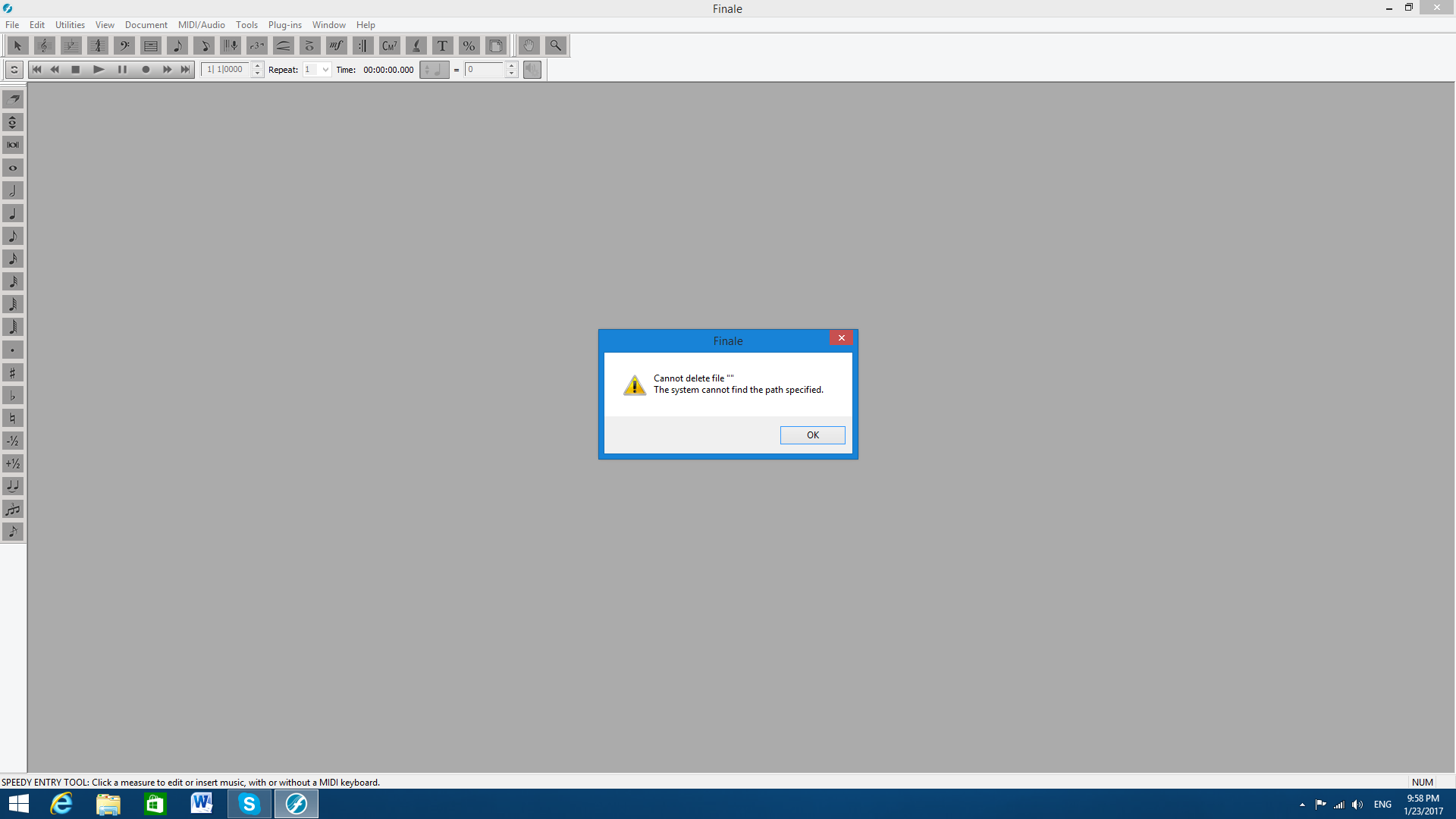
Yes, I am getting too messages. After a close the first one, I get another one. I tried opening file from both finale and just clicking on the file. I get the same messages. Other files are opening just fine. I am attaching both messages. The first one say: Can't open file. The second one: can't delete file. 

Hi Igor,
It looks like this is a new issue only affecting Windows 7 users for some reason. We are currently looking into possible causes, but it appears that opening the erring file in a previous version of Finale (if possible), saving a new version of the file, and then reopening the file in Finale v25 will help. For more information, please check out this knowledge base article: Unable to open files in Finale v25 (Windows).
Please let us know how this goes!
Adrian, I am getting the same errors when double-clicking the file.
Lawson, I use Windows 8. I don't have the previous version of finale.
But I did solved the issue by finding the backup file in backups folder and than saving it wit a different name as musx file. Thank you for your time!
Please sign in to leave a comment.
6 comments
Date Votes