I am using v.25 and have OSX Sierra. I need to label certain measures 41A, 41B, 41C, and 41D. Then I need the measures to pick up with normal numbers after that starting with 42. Thanks for the help.


Hi Bill,
Thanks for posting!
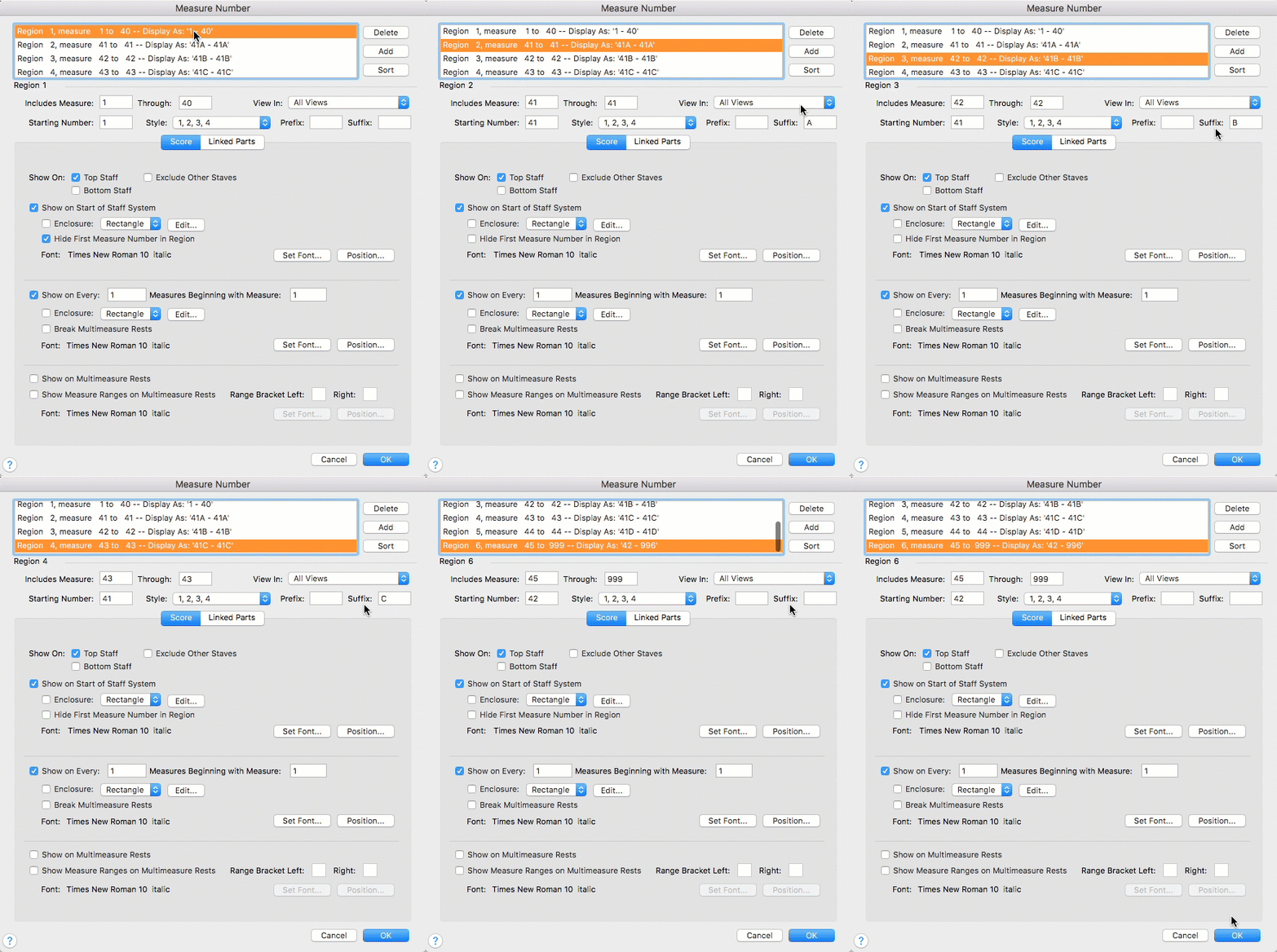
You will need to create multiple separate regions (select the Measure tool | Edit > Measure Number Regions):
1. The first one for measures 1 - 40
2. The next four regions (separate) for measures 41-41, 42-42, 43-43, and 44-44 respectively.
3. And finally a measure region picking up from 45 - 999
In the second section, those four, one measure regions, add a a successive suffix for each (so "A", "B", "C", and then "D") and use "41" as the value for the Starting number field in each. For the 3rd (real measure 45 - 999) use "42" as the value for the starting number field. It will look something like this:
Hope this helps!
Please sign in to leave a comment.
1 comment
Date Votes