New post
Avatar
0

The Jazz Chord font can be selected from the Chord Suffix Selection dialog box, or, if you know the suffix ID number you can type it in after the chord letter and the : character. For example, Ebmi7 is typed in Eb:44 (ENTER). 

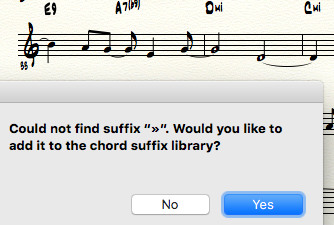
In Finale Help there is a long https://usermanuals.finalemusic.com/FinaleMac/Content/Finale/Jazz_Font.htm#Jazz_Chord_Font_Character_Set page that tries to show you how you can type in a Chord Suffix. Example, "mi7" is É (or type Option-e followed by E). But just try it! You get the "no such chord suffix" dialog. But if you type in E:44 you get the chord displayed Emi7. That's fine as far as it goes. But then if you try and select it (for example, to choose a fretboard), same message, 'Could not find suffix “»”. Would you like to add it to the chord suffix library?'

Why in the world does Finale think É is »?

Some of the keyboard shortcuts work. Letter A is 6/9. You type it without the colon, so FA is F6/9. But still, you can't select fretboards by double-clicking the handle. 

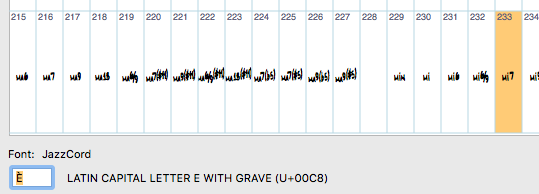
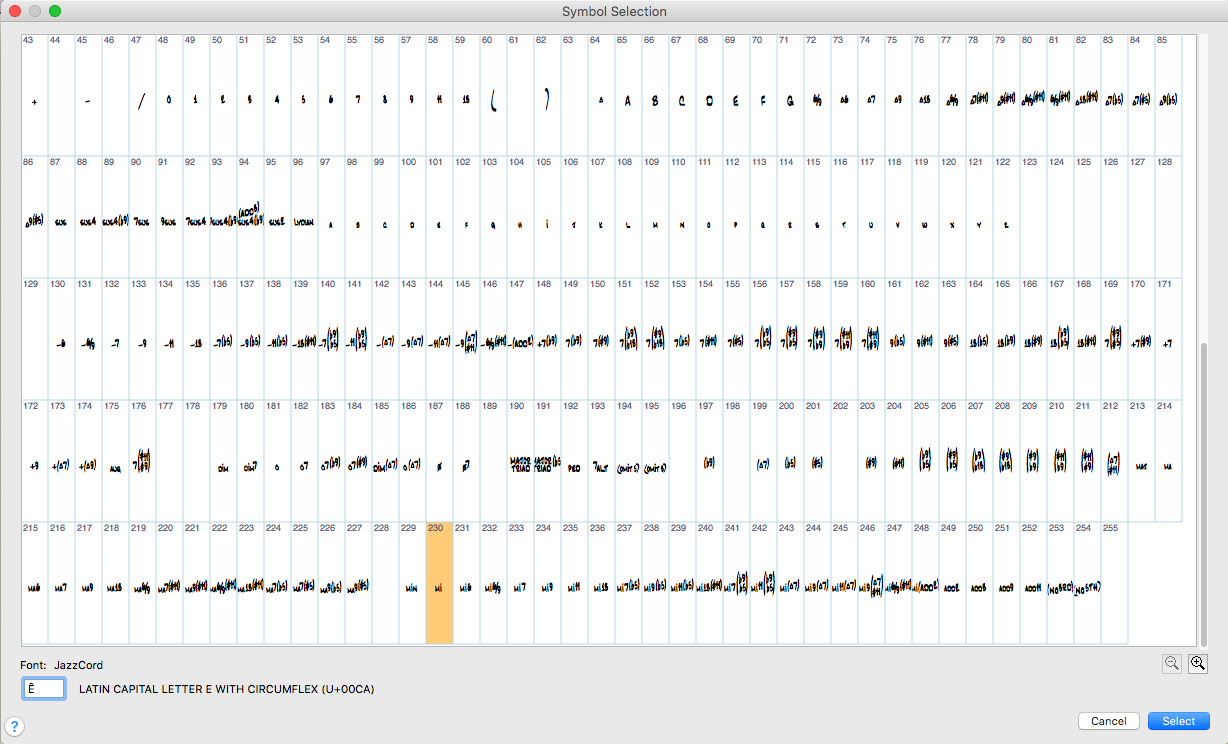
I made a screenshot of the contents of my Chord Suffix library in my current template, for my own reference, though it prints out awful blurry. Wish it was possible to read a font annotation file. 

I'm in Finale 2014.5 under OS X El Capitan 10.11.6.
2 comments

Date Votes
Avatar
0

The mi character symbol does exist - if you create a chord or duplicate an existing chord and edit it, you can select it from the Symbol Selection dialog - there being 256 characters in the font, this one is in slot 230. In the extended character set, the Latin character Ê (Capital E with Circumflex) - it's also known as Unicode character CA (U+00CA, as shown in this graphic). 

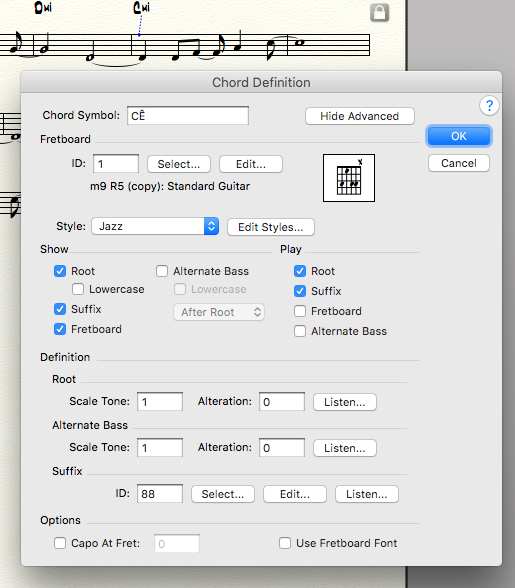
On the Mac, you can type option-i (which puts a circumflex above a character) followed by capital E, thus: Ê. Now I should be able to type that key combination into my score. But wait: I haven't assigned it to my new chord suffix yet. So I accept that choice of character #230, and then - last thing - I get to say what it should sound like, by using "Set Play..." and the chord has the notes -12 -9 -5 0 in it (I could have played a minor chord on my keyboard and got a similar result). 

And it works! At first. Not only does typing CÊ place Cmi in my score, I can see a chord diagram is automatically available. I can deselect it in the score, then re-select it and get to this dialog box. 

So why can't I select the Cmi7 chord in the same line? 

I first typed it in using E:44 - now let's try typing EÈ (E followed by option-` and E). 

This is what FÈ looks like when you type it (last chord in the staff):

and when you press Enter it looks like a Fmi7.

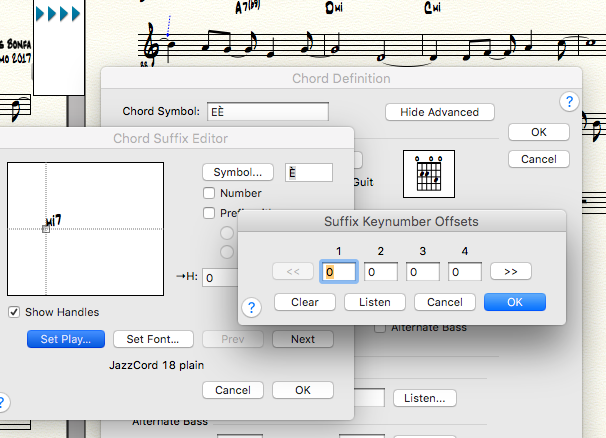
and then when you re-select it, it looks like this: 

...and around we go:


By the way, there are no notes specified to play back in this chord. Yet it still has chord diagrams. 

It's endlessly fascinating to me, and highly frustrating at the same time.  

Comment actions Permalink
Avatar
0

Oh yeah! I meant  to say - you can't just type in most chords in the Jazz Font, because the chord symbols are actually pictures of a previously-set-up chord symbol. That's why I posted the font table (Symbol Selection) above. If something is missing from your grid, you can add it as I described above, if the chord symbol already exists in the Jazz Cord Font Character Set which I linked to at the top. 

The main exception is numerical chords C7, C6 and C9 all produce the expected symbol. 

There are quite a few duplicates, and that's good because some people have their preferences. So if they make the same sound, why not implement "Aliases" in the Chord Selection dialog? 

Also, we could all use a lesson in how to organize our chords. Clump all the Maj together, followed by the 7 and 9 and 11 and 13 chords, then all the mi chords, then the assorted.

And can we standardize the Capital M for Major (or Ma or Maj) and the small 'm' for minor (or mi or min). It's a real bother to read when the font has not proper minuscule 'm'. 

Comment actions Permalink

Please sign in to leave a comment.