

HP, Windows 7, F 25
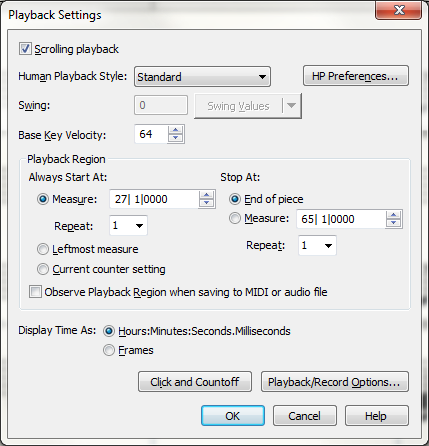
I have not had the "play back counter" work correctly since Finale 2001. I assumed it was me and Finale 25 would work correctly, but it still does not. If I have a score of 100 -200 measures, I really do not want to hold down the "fast forward" button and wait and guess when to lift my finger. In Finale 2001 I used to be able to go to the measure number box, type in "126" and the play back started on bar #126. In Final 25 it will let me type in one number, and beyond that I just get "Ping" "Ping" etc... I can't imagine there is a "set" button somewhere for this. It seems obvious the ability to type in a specific starting measure should be the default setting. Right? Please enlighten.
Thanks,
Rich Moon

1 comment
Date Votes