New post
Avatar
0

Windows 10 and Latest Finale version

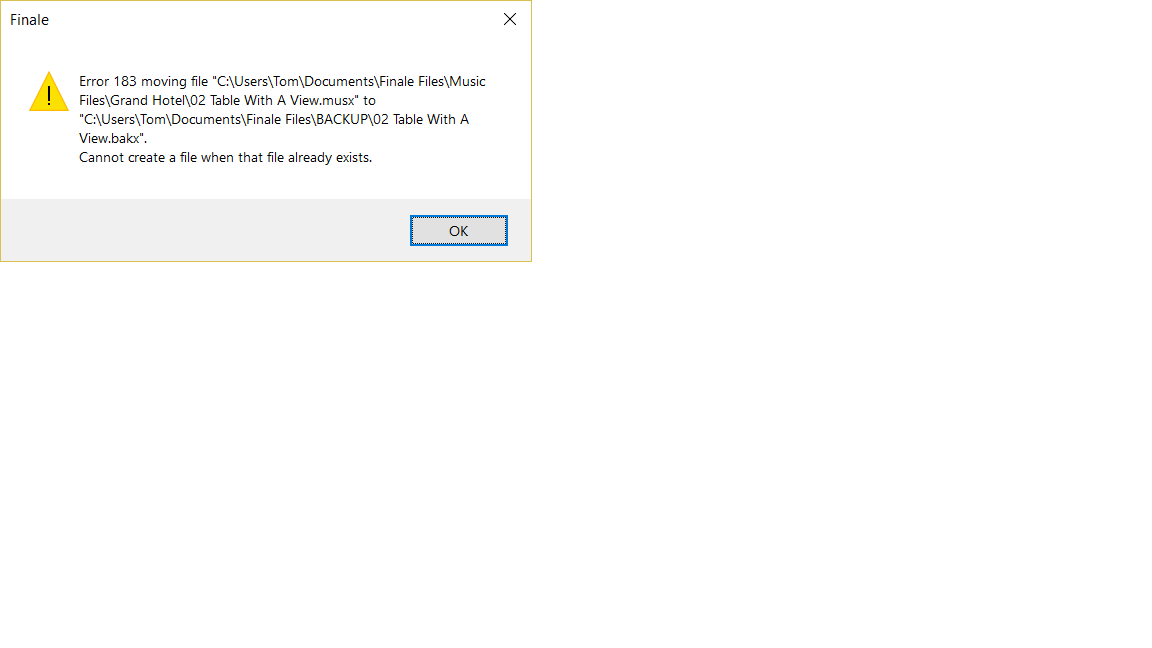
I am getting this error message. As far as I can tell directory and file permissions are wide open, i.e. read/write for all.

I cannot detect a pattern of commands or whatever...

It happens even when I run Finale as Administrator.

"Error 183 renaming file "C\Users\Tom\Documents\Finale Files\AUTOSAVES\~finsave.tmp" to "C\Users\Tom\Documents\Finale Files\AUTOSAVES\01D Opening Part IV.asvx".
Cannot create a file when that file already exists."

And when I click "OK", this message appears:

"Enigma error - 19"

I suspect this is a Windows problem rather than a Finale problem, but I don't know where to look.

I get similar error messages regrading 'backup' files as well, when saving.

Thanks for any suggestions!

Tom
 

3 comments

Date Votes
Avatar
0

Running as Administrator. I "save" and this error happens:

Comment actions Permalink
Avatar
0

I have this same problem.  Running version 25 on Windows 7 as an administrator.    Any solutions?

Comment actions Permalink
Avatar
0

It was a long battle.

The support guys were helpful after some experimentation, they suggested

creating a new user with admin permissions, the theory being that my existing user was corrupted somwehow

with permission problems. It's a small pain because you lose a lot of your cosmetic preferences on your entire system.

Hopefully you know something about the system when it comes to users. You have to create the new user, then go into 

/windows/users  and copy the folder contents of your old user into your new user's folder. Finale will behave as if it's a

brand new installation.

Here's some help as i don't know how tech-savvy you are:)

============

To create a new admin account please follow these steps:

  1. Click on the Start menu (Windows icon in the lower-left corner of your screen) and select 'Settings' (sometimes looks like a gear icon)
  2. Click on 'Accounts', then select 'Other people'
  3. Select 'Add someone else to this PC'
  4. The resulting window will prompt you for an email. Click on 'I don't have this persons sign-in information'
  5. At the bottom of the 'Let's create your account' window, select 'Add a user without a Microsoft account'
  6. On the Create an account for this PC window, type in the username "Test" and create a password for the account. When you are finished, click 'Next'
  7. Under 'Other people', select the new "Test" account and click the 'Change account type' button.
  8. In the drop-down menu change the account type to "Administrator" and click 'OK'
  9. Restart your computer, and log into the account you had just created.
  10. Open the application and test to see if your issue is resolved.

===========

And also this was helpful:

With all that you've done to address this, it appears that your original account does have a permissions issue.
Unfortunately this means that to address this saving issue in Finale, it would require a transition to this new account.
Here is a forum post I found that should help ease this process for you:
https://answers.microsoft.com/en-us/windows/forum/windows_10-security-winpc/transfer-settings-and-files-from-one-user-account/36924035-69ec-48a2-ab31-b6e43555ba1c?auth=1


GOOD LUCK!

Comment actions Permalink

Please sign in to leave a comment.