New post
Avatar
0

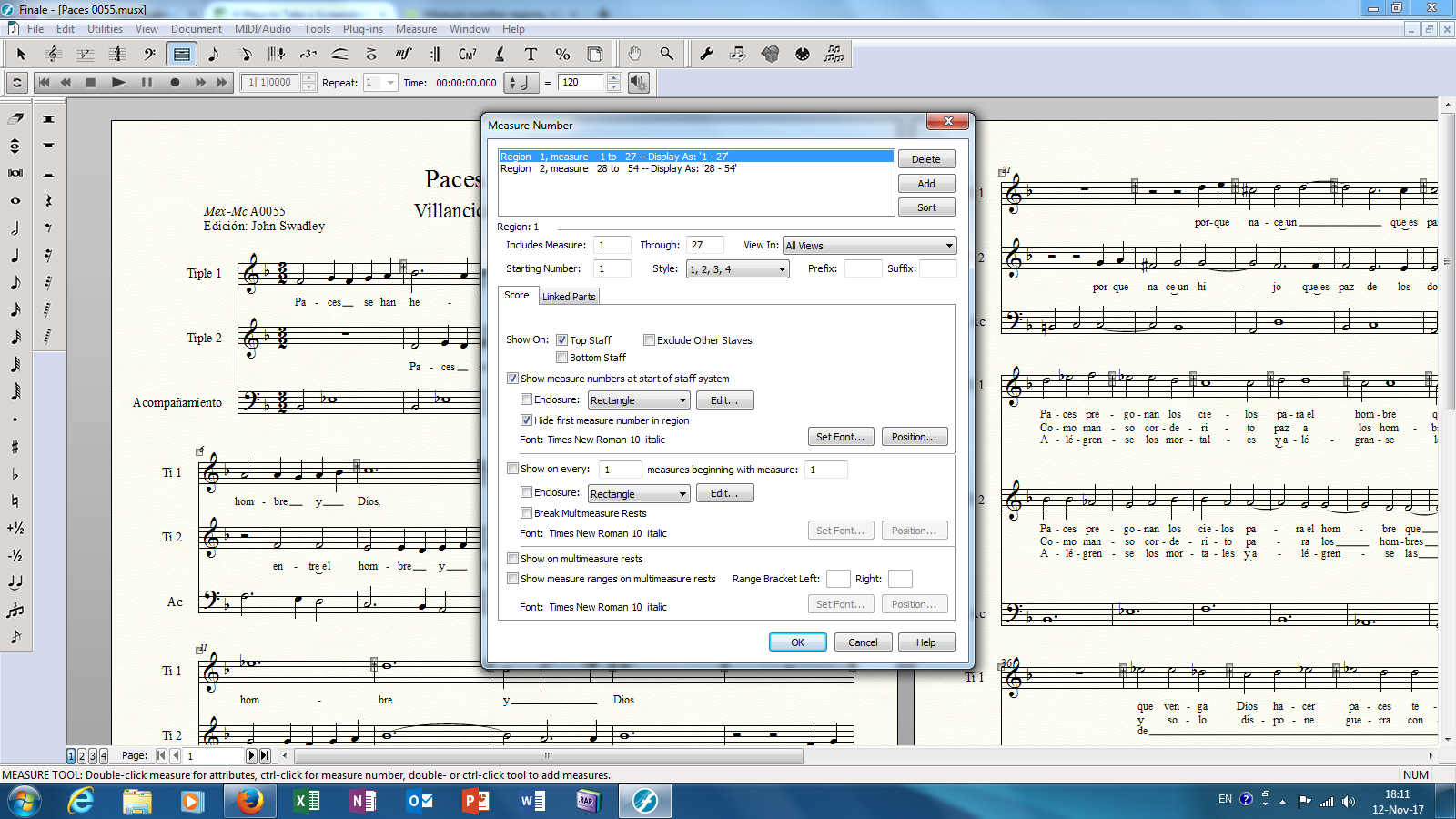
Running Finale 2014 on Windows 7. I have a number of pieces where a publisher would like a new section to begin with the number 1 (concretely, the coplas section of a villancico, after the estribillo). But when entering region 1 as 1-27 (for example), region 2 always begins as "region 2, measures 28 to 54, displaying as 28-54. This is despite having the "begin with" box as 1. Is there a fix for this?

5 comments

Date Votes
Avatar
0

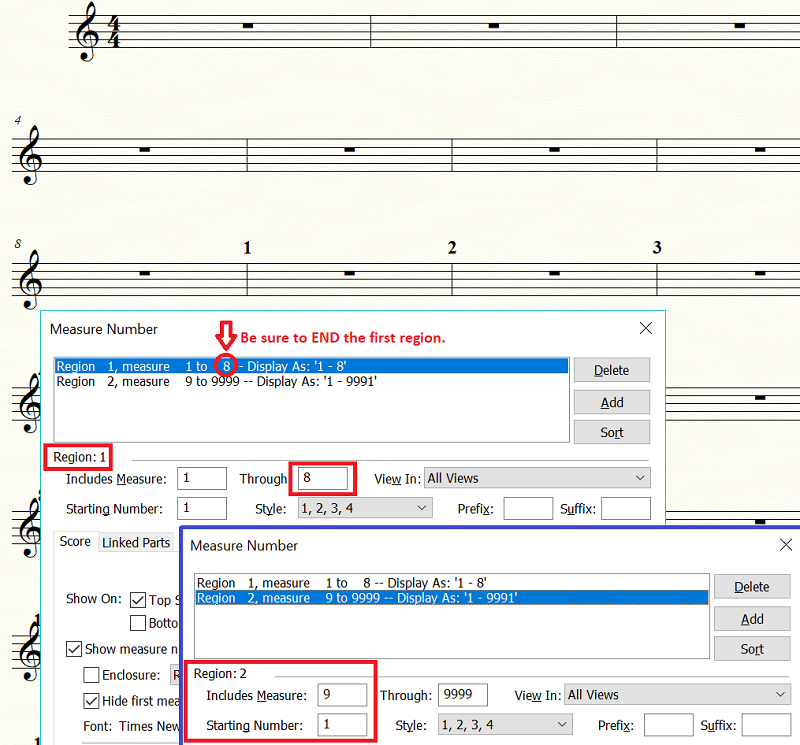
Make sure to end the first region as well as set the second.


Comment actions Permalink
Avatar
0

Thanks, the problem comes in "display as" in Region 2, which merely repeats the numbers entered, i. e. Region 2, measure 28 to 54---Display as 28 - 54.

Comment actions Permalink
Avatar
0

Comment actions Permalink
Avatar
0

Same thing when the second region is highlighted. I appreciate your time!

Comment actions Permalink
Avatar
0

All I can think of is to make sure that when you highlight the second Region the satrting measure there is also listed as "1".

And I guess you realize that the tabs for Score and Linked Parts can have separate settings. Make sure you are working in the tab you think you are. (This is probably unlikely, but I thought I'd mention it since I have never had a problem with measure regions once I learned to use them.)

Comment actions Permalink

Please sign in to leave a comment.