New post
Avatar
0

Hi,

I would need to delete license from ARIA player for GPO5. I would like to add my licence png to ARIA player but it seems already licensed by someone else. I inherited this computer form a friend of mine and I would like to remove his licence and replace it by mine. Unintsallign ARIA player and GPO5 did not help. After new installation it is already activated to his licence.

How do I remove one licence and replace it by mine?

Thank you


1 comment

Date Votes
Avatar
0

PC or Mac?


If you're on a Mac, sorry, I'm not sure where the key gets stashed, but my best guess would be somewhere in your user preferences folder (may be hidden by default).


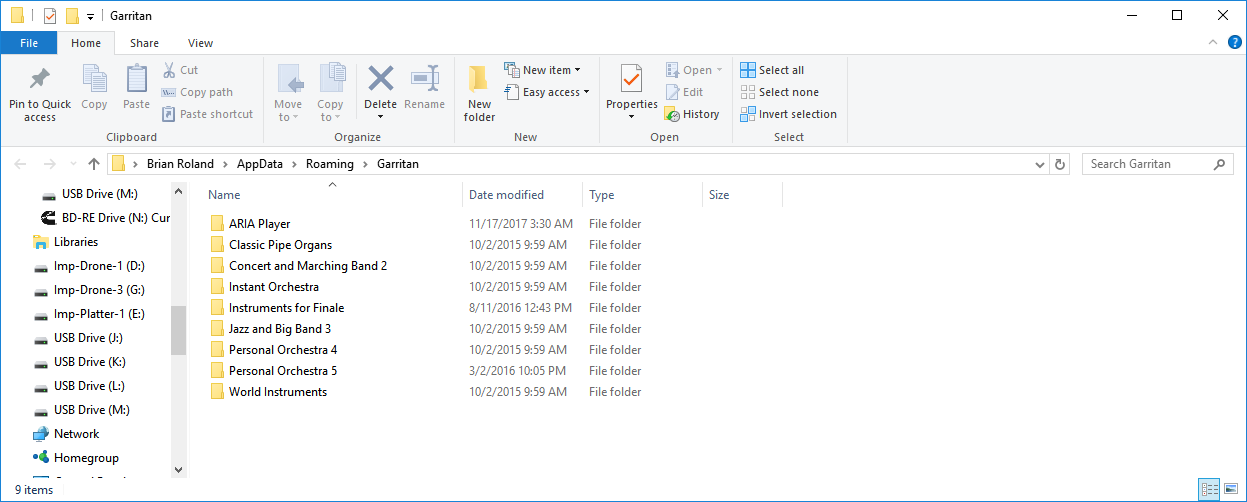
On my PC I'd check in my user "AppData/Garritan" folder.

Hold the windows key and tap r.

Paste this into the command line:

%appdata%/Garritan

Click OK, and you should get a window similar to this, with a directory showing for each Garritan Library you own:

Go into the folder for the Library you wish to change images for, delete the existing image, and drag in your replacement.


 If your images aren't in that user location, then they might also be stashed in some other places (I.E.  If someone set things up for multi-user access on your system).  Check in the installation directory for the Library.  I.E. "C:\Program Files\Garritan\Personal Orchestra 5".


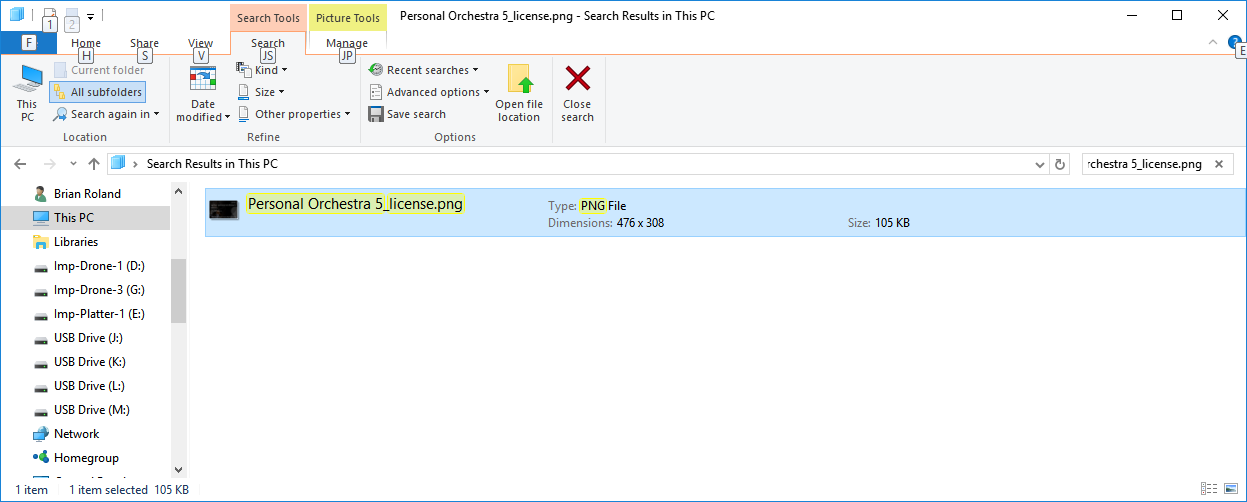
Still can't find it?  Try a full system search for a file named:

Personal Orchestra 5_license.png


1.  While logged into an administrative account, Tap the r key, then type:

This


2.  Click in the list that pop's up "This PC".


3.  In the Windows File Explorer menu that pops up type this into the "Search This PC" field at the top right of the window.

Personal Orchestra 5_license.png


The system will be searched for any files with that name.  It could take some time as this searches through every file on your PC!  Once found you should be able to determine the location on your hard drive where it can be replaced. (right click it and choose "Open file location")


Comment actions Permalink

Please sign in to leave a comment.