

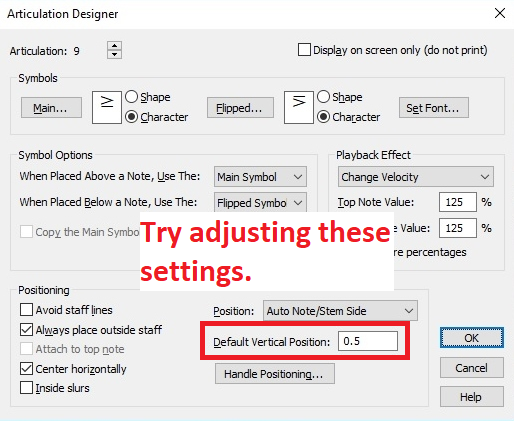
Is there a way to edit an articulation position to be both 'always outside staff' and avoiding collision with its note head that is outside the staff? My recurring problem is the combo accent-tenuto mark that places the tenuto part touching the note head and looking like another ledger line beyond the note head. My solution has been to enter the articulation then go back to manually move it: tedious and time-consuming.
While I'm asking, is there a way for this collision avoidance to include note heads in another layer, especially as for divisi parts in the score that will be used to adapt for separated, individually printed parts?
For full disclosure, these are old files last touched using Finale 2011 and perhaps originating well before that, so conversion to musx could be providing complication, but I have been pleasantly surprised in the limit of conversion issues found, having recently jumped to Finale 25. I am also afraid at this point - working to meet a deadline - to load the Maestro library for articulations.
Thanks for your time and help!
WIN10 64 bit on i7 computer running Finale 25.4

2 comments
Date Votes