

Windows 10, Finale 25
For years I wrote arrangements - hundreds of them - using the Encore notation program and a Korg X5DR hardware MIDI module because of its Latin percussion sounds as one of the drum kits and reasonable other instrument sounds. I have recently undertaken to transfer the arrangements over to Finale via musicXML. I still use the X5DR, and Finale recognizes it. The issue is that I cannot create a percussion map that both plays the correct MIDI notes and puts the notation on the line/space I want with the correct note head. Here are the facts (see the picture below to clarify my explanation:
- MIDI/Audio -> Play Finale thru MIDI
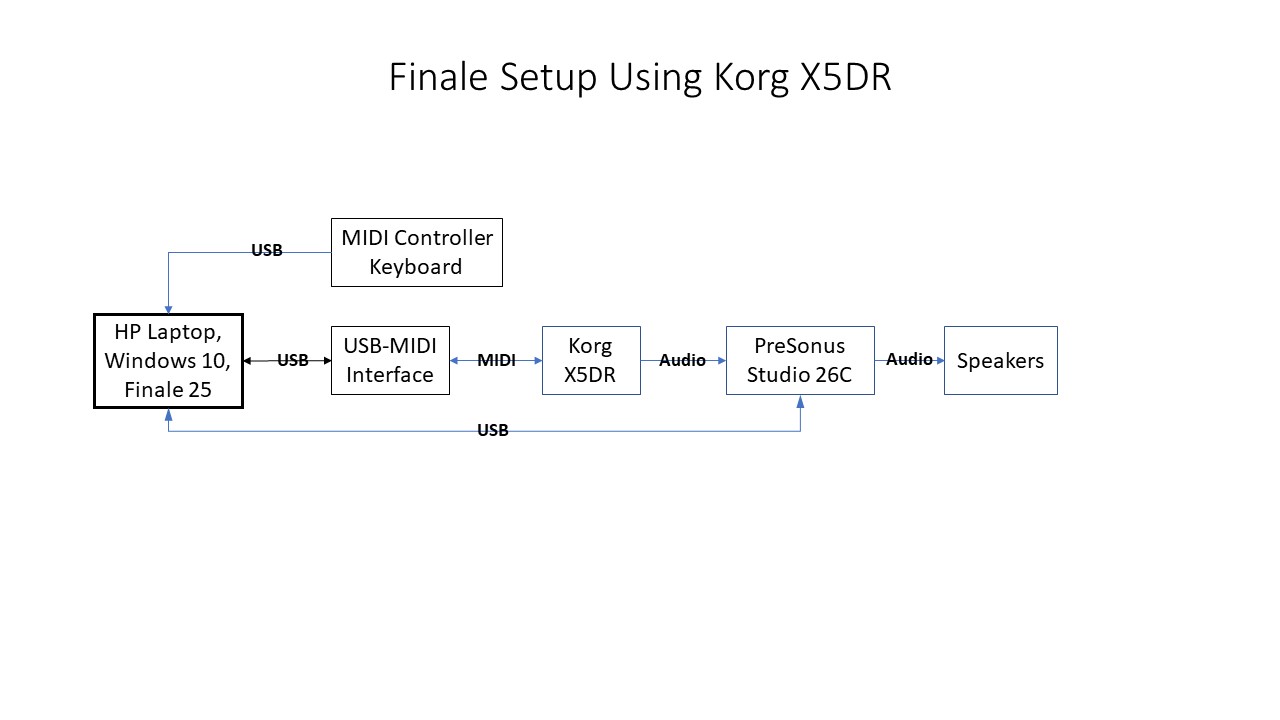
- MIDI/Audio -> Device Setup -> MIDI Setup sees MIDI Out as USB MIDI and MIDI In as Oxygen49 (my MIDI Controller Keyboard)
- Audio setup doesn't matter because it is the output of the X5DR
- In the Score Manager window, all tracks use USB MIDI Studio26c
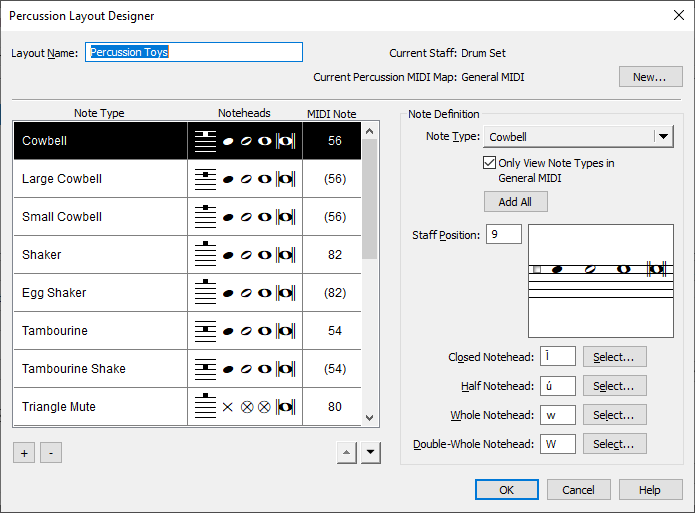
- There are three percussion tracks: Timbales, Congas and Bongos. I can set up staff position and note head types for them but not the MIDI note numbers. They play fine (the X5DR Latin percussion MIDI note assignments are not like GM Drums) because the correct notes were imported. The issue is that the notation is not what I wanted.
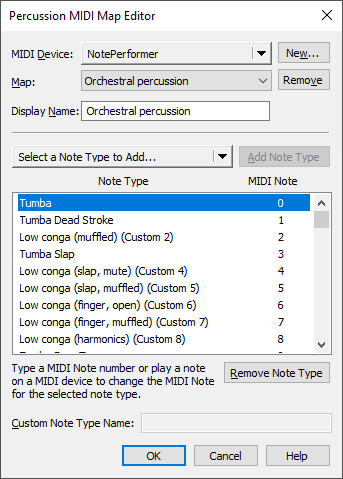
- Using MIDI/Audio -> Device Setup -> Edit Percussion MIDI Map I have created a kit called X5DRPercKit into which I added all the percussion instrument types (hand percussion has different strokes as individual types) for each of the three instrument setups (Timbales, Congas and Bongos).
- This information never gets connected back to the staff position and note head types so the MIDI note numbers are different in the two places. Therefore the notation is wrong.
Any suggestions? What am I missing?
Here's my setup:


8 comments
Date Votes