Mac 10.12 v25
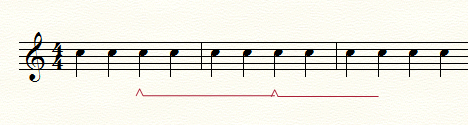
I choose a specific custom line and when entered it reverts to the default line. When I return to the Smart shape options my choice has gone back to the glissando setting.


I usually use Finale on my Windows machine, but I opened the version on my Mac (El Capitan 10.11.6) and had no problem choosing SmartShapes, Option-clicking on the Custom icon (the star-in-the-hexagon) scrolling to the line I wanted, clicking on it to highlight it and then clicking Select.
With the Custom icon still selected, I double-click and drag to position the SmartShape. It works for me, so unless Sierra is causing a problem, I do not understand why your version does not work as it should. Presumably you have already tried restarting you computer (which would mean restarting Finale), a frequently suggested catch-all solution.
You do have the option to contact MM directly via the "Submit a request" link above or via their phone help line (during business hours) under the Finale Software pull-down on their Contact Us page at http://www.makemusic.com/contact-us/?_ga=1.263438542.376967974.1459532219
Please sign in to leave a comment.
7 comments
Date Votes