New post
Avatar
0

Finale v25 on Mac OS El Capitan (10.11.6)

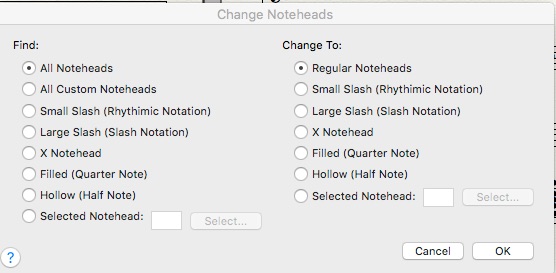
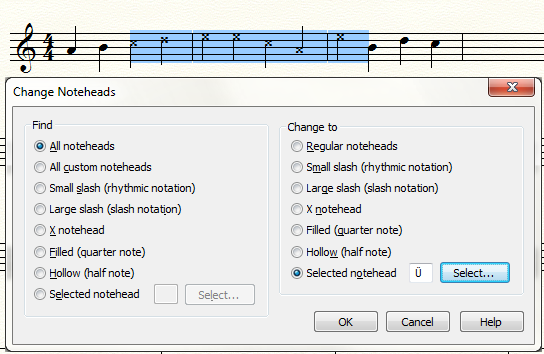
When I select a measure (or less, or more) and go to Utilities / Change / Notehead, then select the type of notehead I want (doesn't matter if it's a stated option or a custom notehead), and click OK, nothing happens. No error, no new noteheads. Nada.

In order to keep working, I have to click the Notehead tool in the Special Tools palette, then shift-click on each notehead in a measure (and I can only choose noteheads in a single measure!), then double-click and pick a new notehead. This works, but boy is it a PITA!

5 comments

Date Votes
Avatar
0

What does your change-noteheads screen look like?


Comment actions Permalink
Avatar
0

The dialogue box looks normal. It doesn't matter what kind of notehead I change to, whether it be "X notehead" or "Slected notehead" or anything else; it does nothing.

BTW, I've done this many many times in Finale 2012, but in v25 it's failing silently.


Comment actions Permalink
Avatar
0

Just to clarify, I should also point out that when I click the Notehead tool in the Special Tools palette, then click a measure, the notehead handles appear, but I am NOT able to click-drag to select multiple handles.

As I said in the OP, I must shift-click on each notehead in a measure (and only a single measure - the bar line is an impenetrable wall), then double-click and pick a new notehead.

The click-drag to select multiple notehead handles worked in 2012, but not in v25.

Comment actions Permalink
Avatar
0

I don't know what to say except that I hope you can get it to work. It works as advertised fro me in Win 7. I have not installed v25 on my Mac yet.

CORRECTION: I have installed v25 on my Mac, and the change noteheads utility works okay on my mac (still El Capitan) too.

Comment actions Permalink
Avatar
0

*crickets* ??

I know I'm not the only one having this trouble. I recently joined the "Finale Power Users" group on Facebook & there's somebody else in the group with the same problem.

Comment actions Permalink

Please sign in to leave a comment.