New post
Avatar
0

I have a windows 8 pc i7 and I have just bought the Garritan CFX. 

Download was no problem but when I generate an activation keycard there is no option to cut and paste the keycard onto my pc desktop!

I can only use it for five mins then it disables!

3 comments

Date Votes
Avatar
0

Hi Mark,


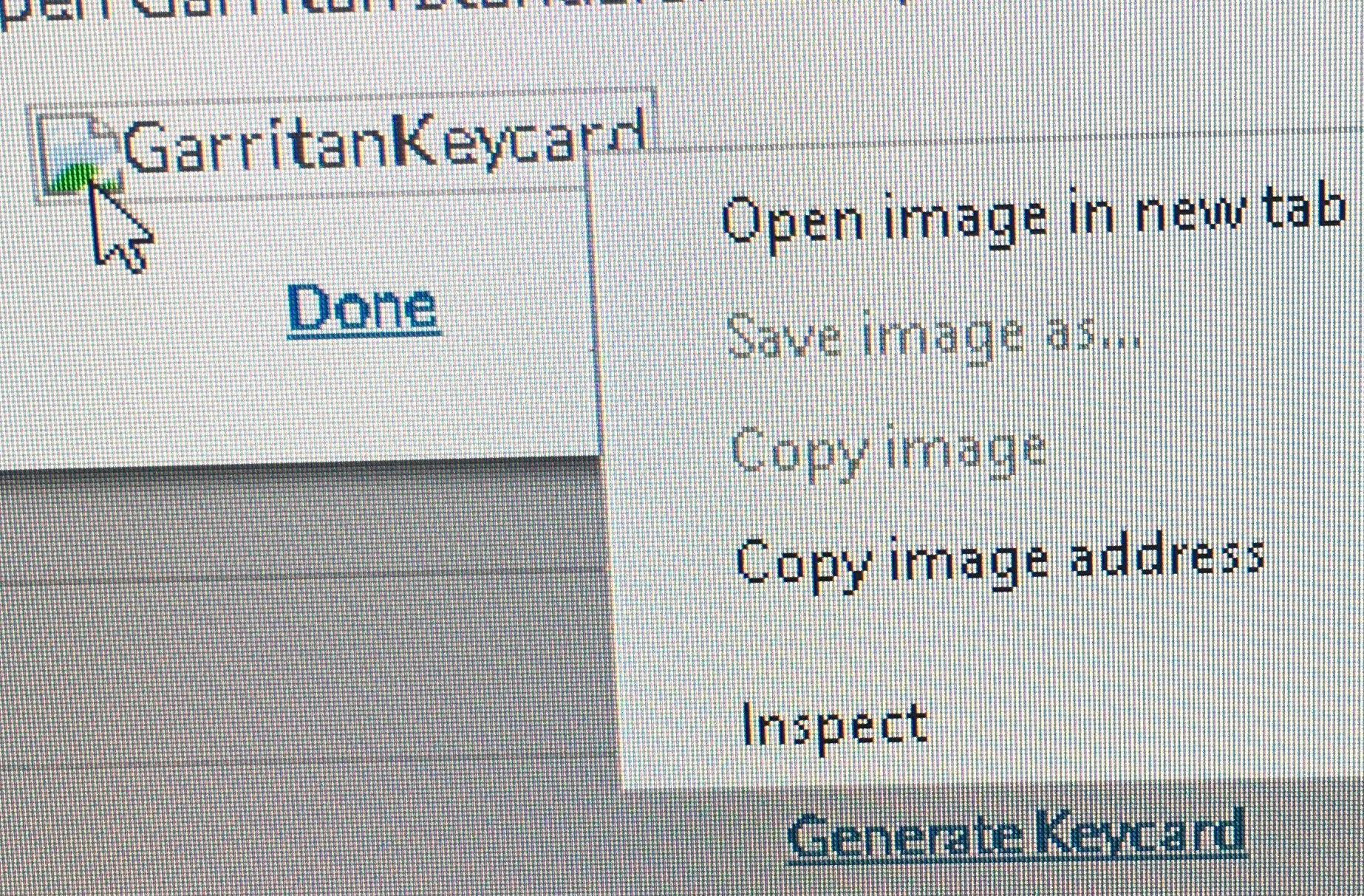
Usually (and this can totally depend on the browser and OS configuration you have) if you right click the image of the generated keycard, you should have a Save Image As option. Is that option available to you if you right click the image that appears after you click the Generate Keycard link in your MakeMusic account?
Comment actions Permalink
Avatar
0

Thanks for your reply Lawson.
 
I don't have the SAVE IMAGE AS option so can't paste it into the desktop. I've attached an image showing this. Not sure if it helps.
I've also tried it on other pc's with no luck.
 
I'm wondering if it's that I have got two accounts. The email address account which I am corresponding now is different to the account that the Garritan is registered. Does that make any sense?


Comment actions Permalink
Avatar
0

Thanks for the info Mark.


It looks like you may be having problems with the serial number registered to your other account. Since this involves so more detailed information I will create a support ticket with you to address this further.


We can get this one sorted for you soon!

Comment actions Permalink

Please sign in to leave a comment.