

Win7, Notepad 2012 -- can't get support because it is a "legacy" system, even though I plan to buy the full version once I get my new PC on Thursday.
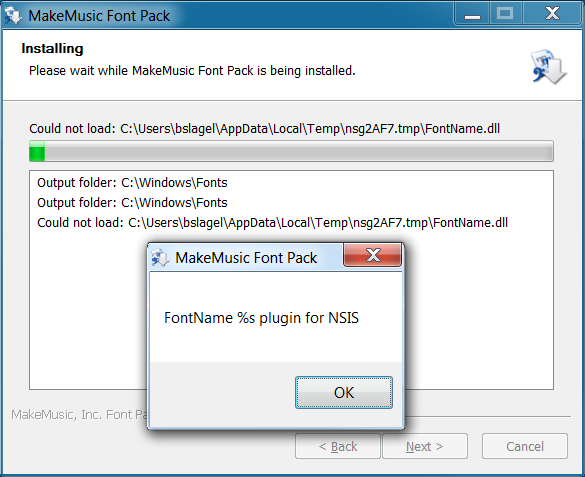
I am unable to install the Notepad fonts on my PC. Even though the file path is created (c:\Users\bslagel\AppData\Local\Temp\... etc. ), the installer states that it could not load the FontName.dll. (See screen shot for error.) I have tried the compatibility version, with the same result. I tried marking all files folders as full access (not read-only) with the same result. I ran as administrator with the same result. I logged in as the administrator with the same result. I tried reinstalling the full Notepad app with the same result. I tried installing just the fonts, MMFontWin.exe with the same results. What else can I try?

1 comment
Date Votes