New post
Avatar
0

Hello,

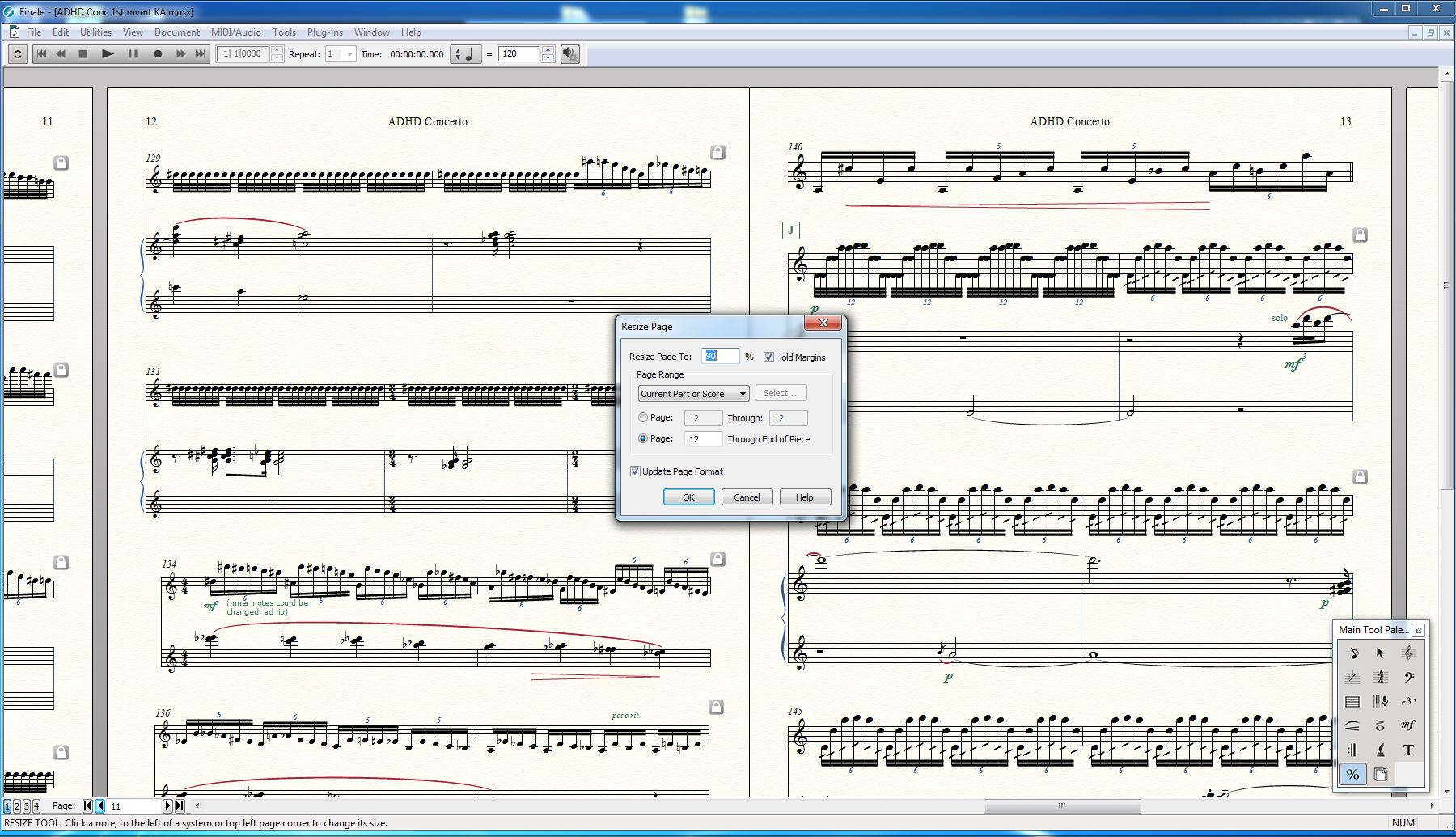
no idea why does Finale show 2 different page layouts sizes at the same document (see attached picture).

I tried to apply "resize page" for all pages, but it won't change the size of the last pages.

Any remedy?

(Win 7, Finale 25.5, screen resolution: 1920X1080)
2 comments

Date Votes
Avatar
0

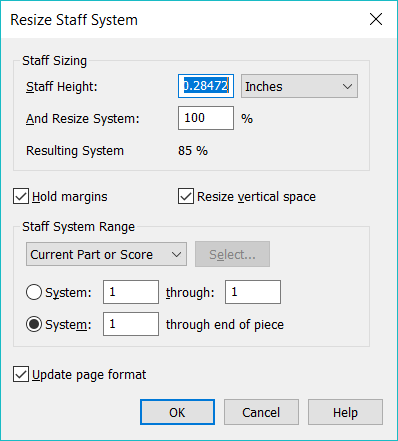
Here's the quick-and-Dirty solution:

  • On a copy of your file (to play it safe) choose the Percent (%) Tool.

From the size of the page headers, it appears your problem is either with System size or Staff sizes; I'm guessing System size.

  • On one of the original (correct) pages, right-click on a measure (which should populate the size box with the correct size)
  • Choose Resize System to End of Piece
  • Click Okay.


If you find that wreaks havoc, use CTRL+Z to undo and try the same procedure with the staff-size option instead. (You are working on a copy, right?)


Peter or Mike H can probably tell you how to set up system sizes so the problem never recurs, but this will get you started. Didn't want to burden you with TMI all at once.


Comment actions Permalink
Avatar
0

Hi Adrian,

thanks a lot, this didn't work for me, BUT I played a bit with the other options and managed to solve the problem with the "Resize Staff" option, changing each staff "Manually".

Greets and all the best,

Benny


Comment actions Permalink

Please sign in to leave a comment.