

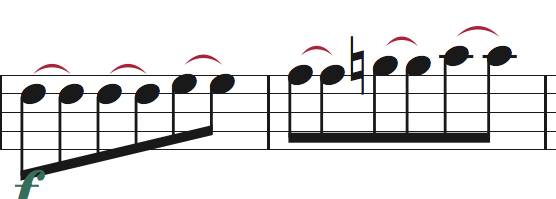
I'm working on somebody else's old project, and having strange experiences with the (wonderful) Patterson Beams plugin (v5.11, running on Finale 25.5.0.259 on a Mac). Hard to describe -- sometimes it works fine on a selected passage; other times it seems like it's not running at all. I noticed a bunch of beams that didn't seem to be "hanging" properly (see the slivers of white), so I ran "Clear Selected Items" to remove Stem and Beam Alterations, but nothing moved: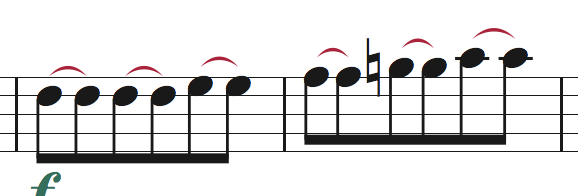
Running Patterson beams did not change the beams at all (!). So then I grabbed one of the beams and moved it horribly and ran Patterson again; nothing moved.
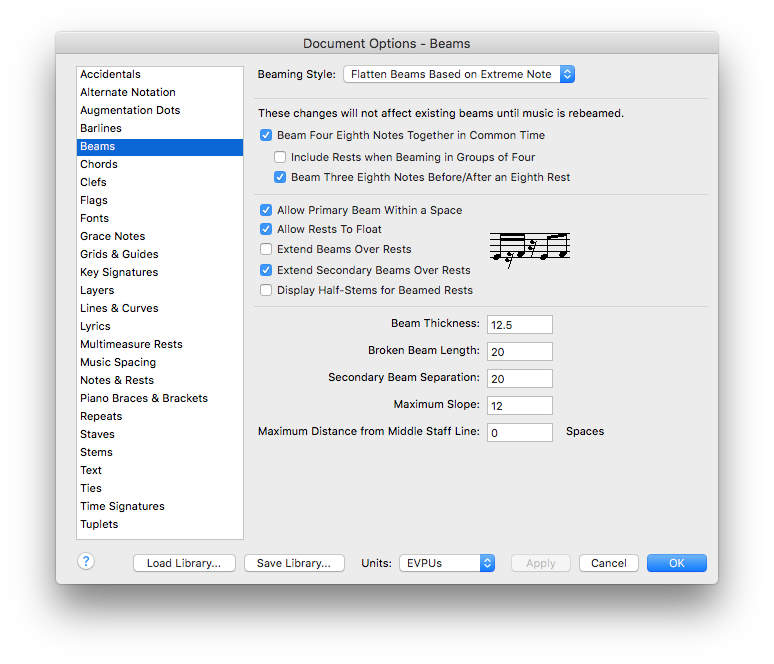
The person who made the file originally copied the "Henle" settings from Robert Patterson's website, and they all seem correct; the Document Options shows stems are set to a normal length of 84 EVPUs (3.5 spaces):
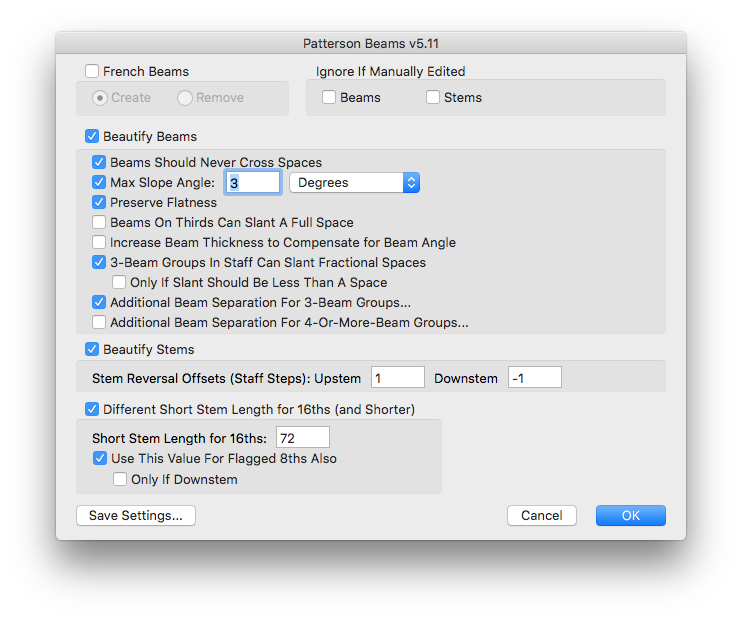
Any ideas about what to do with this? I don't understand why Patterson beams would just decide to stop working... And I've got 850 pages of parts to try to finish in the next 24 hours, so fixing everything by hand isn't an option. Thanks for your help!
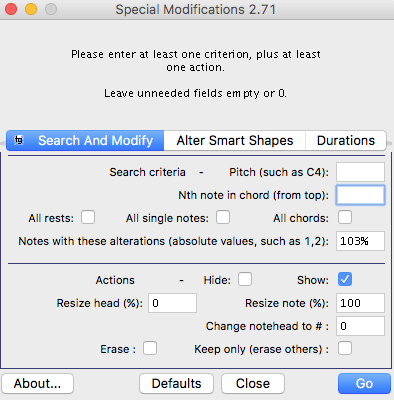
UPDATE: It appears that all the "normal" notes in the score were increased in size to 103%, and as a result Patterson Beams was ignoring them. Unfortunately the parts are filled with cues, so I can't just select all, reset all the notes back to 100%, and run the plugin. Does anybody know how I can change all notes that are 103% and resize them to 100%? Maybe there's a special search/replace plugin that would do it, or a FinaleScript command?
Jeffrey
Mac OS X, Finale 25, Sibelius, SCORE

2 comments
Date Votes