

Win 10, Fin 2012, Lenovo laptop
My PDF isn't displaying the tempo marking (Fig 1 below), and it's showing extra notes that I didn't write (Fig 2). They aren't on the file view; only on the PDF. I get the message in Fig 3 every time I try to export to PDF.
There is a hidden staff for an ossia, but the wrong notes aren't from it. There are some layer 2 notes, but not the ones that are showing up on the PDF.
I've followed the below article "Music Fonts Display Incorrectly" from the knowledge base (Program functions and settings), and re-installed them, and it seems to have worked for everything except the tempo marking. It's a classical piece, so I don't want to use the jazzy stuff, and have selected Maestro as the default.
Fig 1

Fig 2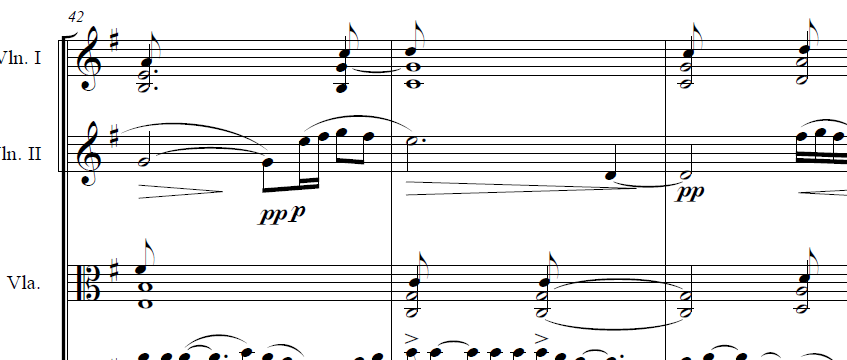
Fig 3
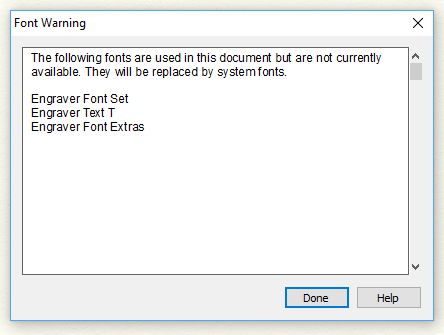
Huh? I just re-installed the fonts.
In the Document tab, I've set the Default Music Font, and made sure it is the same as the Notation font in Document Options.
I'm sure Make Music will understand if it occasionally appears that, when purchasing a new car, one must invent the tire, or design the chassis...
0 comments