New post
Avatar
0

Windows 10 Pro, Finale v26 Current

Hi all,

I hope this is the correct place for a question about VST.

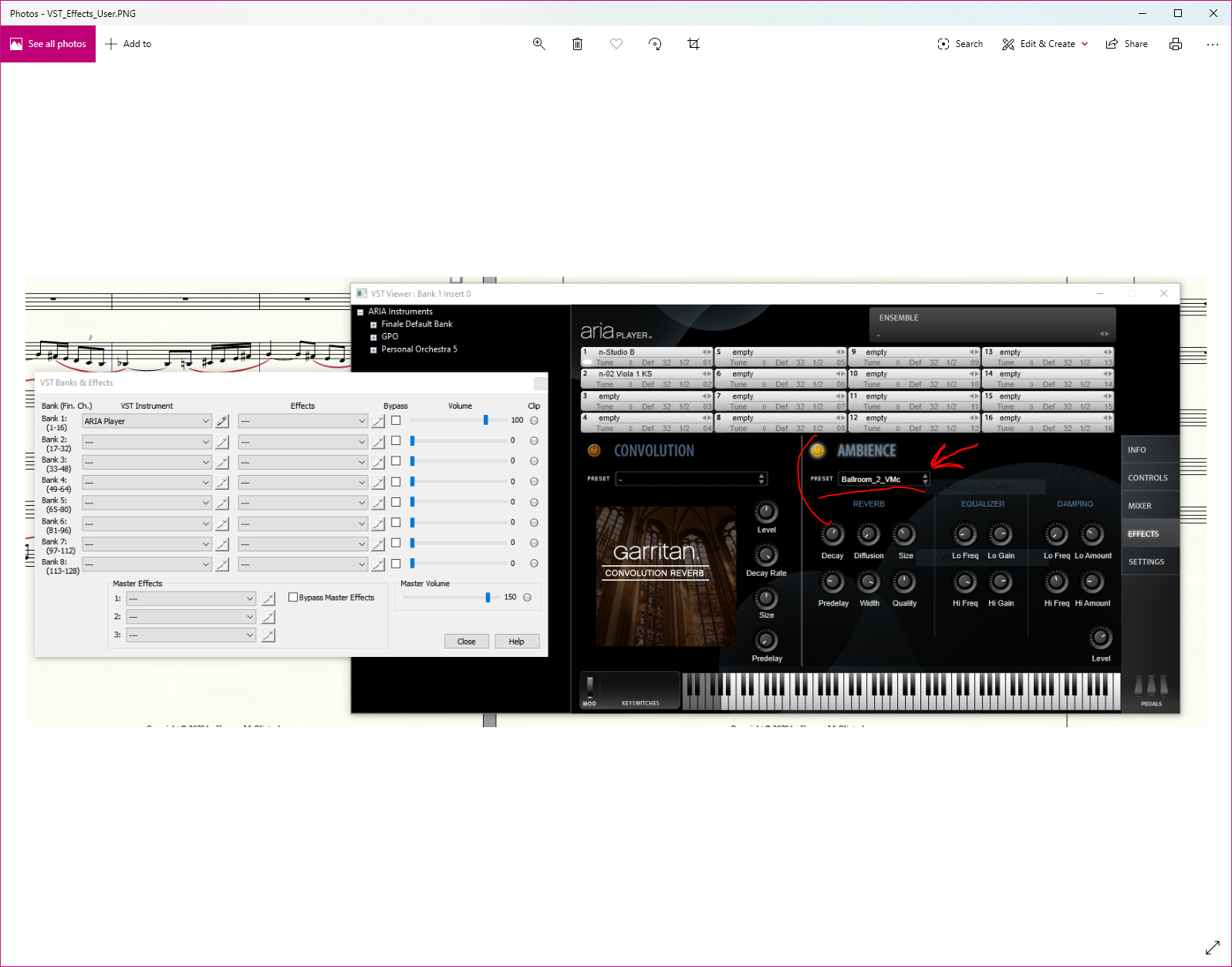
When I open VST and click on the edit button, I see various options, including "EFFECTS," which allows for selections of present "ambience" or reverb.

When I click on the PRESET list, I see many choices, including "user" at the bottom.
Sometime in the past, I created two user presets, but I cannot remember what I did.

At the top of the PRESET list are options to Load, Upload, and Save. When I "Save" a file is created, but it does not create a "user" preset.

Help please... :-)
3 comments

Date Votes
Avatar
0

When I "Save" a file is created, but it does not create a "user" preset.

When you save a preset it asks you for a file name (and shows you the directory where it will be saved - this you can also see in the Settings screen) - have you done that? In your presets list "User" is not a file, it's a directory. There should be a little arrow on the right, click on that and you should see your saved presets.


Comment actions Permalink
Avatar
0

Thank you, Michael,

Yes, I Saved the change and the name of the file is "anticipation_reverb.ariap" and it is in the same folder (directory) where the musx file is.

I have two presets in the directory, but do not see the one I recently saved.

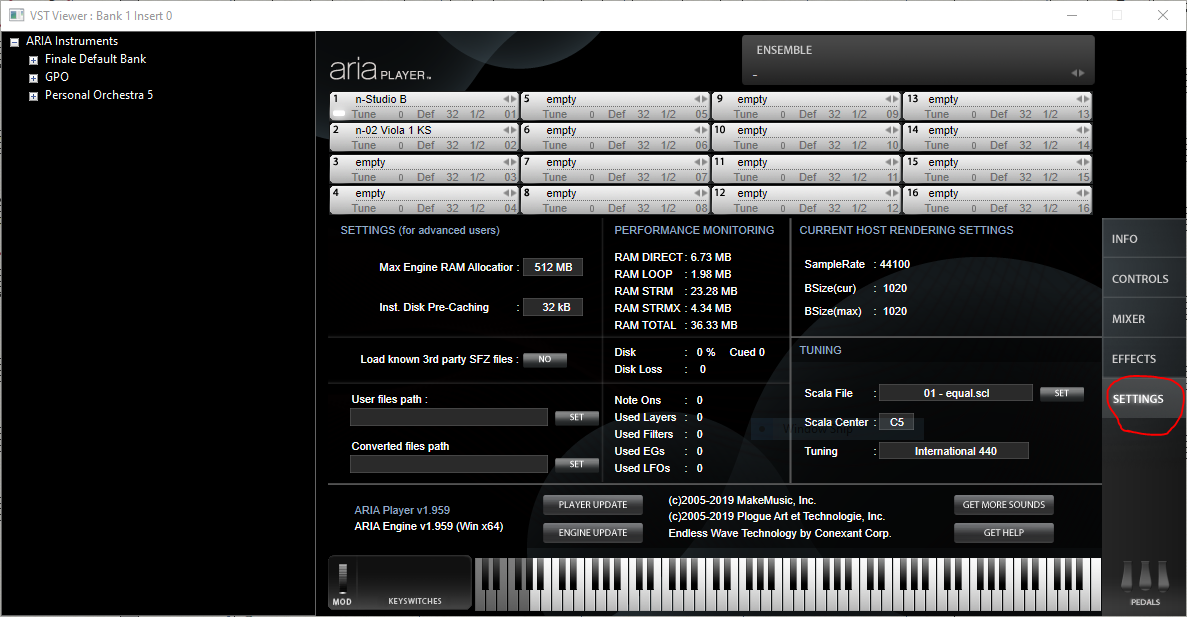
I do not see what you mean in the "Settings" screen. Here is what I see:

:-)
Vanessa

Comment actions Permalink
Avatar
0

I think you need to go to the user file path, click on SET and choose the folder/directory where you have saved your presets (apparently where your .musx files are)

Comment actions Permalink

Please sign in to leave a comment.