

Version 25.5
Windows 10
Long time user.
Hi all.
Despite doing what I think is correct in the tuplet box in document options, my tuplet numbers seem to be randomly placed, particularity when I transpose a part. I've attached a grab of my settings. It's a pain to have to then manually move all the little numbers to where I want them. I've tried various options. What I WOULD like is for all the numbers to appear above the notes.
Your help is very appreciated. I've been dealing this for a while, but thought I could figure it out. Obviously not.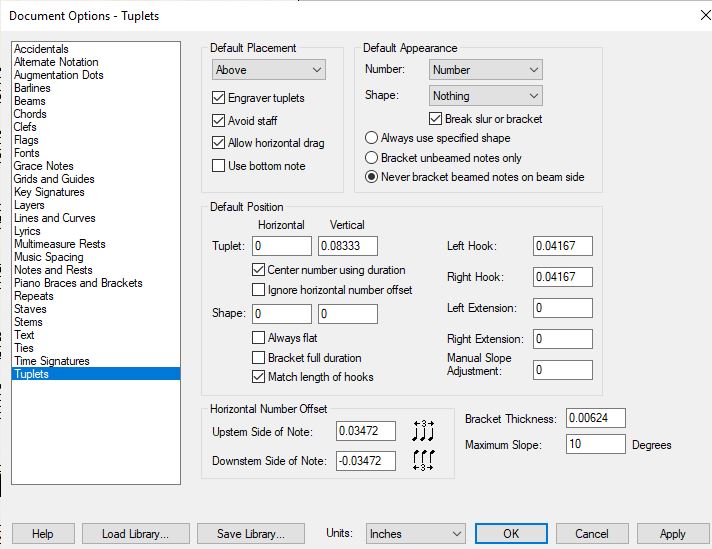
THANKS!
Keith Z.

2 comments
Date Votes