
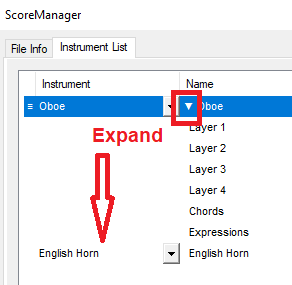
One staff in my score changes instruments (Horn in Eb to Horn in F), and I can’t alter the name on the second instrument because it doesn’t show in score manager, and I don’t want to use the default name. In my last version of Finale, the document listed both instruments in score manager so that I could manipulate various staff names and other parameters. When I updated my files to version 27, I didn’t realize that the second instrument got deleted from view in score manager, and I couldn’t find any way to change things using the staff tool. I’m running MacOS Big Sur and using Finale 27.


2 comments
Date Votes