

Hi there,
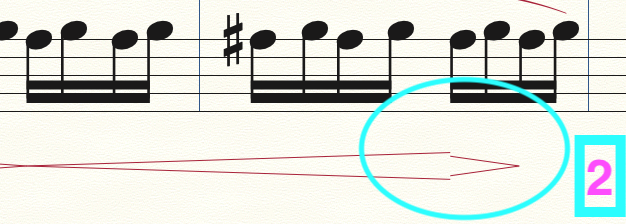
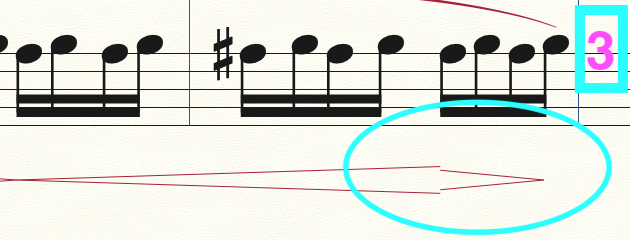
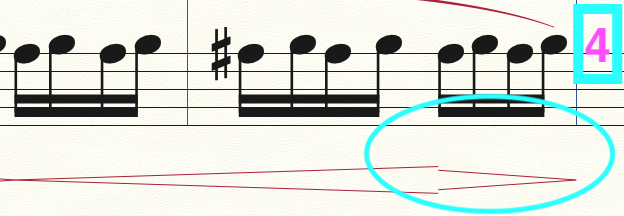
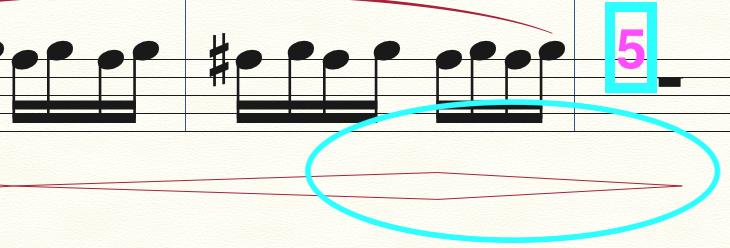
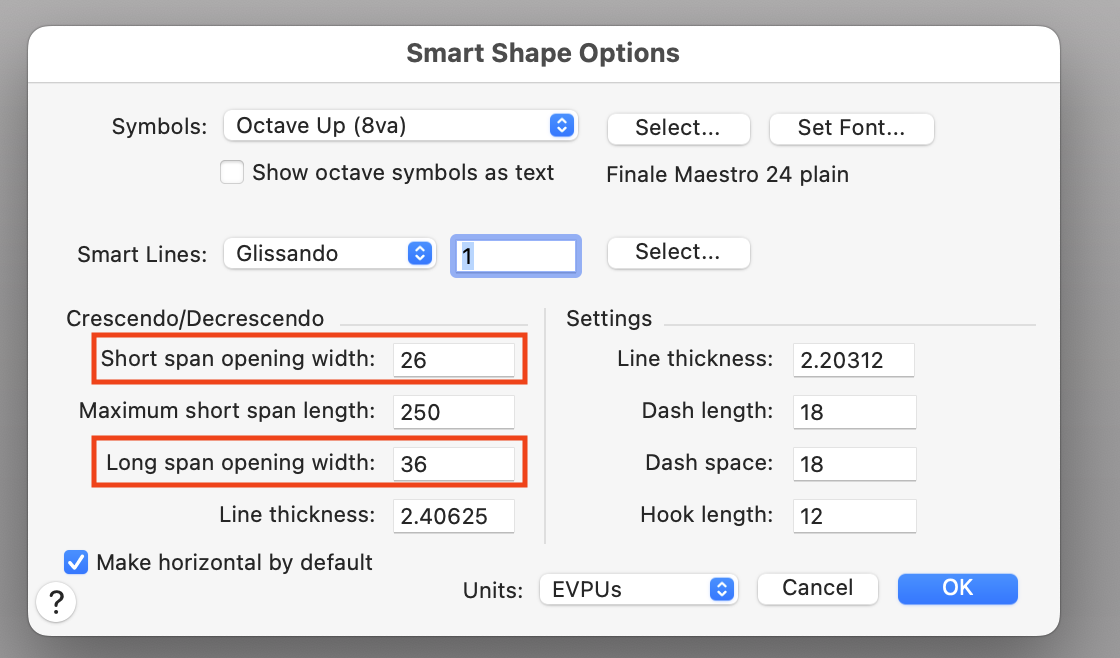
I am having trouble with the "Smart Shapes" creation function in Finale (26.2.2.493 for MacOS Monterey), specifically, the crescendo/decrescendo functions. It seems whenever I try and create a crescendo or a decrescendo, the height of the dynamic symbol changes somewhat, depending on the length that I try and make the marking. This is especially evident whenever I create a hairpin dynamic ( < > ), as sometimes, one of the markings will be shorter than the other (see screenshot images for example). Notice that, as the length of the dynamic is made longer, after a certain point, the height changes. I need this to STOP! Please help 🙂.
Thanks in advance!
Finale user.
P.S. - I would GREATLY (!!!) appreciate not having to adjust the height of my dynamic markings manually, particularly as my understanding of finale over the many years that I have used the program has led me to believe that it does this (and most other features that we users depend on to work as expected/intended, from day to day) automatically. Thanks again for your help!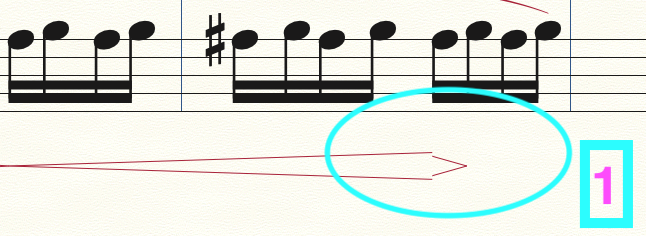

2 comments
Date Votes