Nueva publicación
Avatar
1

Hi!

I'm wondering whether there's a utility that could add note names automatically under the staff as opposed to inside the notehead as AlphaNotes does? Right now I'm using the lyrics function and it's very time-consuming.

Thanks to anyone who can help!

Natalie

8 comentarios

Fecha Votos
Avatar
2

Unless you are satisfied with the AlphaNotes template (which I do not think you are),

I fear using the lyric tool is the best one can manage without some sort of add-on routine I am not aware of.

Acciones de comentarios Permalink
Avatar
0

wow, yes, I have the same head-ache, good luck!

Acciones de comentarios Permalink
Avatar
0

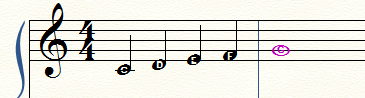
You can also use the Chord Tool to add note names.

You can do it via Type Into Score (which works in the same way as in the Lyrics Tool), but there are two advantages:

1) You can easily get ♭ or ♯ in the note name, by typing b or #.

2) If you change the key signature, then both the notes and the note names will be automatically transposed to the new key.

Acciones de comentarios Permalink
Avatar
0

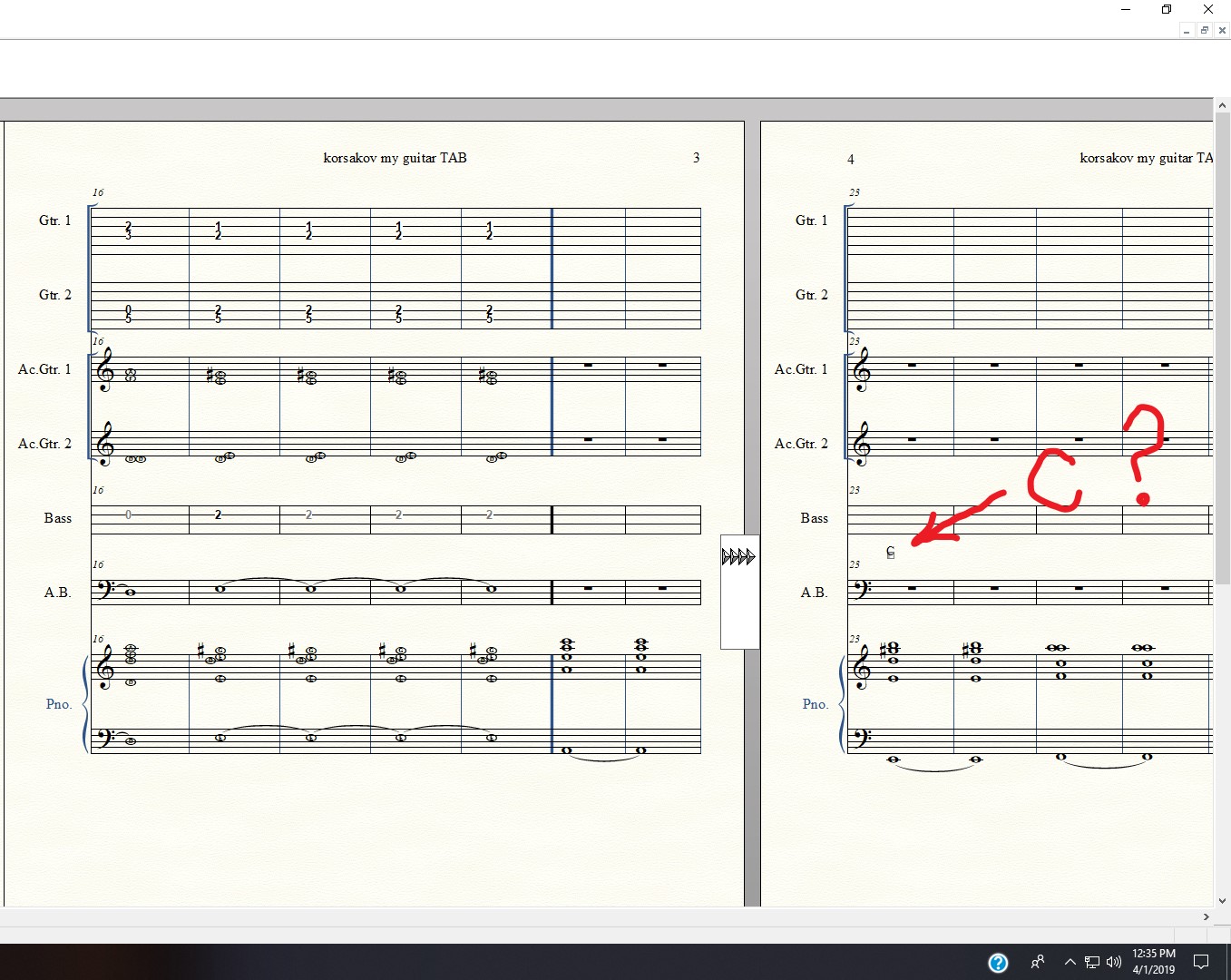
wow, cool. thank you. Similarly, should finale be "computing" the chord? If I select a bar of piano harmony, like E, G#, B, D, is E7, or I think I call it EMajor with flat7, but Finale, I click OK and it prints a C chord when I was clicking above or on a staff that has E7 chord...do you have other advice to look into for learning this Chord tool? I toggled off Manual, under Chord Menu toolbar. Is it a manual tool that requires theory?  Thanks. note, that in my desire, I like the letter inside the noteHEAD, but I would like it to be bigger, online help said I can increase font size, but I do not see this in "Define note style". by the way, here a cool web resource for computing chords, http://chord.rocks/identify-chord

Acciones de comentarios Permalink
Avatar
0

Mike,


Are you trying now to put chord symbols in or are you trying to put note names on a staff?


Peter's suggestion about using the chord tool, was a suggestion that this is an alternate method which would work for adding note names. When you have manual  selected in the chord tool, the C comes up as a default placeholder, it's up to you to change it to whatever note name you wish.


In the chord tool, if you change manual to one or two staff analysis, then instead of a placeholder C, Finale will look at the notes and give it a chord name. But, I don't think that's what you're trying to do.


This is one of Finale's secrets of it's flexibilities, using tools in different ways. Using the chord tool to input note names instead of chord symbols.

Acciones de comentarios Permalink
Avatar
0

what are you advising? "In the chord tool, if you change manual to one or two staff analysis, then instead of a placeholder C, Finale will look at the notes and give it a chord name. But, I don't think that's what you're trying to do." what does this mean, it sounds like you are just repeating to yourself things you already know, but to me, "If you..." doesn't make sense. I did not know that is what I am doing, "staff analysis."

Sounds like I want to know exaxtly what you said, but I cannot follow it through, so you can imagine my frustration, at getting an mixed answer. How does I get finale to "look at notes and give it a chord name"? please assume I am as cool and smart as you and I assume you are as cool and smart as me, and perhaps I would be happier, but maybe explaining things is cumbersome, for finale process. where are the musicians here(?). sorry, but I'm now more confused, and I don't think it's my fault, I took screen shot and have the ability and time to follow instructions and good advice, I know because other times this forum has worked for me

Acciones de comentarios Permalink
Avatar
0

Finale’s chord analysis is always suspect, due to variations in schools, locations, etc. If you want a particular chord, you’re best off entering it yourself.

Acciones de comentarios Permalink
Avatar
0
Acciones de comentarios Permalink

Iniciar sesión para dejar un comentario.