Nueva publicación
Avatar
0

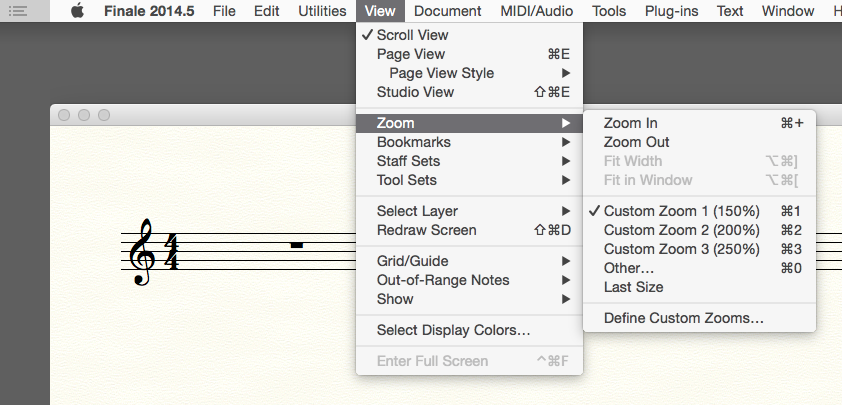
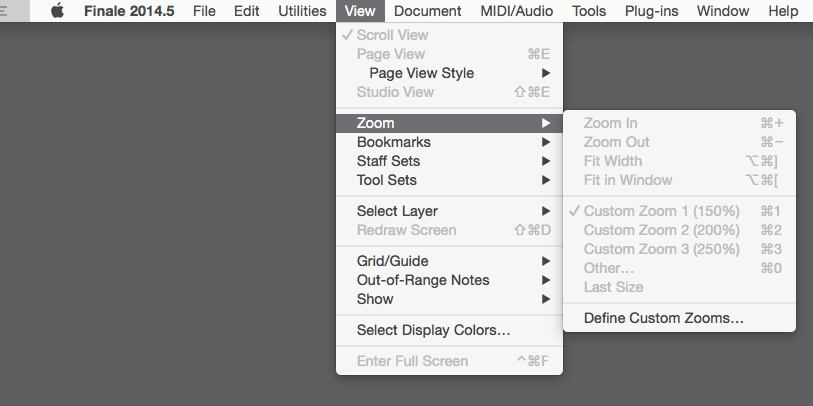
Finale 2014.5 for Macintosh intermittently loses the shortcut for zooming out once a document is open. I have been using the zoom out shortcut all morning then it stopped working. I restarted the computer and restarted Finale and the short cut won't stay when I open a new document or a file I have been working on. 
 

5 comentarios

Fecha Votos
Avatar
0

Make sure the Finale window is active and "has the focus". You can click on it to do this. Ordinarily, as long as you're working continuously in Finale you should not lose focus.

Acciones de comentarios Permalink
Avatar
0

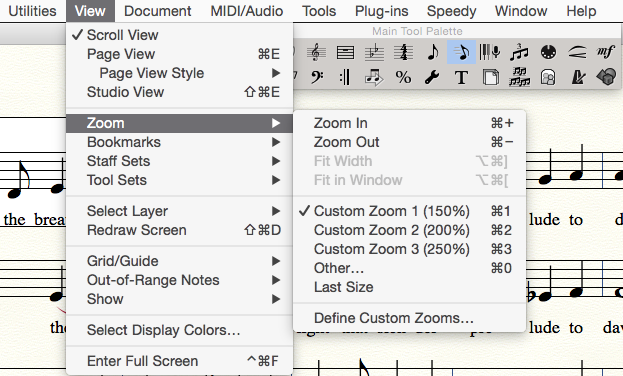
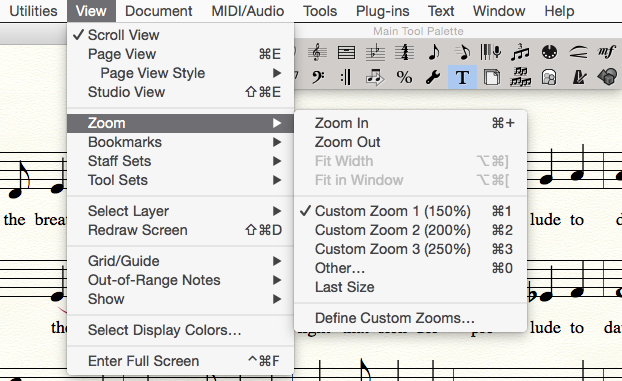
I am not sure how focus makes a difference (obviously if the window does not have focus none of the keyboard shortcuts would work. What I am wondering is why the keyboard shortcut vanishes from the menu when a document is opened or created but then reappears when the document is closed...

Acciones de comentarios Permalink
Avatar
0

I have the same problem, with zoom in and out. Out of the blue it stopped working... I am not sure what happened and how to fix it. Please, if somebody knows something, help! 

Acciones de comentarios Permalink
Avatar
0

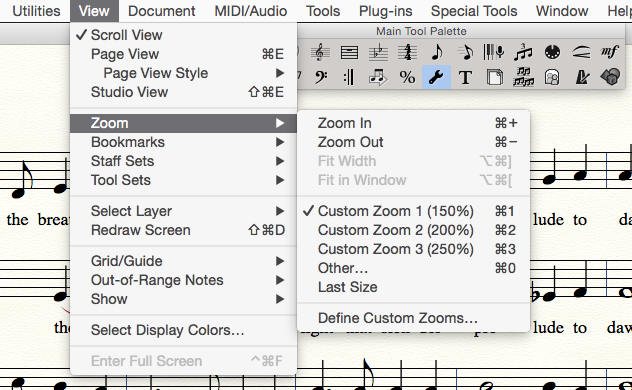
It appears to be the text tool, but I don't know why...(compare these three screen shots)


Acciones de comentarios Permalink
Avatar
0

If you're on a Mac, try setting it up as a keyboard shortcut, in System Preferences>keyboard

Acciones de comentarios Permalink

Iniciar sesión para dejar un comentario.