I want to add more horizontal space to selected highlighted areas so that notes are clearer to read. The presets of apply beat spacing, signature spacing etc. etc. DO NOT WORK


Hi David
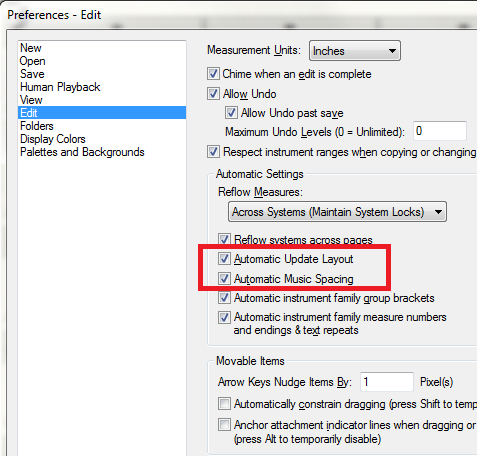
After you have entered the music, just use the measure tool and drag the measure wider. It will re-adjust the spacing accirding to the spacing rules (effectively increasing spaces between notes). If you make any modifications to the music notes in that measure (and update layout is enabled) then Finale will automaticall resize the measure. Just resize the measure again.
Cheers...
Daz :o)
I have made much headway in cadenza input. However, in reference to Darrin's comments to David Pham, my ONLY problem is that the measure compresses itself EVERY TIME I add anything to it. It thus takes FOREVER to enter specially the solo part. I tried locking systems under page view (bumping them to next page) and that does not work. ANY SUGGESTIONS?
Arrange the cadenza spacing last thing before printing. Perhaps someone at
http://forum.makemusic.com/default.aspx?f=5
can explain how these settings work in more detail than I can.
Iniciar sesión para dejar un comentario.
9 comentarios
Fecha Votos