Nueva publicación
Avatar
0

Windows 10, Current Finale and NotePerformer

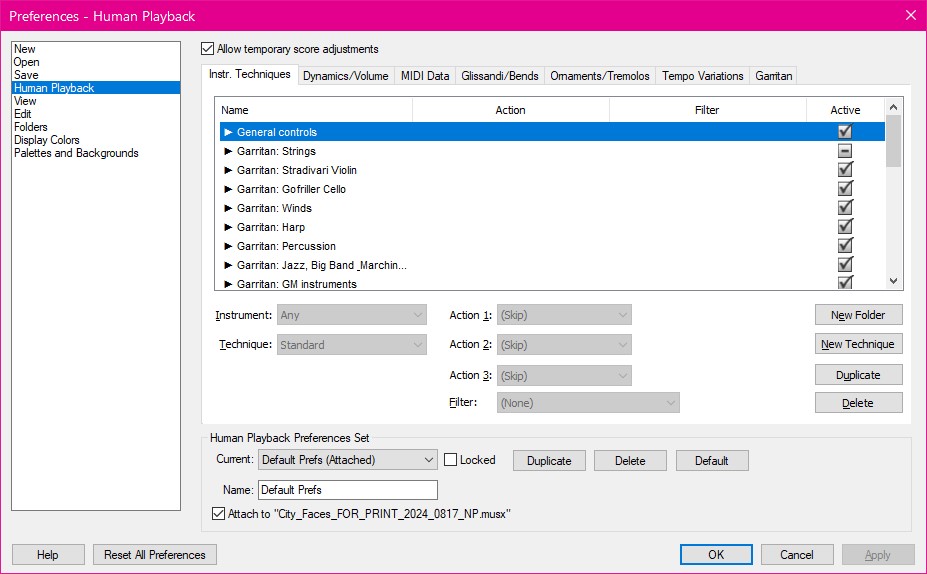
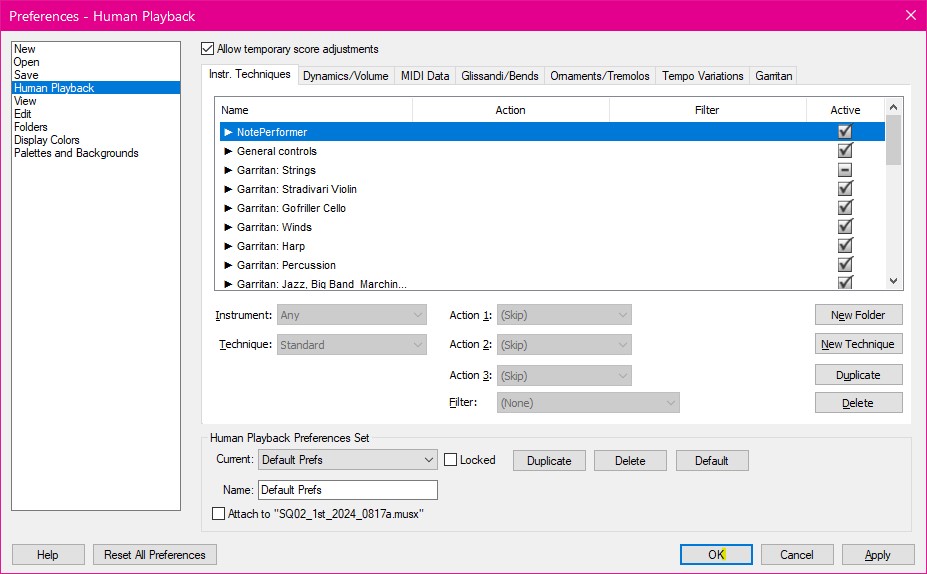
Odd thing--I just discovered some documents show NotePerformer in the Human Preference list, and some don't.
How does one add NotePerformer?

Below are two screenshots, one with, and one without.
Any suggestions--please?
:-)
Vanessa
3 comentarios

Fecha Votos
Avatar
0

Hi all,

Alexander at NP sent me a link that explained everything--and a little more.

In addition to deselecting the "Attach to..." (at bottom of screenshot) I read a little more in the manual and discovered I had not deselected everything under "Advance Settings"

Here is part of his response:
The techniques are not working because "Attach to" is selected according to your first screenshot. Please ensure that "Attached to" is not selected and that you are using the default "Default prefs" next to "Current:", as shown in this support article: https://noteperformer.com/?page=support_finale&h=2355268719#3427916719.

:-)
Vanessa


Acciones de comentarios Permalink
Avatar
0

I have found him quite helpful over the years and my first call on any NP issue. Glad that he got you straightened out.


I recommend editing the title of your first post to add the word, RESOLVED. This will help anyone who is struggling with the same issue.

Acciones de comentarios Permalink
Avatar
0

Thank you, Mike.

Done.
:-)
Vanessa

Acciones de comentarios Permalink

Iniciar sesión para dejar un comentario.