Nueva publicación
Avatar
0

Hello,

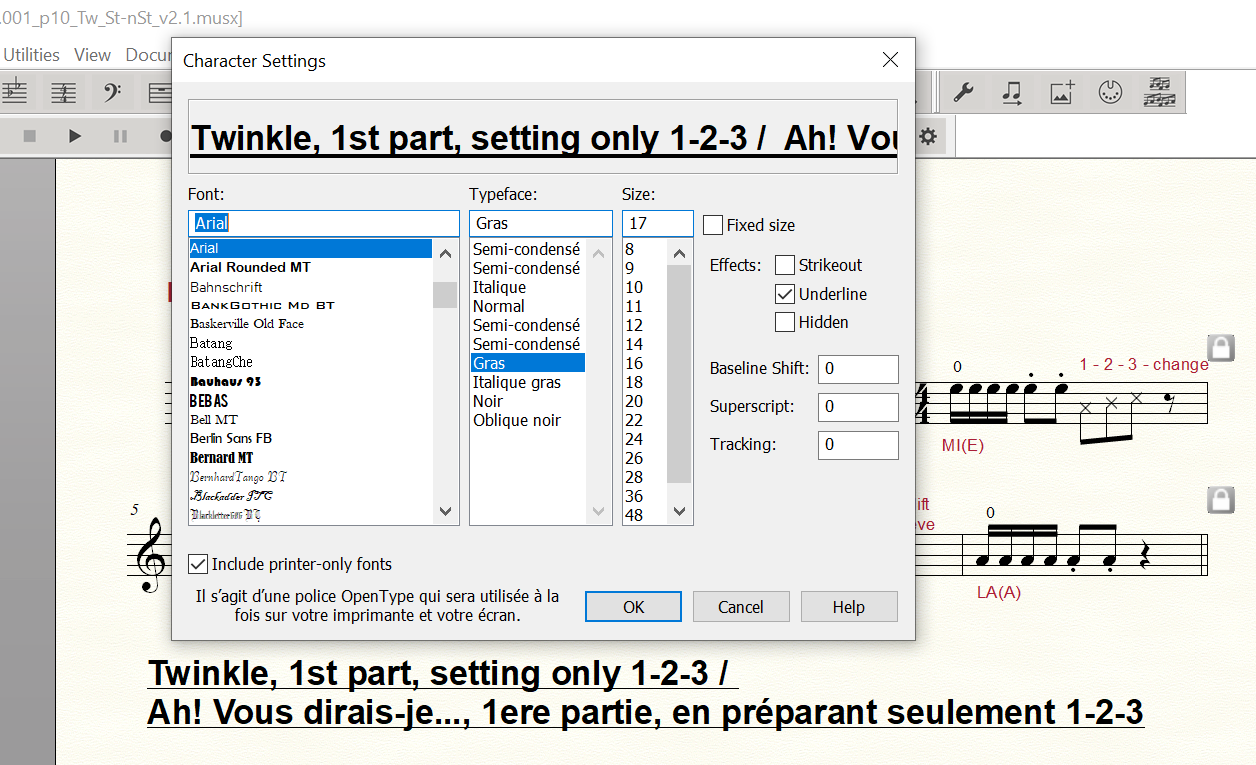
I have a strange issue with the text tool. The actual line always stays thin, even with larger and bold font sizes. It used to work fine, but doesn't anymore. I can't tell when it started happening. I have pdf and paper print from documents printed a while ago which display the larger and bold underlines, but when I open them now in Finale now, I get the same thin underlines as in my recent Finale documents.

As you can see in the joined imaged, the preview display in the Character settings has the thicker bold underline while the Finale document has the thin underline.

I am using Finale 27 on Windows 10
Has  anyone ever experienced the same issue?

Thanks for any help,

Jean

5 comentarios

Fecha Votos
Avatar
0

Welcome to the forum!


Question:


* What are the settings in

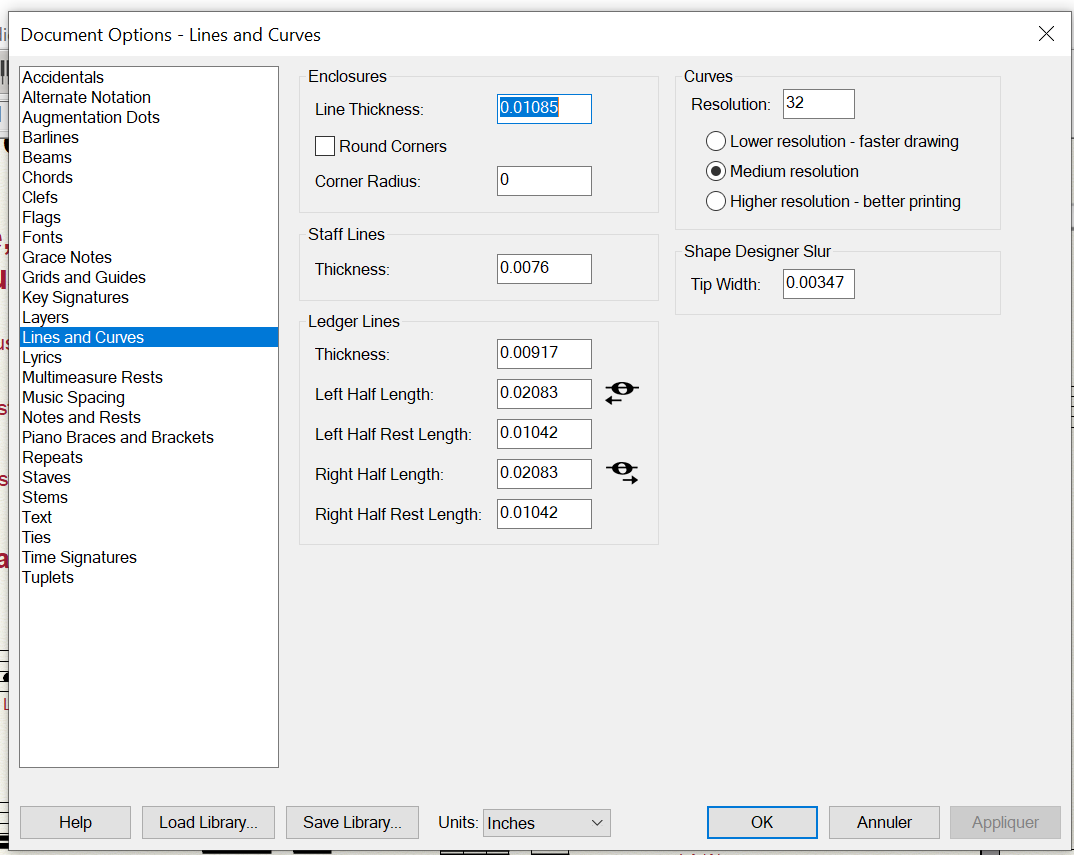
Document Options - Lines & Curves > Underline Options

?

Acciones de comentarios Permalink
Avatar
0

Thank you for the reply.

I do not see Underline Options in Lines and Curves


Acciones de comentarios Permalink
Avatar
0

Hm.

This is strange.

The relevant section in the manual says:

What it does

Lines means staff lines, ledger lines, underlines, and so on. Here, you can change their thickness.


See for yourself:

https://usermanuals.finalemusic.com/FinaleWin/Content/Finale/Document_Options_dialog_box.htm 


I do not understand why the manual mentions underlines - since there are no underline options (or so it seems).

Hopefully a Windows Finale user will chime in with an explanation.


In my Mac version there are Underline Options.

They have been there for many Mac versions, at least since Mac Finale 2014.

Acciones de comentarios Permalink
Avatar
0

Thank you so much again for your help. It is strange that the underline option isn't there

I will place a support request and see if they can solve the problem.


Acciones de comentarios Permalink
Avatar
0

 It is strange that the underline option isn't there I will place a support request and see if they can solve the problem.


If this was an omission by mistake or something elses there will be no fix.  Any development or bug fixes is over. MM is done.

Acciones de comentarios Permalink

Iniciar sesión para dejar un comentario.