Nueva publicación
Avatar
0

Finale 2012, Windows 10

  On my classical piece, rehearsal marks show up at the top of the page, and above the first violins.  On my big band piece, they only appear at the top of the page.

  I've looked at the Expression tool's various menus, and Edit/Preferences, but can't find anything that will allow me to put a rehearsal mark for the saxes, and the trumpets, and the trombones, and the rhythm section.  I can't keep scrolling up to the top of the score page every time I need to see where I am.

Thanks

2 comentarios

Fecha Votos
Avatar
0

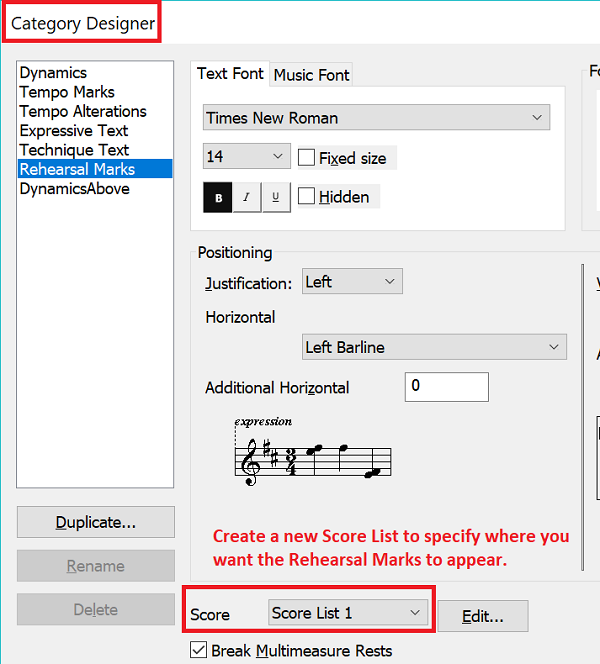
Document menu > Category Designer…


In the Category Designer, select the category Rehearsal Marks.

Edit the Score List.

Note that there are two columns, one column for the score, and another column for the parts.

In the Score column, select the top staff of each group: 1st sax, 1st trumpet, 1st trombone &c.


(In the Parts column you probably want to select each and every staff)

Acciones de comentarios Permalink
Avatar
0

You need to go into the Expressions Tool and change the Category Definition to specify a new Score List to put the Rehearsal Marks on the staves desired.


Acciones de comentarios Permalink

Iniciar sesión para dejar un comentario.