Nueva publicación
Avatar
0

Hello,

I am a Mac use (10.12.6) and I am working on Finale 25. When I was using Finale 2014.5, I had from my OS Preferences a bunch of nice shortcuts I created through System Settings-> Keyboard -> App shortcuts. After switching to Finale 25, for whatever reasons those shortcut don't work anymore. I tried to add them individually on the new App again, but that just doesn't work. I can see them fine on my menus in Finale, but they just don't perform the action.

Any lead? Deleting preferences (yet again)? I

Thank you,

Gabriele Vanoni

8 comentarios

Fecha Votos
Avatar
0

Just a long shot: I find that I often have to click in the top menu bar, and then, my shortcuts work.

Acciones de comentarios Permalink
Avatar
0

Well... that's exactly the same for me! Any workaround that you are aware of? Or should I just just make peace with it?

Acciones de comentarios Permalink
Avatar
0

That's what I've done!

Acciones de comentarios Permalink
Avatar
0

any solutions?

Acciones de comentarios Permalink
Avatar
0

 Not that I’ve found. Sorry.

Acciones de comentarios Permalink
Avatar
0

Maestro! Funny to see you here!

Just for the record, I realized that the standard function keys are still mappable and work fine. 

Acciones de comentarios Permalink
Avatar
0

Hi Gab, could you please explain how to...?

TIA


amelchi


Acciones de comentarios Permalink
Avatar
0

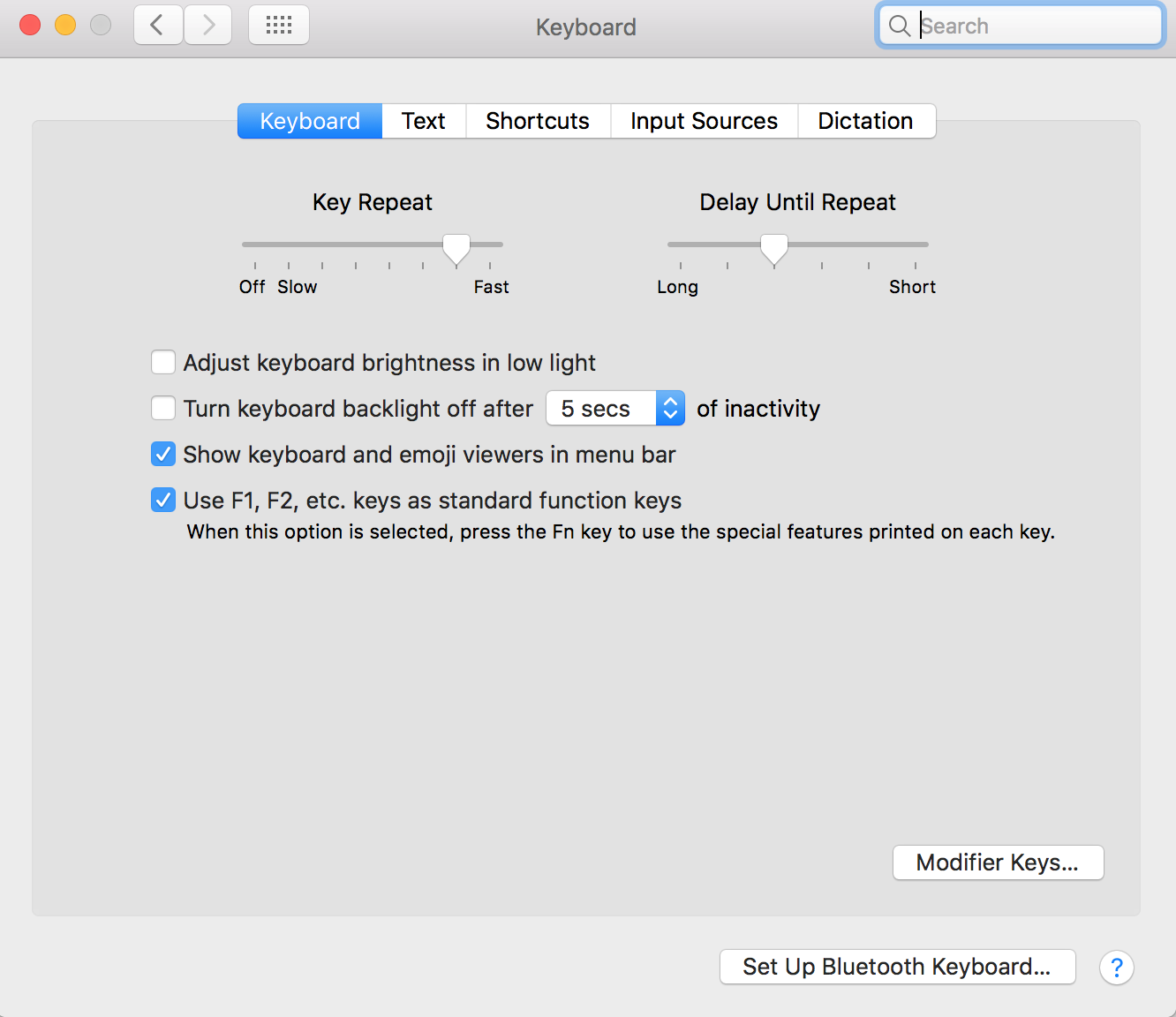
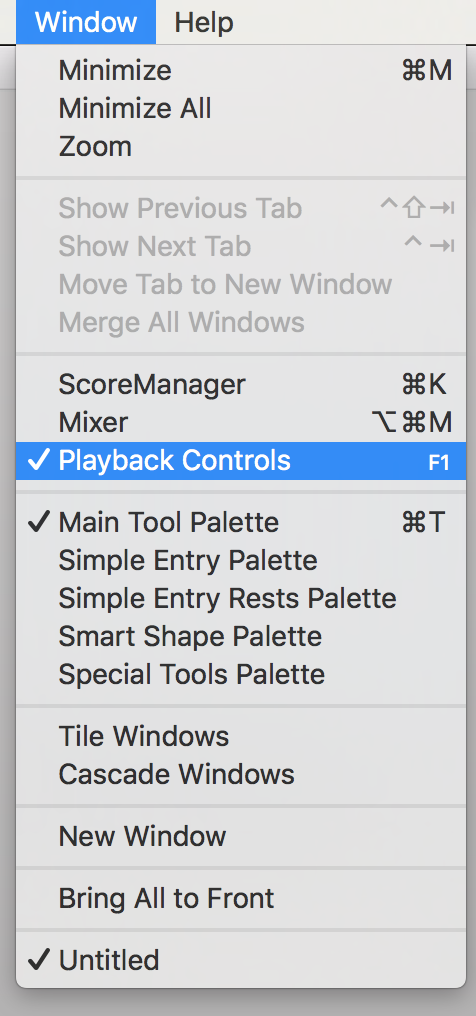
Sure! So, all I am saying is that if  I assign specific commands from the menu to the standard function keys (F1, F2, etc), those keys work well, without the need of activating the menu by clicking on it. However, in order to use them properly, I have to give up the the mac functions (brightness up/down, volume up/down, exposé, etc.) by activating them in the settings -> keyboard menu (or I can use them in combination of the fn key on the laptop in the lower left corner).

I am attaching to screenshots - one is the keyboard menu with the option to activate, the other is one example where I have assigned F1 for showing the Playback Control window. That works fine for me. I know this limits the key combinations A LOT, but it's a little workaround for the 10-12 main functions one might need.

Hope this helps!

See you soon I hope!

G

Acciones de comentarios Permalink

Iniciar sesión para dejar un comentario.