Nueva publicación
Avatar
0

I'm on Windows 7, and I am using Finale 25. I actually got the version today. so I was composing a new score and this happened...
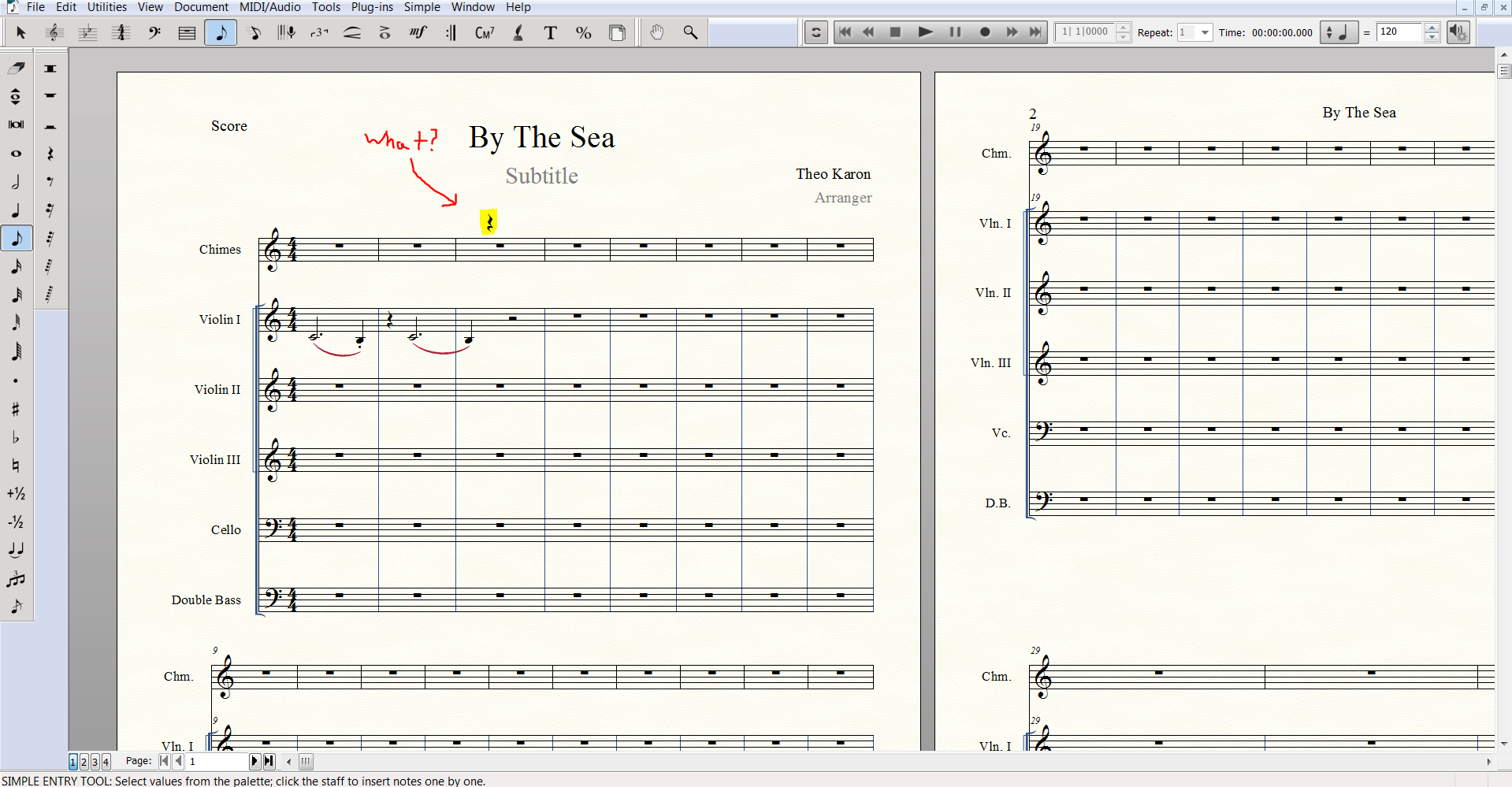
By The Way, I first, reloaded the music score. then I reloaded finale. Then I reloaded my whole computer... and it's still there. also, I tried erasing it and it is still there! :|


4 comentarios

Fecha Votos
Avatar
0

Is it in all scores, or just this one? Does it show in scroll view, as well as page? Does anything happen when you double click on it?

Acciones de comentarios Permalink
Avatar
0

It looks like the quarter rest in the Violin 1 staff has been moved up above the top staff.


I would

1) switch to the Entry Tool (Simple or Speedy),

2) go to Violin 1, measure 3, beat 2,

3) delete the quarter rest on beat 2.

Acciones de comentarios Permalink
Avatar
0

New score from scratch or from old template? If old template, modify one of those that comes with 25 an see if the error repeats.

Acciones de comentarios Permalink
Avatar
0

You could also try using Document > Edit Parts to scroll through the (player) parts to see which one generated the rest. I suspect Peter is correct that the rest is from the Violin 1 part.


This is certainly an atypical situation to encounter in a new file right off the bat. How are you entering the notes and rests? Mouse?

Acciones de comentarios Permalink

Iniciar sesión para dejar un comentario.