Nueva publicación
Avatar
0

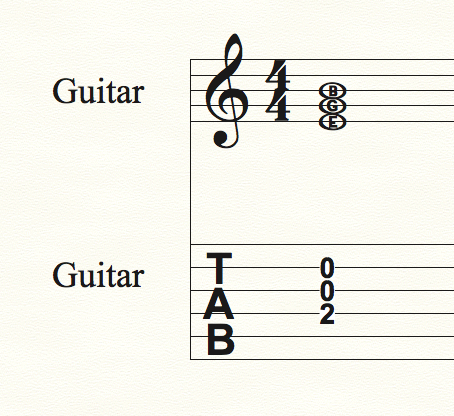
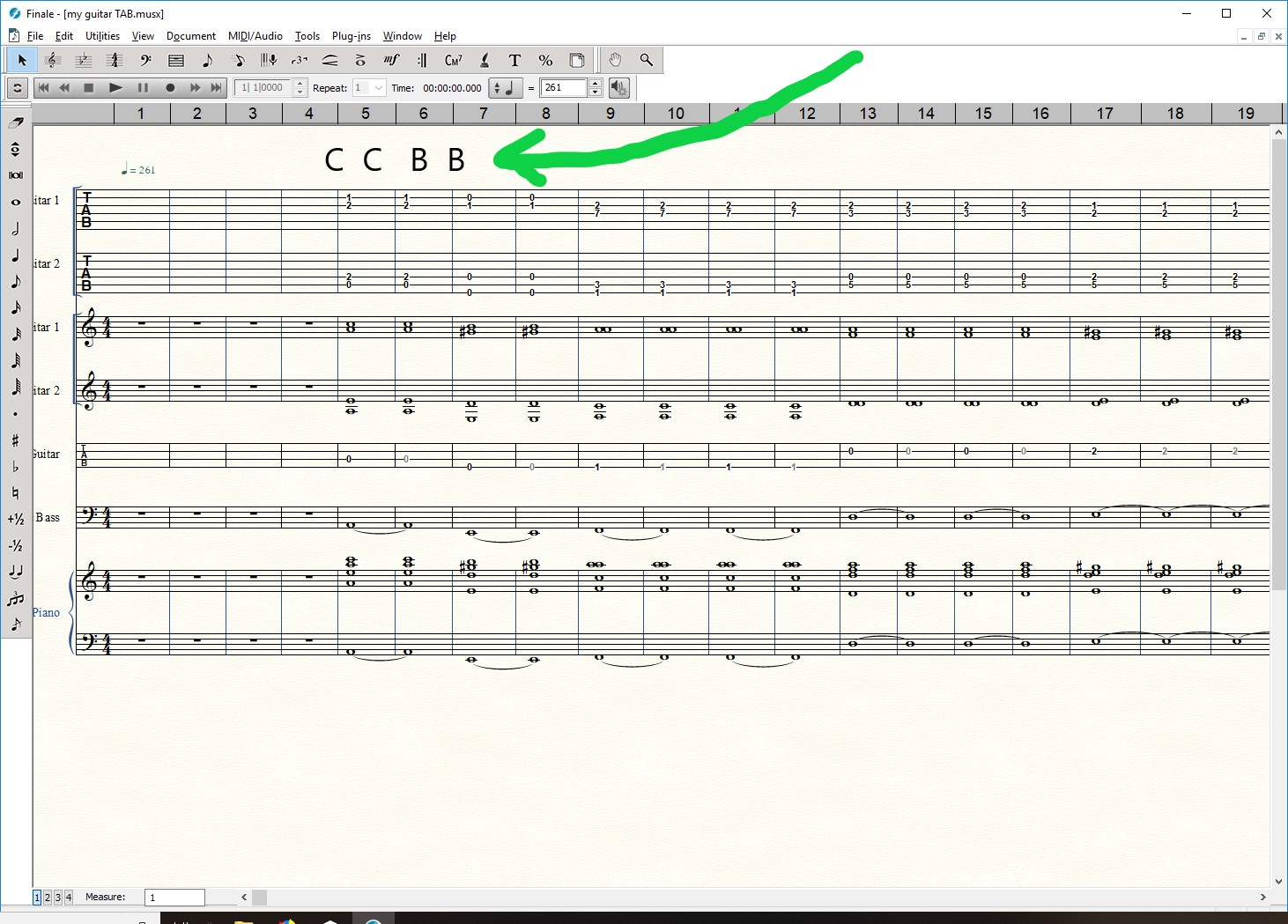
hi, I am looking for an instrument that can show note letters? The Tab is working well for me. However, I am also looking for a Finale staff instrument that will read as letters. Does it exist? Preferably, I'd like a staff that printed this, taken from the first bar below, first two staffs.

------------

-----C-----

-----A-----

------------

-----E-----

-----A-----

------------
8 comentarios

Fecha Votos
Avatar
0

In the Default File there is a ready made Alpha Note staff style.

It puts the note name inside each notehead.

Have you tried that?

Acciones de comentarios Permalink
Avatar
0

where do I find or see this? Can I add it from Score Manager?

Acciones de comentarios Permalink
Avatar
0

It's also a Staff Style. But it doesn't work for the TAB staves. When you use the Alphanotes in the regular notation staff, they show incorrectly when you drag them to the TAB staff. You can enter the notes in the notation staff, drag them to the TAB staff for the finger position numbers, and then change the notation staff to Alphanotes. But I get the impression that's not what you want? You want the note names to appear in the TAB staff?


If I misunderstand, please give us some more details, or a pencil sketch of what you want!


Acciones de comentarios Permalink
Avatar
0

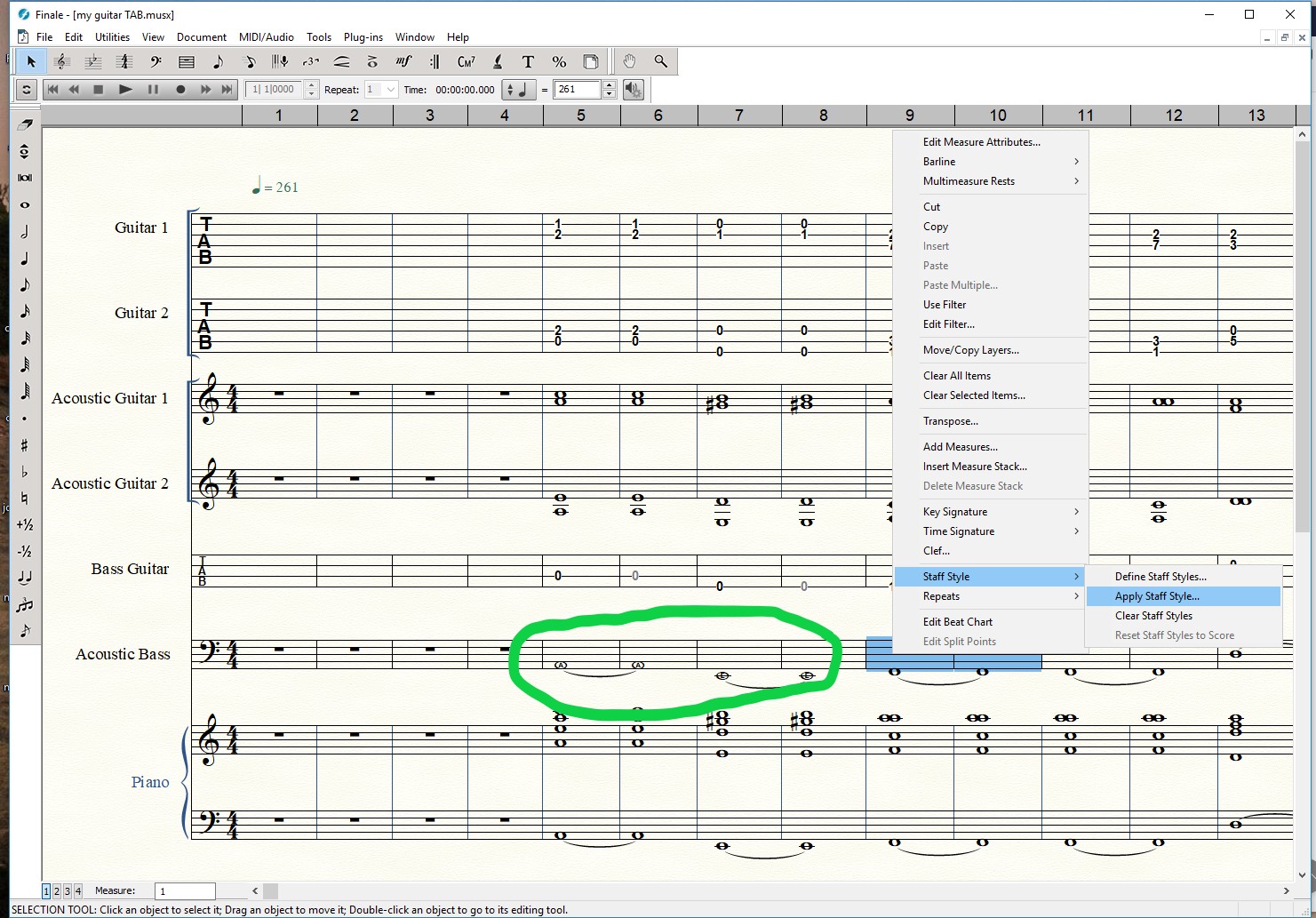
thank you, homerun, pretty much, ...Yes "then change the notation staff to Alphanotes..." How do I do this? (allow me to recall, here is where vector graphics and vertical size Zoom would also benefit beginners, and jammers). To have both as options would be nice of course! I've tried clicking staff tool, define staff style, nothing changes on the bars I select, and I'm selecting the piano staff (not TAB). and I'm doing this on the Bass staff too. I think I prefer to go from Regular staff, ie, copy bars from one regular piano staff and then PASTE them to a notenames staff, and Bypass TAB. in my screen shot, the Bottom piano instrument, is what I want to duplicate in another staff, but with notenames, almost exactly like your screen shot, thanks. Do I need to use the Education template?

Acciones de comentarios Permalink
Avatar
0

Start simple. Open a new default document. Put some notes in the first few measures.


Choose the Staff tool. Select the measures that you have notes in, with drag select.


Right click somewhere in those selected measures. From the drop-down window, click on 20: Apply Finale AlphaNote Notenames.

Acciones de comentarios Permalink
Avatar
0

excellent!

Acciones de comentarios Permalink
Avatar
0

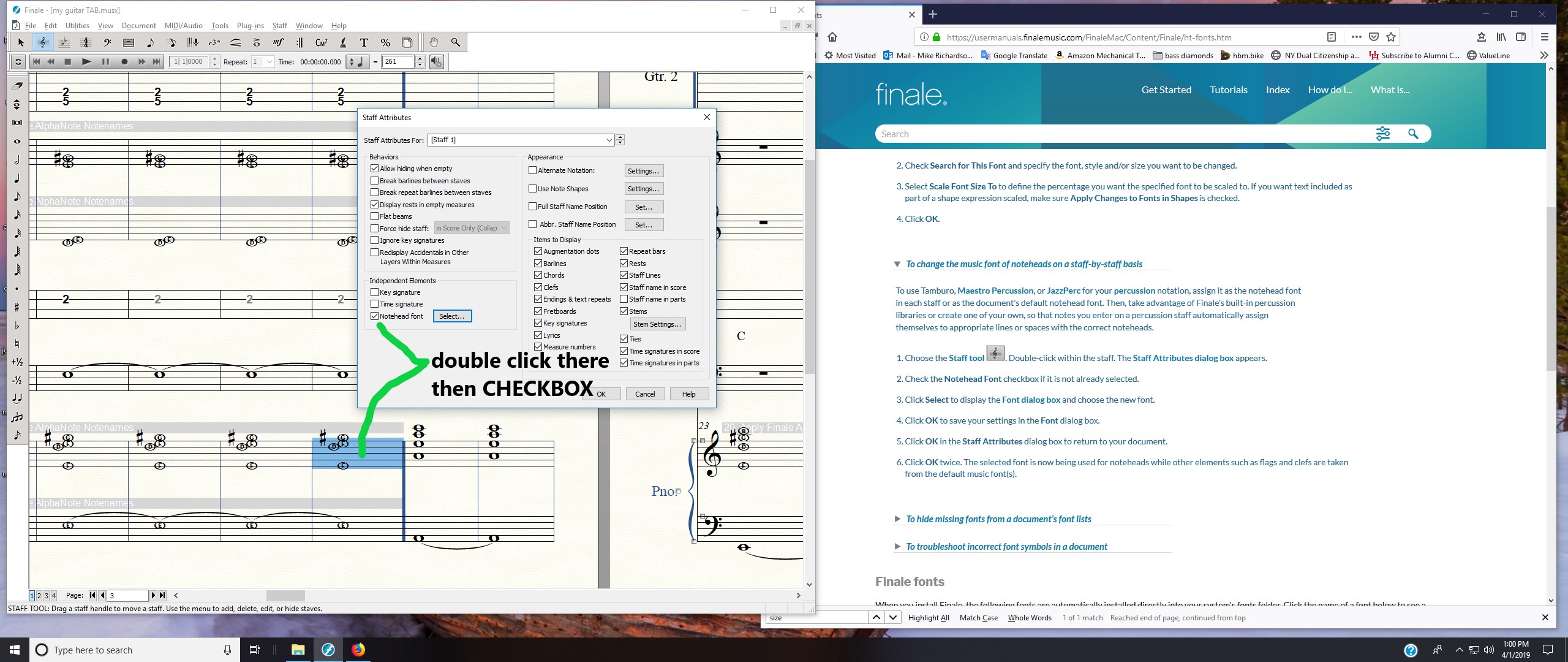
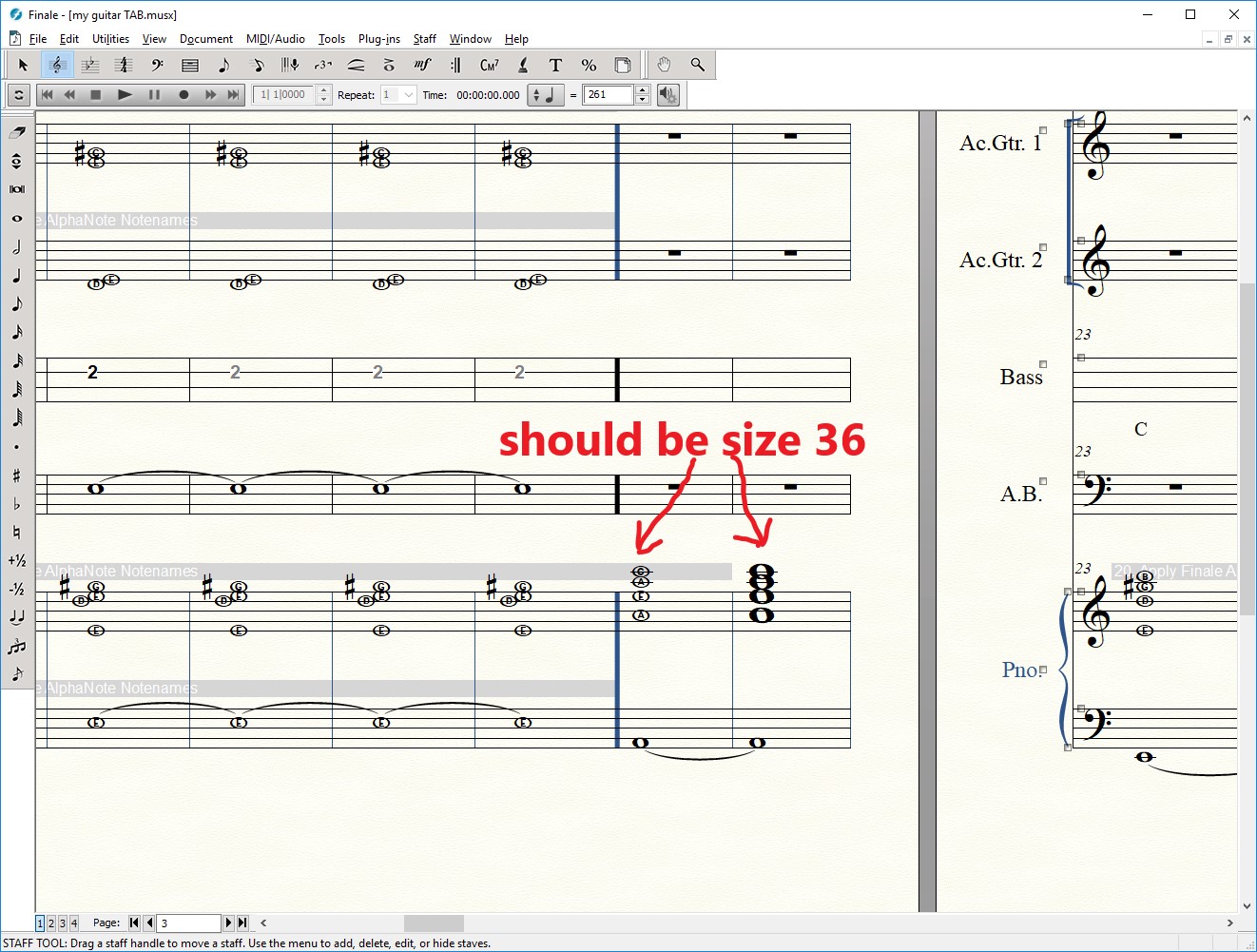
unforunately, the Font Size has a limit for NoteNames. I may submit a feature request.

Acciones de comentarios Permalink
Avatar
0

Do not increase the notehead font size to 36 Points.

You will get vertical collisions between the chord notes (as you can see in the last measure on Page 3).

This is because the staff line distance has not been increased.


Instead, use the Resize Tool to increase the size of everything.

In the Resize Tool there is a context menu where you can choose, what to resize.

Try resizing the Page*), or the System, or the Staff.


*) Resizing the Page will not affect the Page Size, but rather everything on the Page.

Acciones de comentarios Permalink

Iniciar sesión para dejar un comentario.