Nueva publicación
Avatar
0

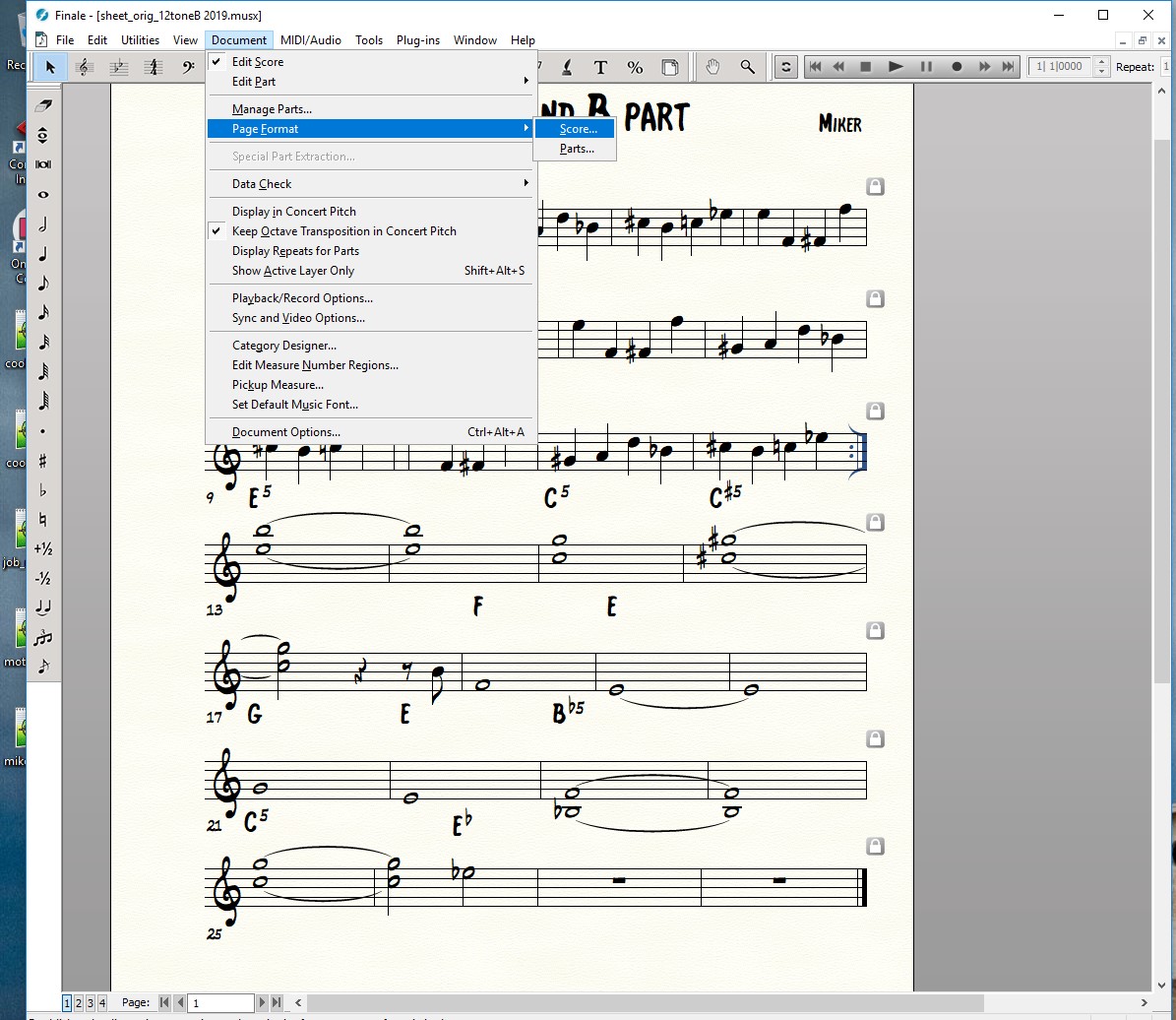
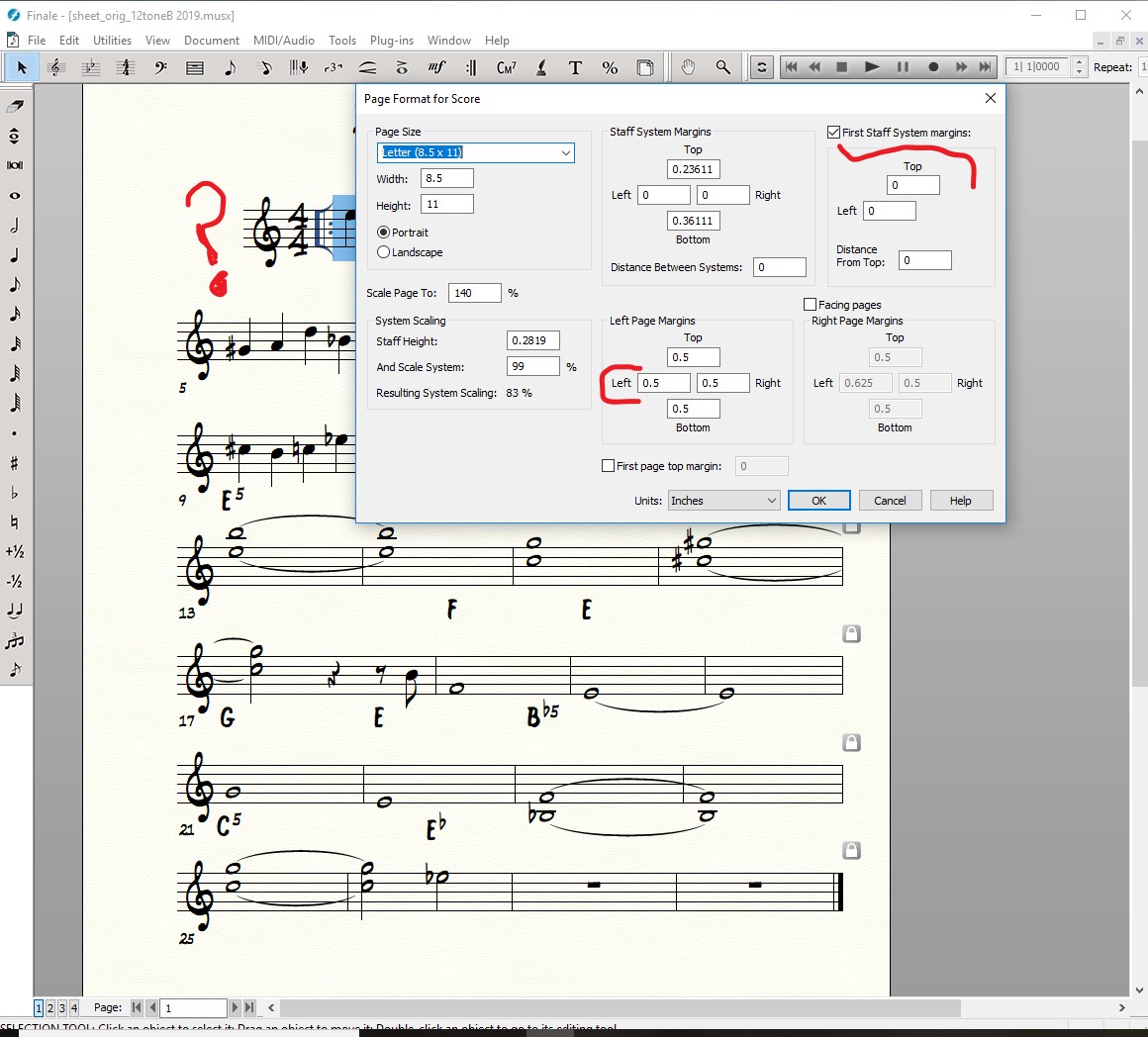
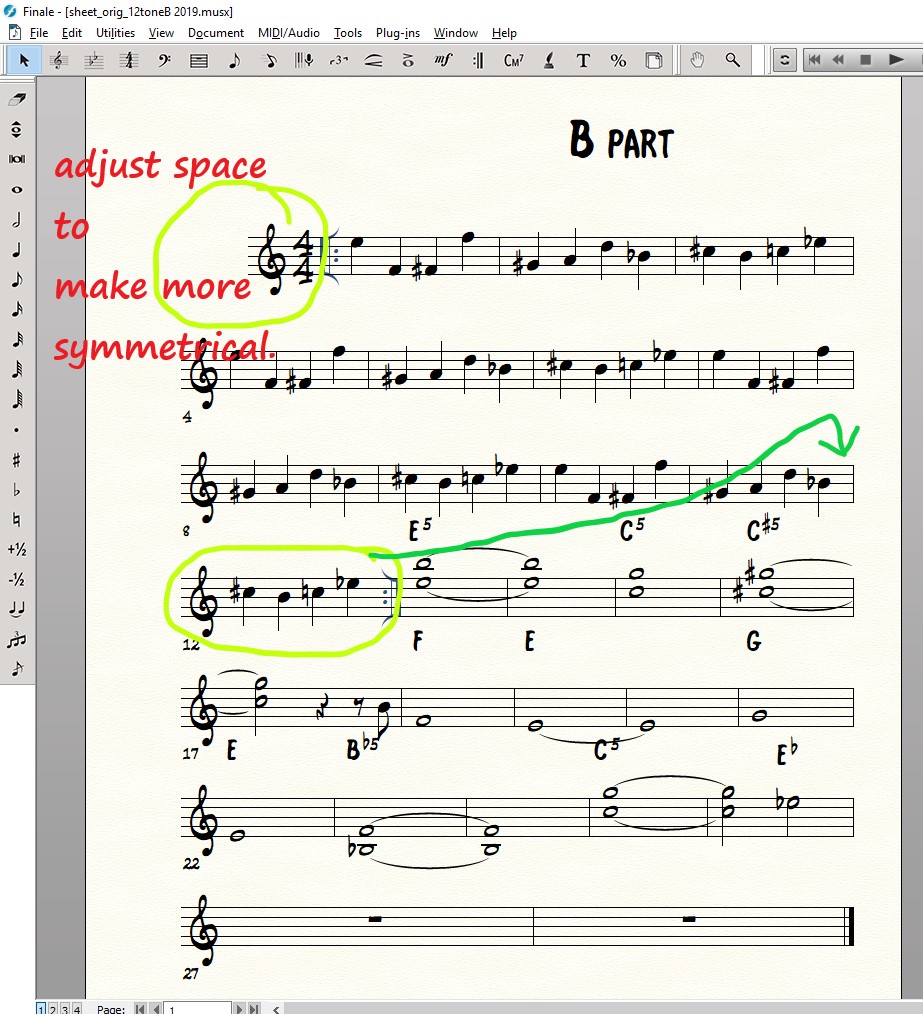
Can you suggest the tool in Finale where I could refit a certain measure? And if it's related, decrease the starting first measure margin? My goal is to have the A section of music fit symmetrically on paper, with the B section of music. And, I'd like to know if I have the ability to set the spacing when in Page view? Thanks. screen shot below
 

4 comentarios

Fecha Votos
Avatar
0

You have a lot of options here.


You want 4 measures on each system I'm guessing. Highlight the whole file and under the utilities menu, choose "fit music". Choose the 4 measures per system.


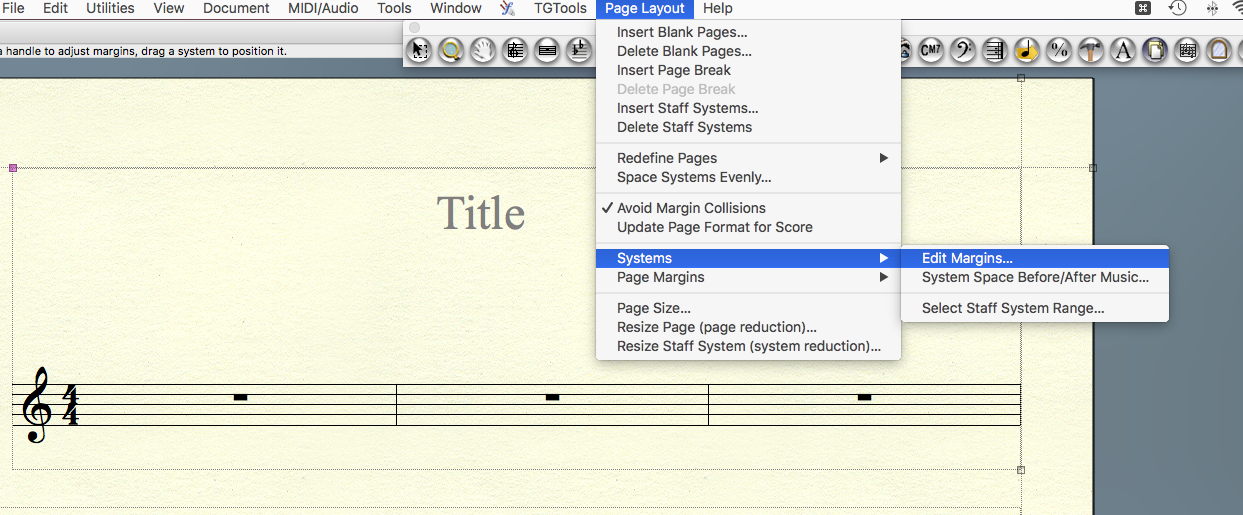
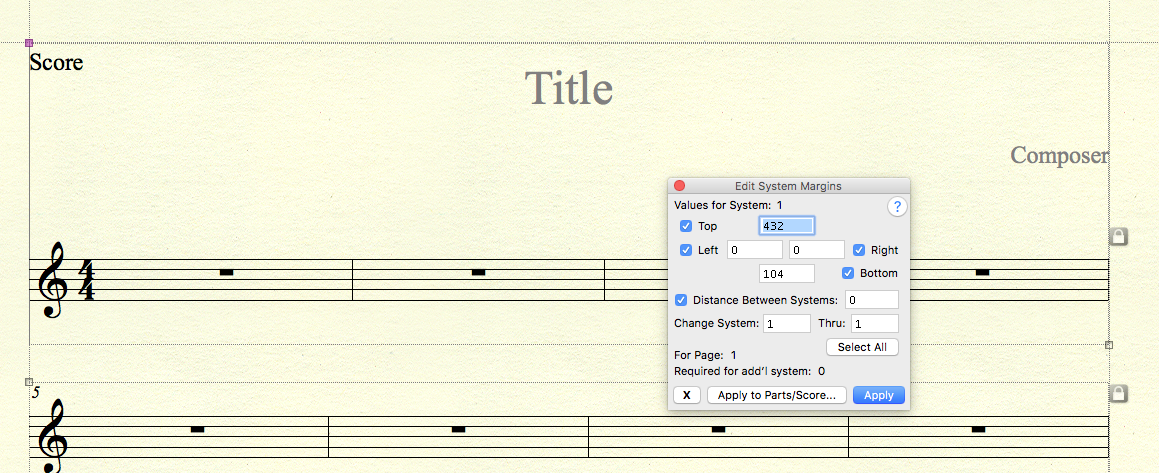
Now every system should have 4 measures but the 1st system is way too tight. I assume you're trying to emulate hand copied, jazz chart. I used to hand copy music before Finale and all of the music paper I would buy, none ever had the 1st system indented. So I would  go to the page layout tool/systems/edit system margins and give system 1 a left margin of "0".


That should give you what you're looking for.

Acciones de comentarios Permalink
Avatar
0

oh man, it's not working. I cannot get the first bar to snap ...or remove the margin. in regards to the other option, the 4 measure setting works well. what did I miss here?

Acciones de comentarios Permalink
Avatar
0

I suggested using the page layout tool for this, you're using the page format for score option. This will also work.


In your 2nd screen shot, in the upper right hand corner, you've changed the left margin to "0". Click OK. Now go to the page layout tool and choose "redefine pages". It'll ask you which page to change, just select all. It should have worked now.


The other way of doing this is what I wrote in my previous post. Which is, don't use page format for score, instead

go to the page layout tool/systems/edit system margins and give system 1 a left margin of "0".


Acciones de comentarios Permalink
Avatar
0

Thanks!

Acciones de comentarios Permalink

Iniciar sesión para dejar un comentario.