Nueva publicación
Avatar
0

This is a Windows 10 Home operating system

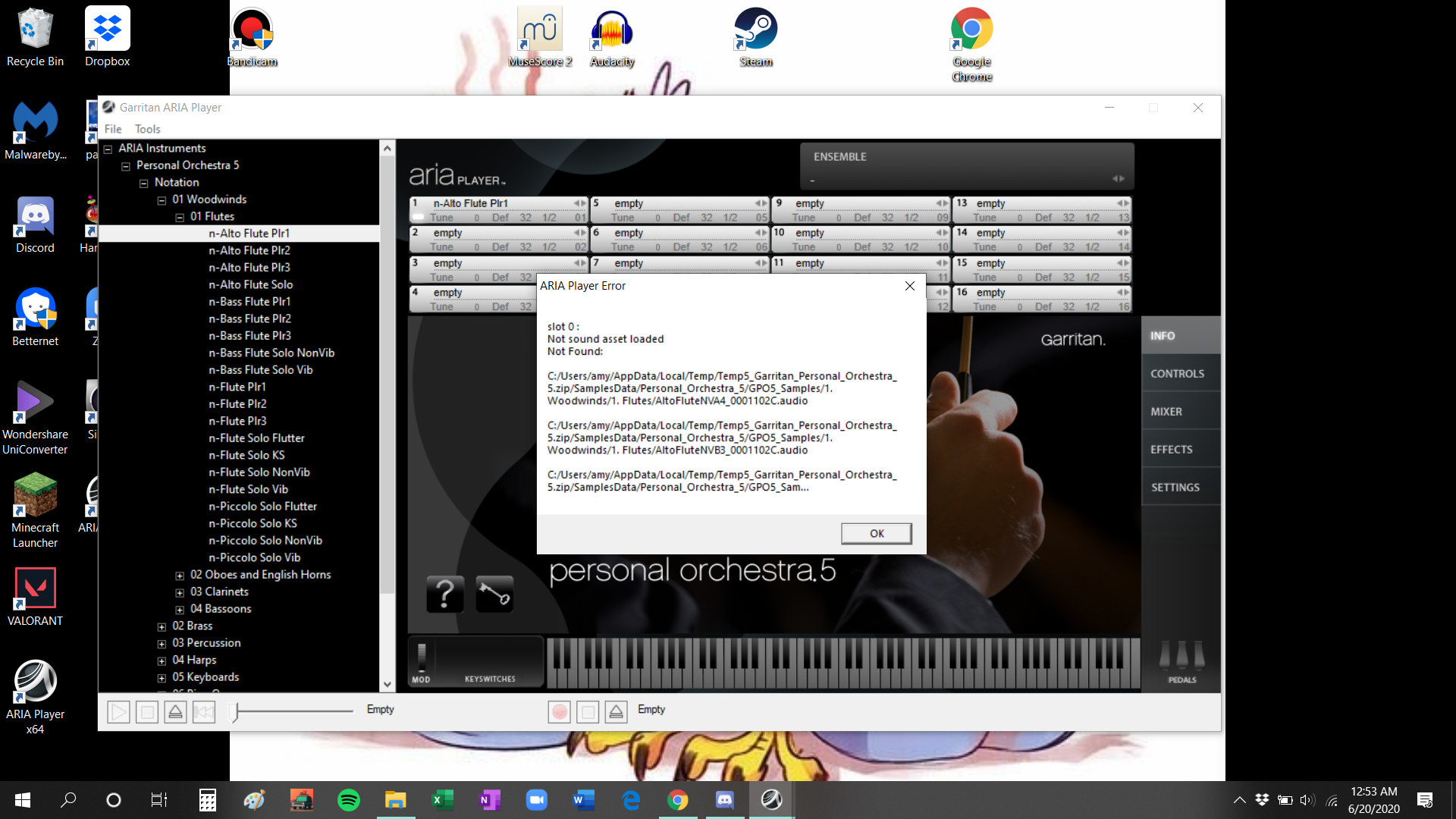
I just downloaded Aria player 1.959, the most recent version.

None of the sounds are playing anymore. 

It was working a week ago, I don't know why it's unable to locate the folders anymore. 

I tried looking for it myself manually and couldn't find it either. 

Perhaps it has something to do with the temporary files?
4 comentarios

Fecha Votos
Avatar
0

I just reinstalled but am getting the same message still.


Did the reinstall work for you Amy?

Acciones de comentarios Permalink
Avatar
0

Reinstall doesn't solve anything.. The issue is in some other part, maybe the registry. IIt is better to write to Makemusic.

Acciones de comentarios Permalink
Avatar
0

This is usually caused by a mismatch between:

a) where ARIA thinks the samples are

b) where the samples actually are.


Read the instructions in this support file. You need to check the contents of the registry entry (or Mac .plist file), and then either move the sample library to that location, or change the filepath in the setting.

https://makemusic.zendesk.com/hc/en-us/articles/217749158


Acciones de comentarios Permalink
Avatar
0

Resolved! I was missing a step: before running the installer it is necessary to unzip (extract) the download. I double clicked the installer inside the zip folder hoping that it would extract everything necessary but it doesn't. It seems that everything is being installed well but you only see that in the end it does not work.

Acciones de comentarios Permalink

Iniciar sesión para dejar un comentario.