I just want to make all my fretboard diagrams bigger. In older Finale versions there was a Chord>Resize menu option, I don't see that in vs. 26. And resize fretboard produces no results in help. Any idea how to do this?


If it's your blank fretboards you want to enlarge, just increase the size in the Expression Designer.
If it's all fretboards, JW Change > Fretboards > Resize
Document Options > Fonts > Chord Symbols > Fretboards had no effect. But Jari saves the day, again!
E fretboard resized to 150%:
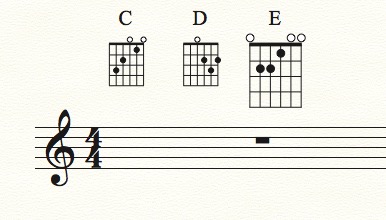
It's a separate plug-in. Go to http://finaletips.nu/index.php/download and work from there.
Jari makes these incredible plugins at no charge, but he does accept donations. If you find this or other plugins useful (and you will) donate!
Wow these are great!
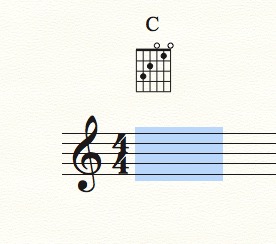
However, I downloaded and installed JW Change. When I went to Fretboard>Resize it didn't allow me to Apply. Didn't matter if I selected chords or not, or any filter setting, or the Relative setting, Apply was greyed-out. I'm on the latest Finale version, Mac OS 10.14.6. Any idea why that wouldn't work?
Iniciar sesión para dejar un comentario.
6 comentarios
Fecha Votos