Nueva publicación
Avatar
0

Good morning,

I'm new with finale installations, so sorry if my question is to banal.

I use a Mac with Catalina 10.15.2.

I've just purchased Finale 26.3.1.643 and I have authorized it, but I'm not sure if I have also installed the Garritan instruments.


In my application there is a folder called "Garritan instruments for finale" (attached),

but its weight is only 13MB and I've read that Garritan's weight should be 8GB.

If I double click the link "Garritan instruments for finale.xml", in this folder, a white page with nothing is opened.


Should I download the Garritan instruments separately? Actually the playback of my score doesn't sound.

What should I do? I did something wrong?


Please help me :) 

Thanks a lot in advance,

Ben


10 comentarios

Fecha Votos
Avatar
0

Beniamino,


When you installed Finale, two installers were launched:

one installer for Finale

and

another installer for Garritan


Did you run both installers?

Acciones de comentarios Permalink
Avatar
0

Thanks lot Peter,


Yes I did. Today I've also repeated the installation to be sure.

But the second installer, for Garritan, it's only 13MB in weight. Is it normal?

Thanks,

Beniamino


Acciones de comentarios Permalink
Avatar
0

Maybe before doing the second installation, should I have deleted the first one? I mean to delete both the application and the Garritan folder.

Acciones de comentarios Permalink
Avatar
0

In some cases, three steps are required for the installation:


  1. The Finale Program
  2. The Aria Player
  3. The Garritan Instruments for Finale sound files.


The XML files you show in your image are support files to link sounds to Finale; they are not the sound files themselves.


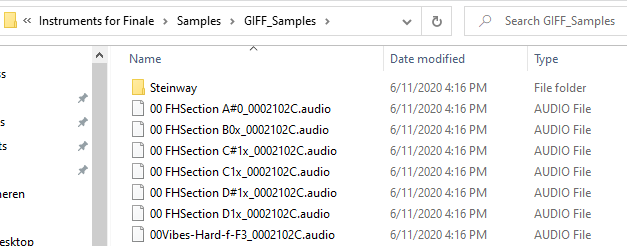
Garritan sound files look like this (in Windows); on the Mac the files will likely have a different extension (.data) rather than audio.


Acciones de comentarios Permalink
Avatar
0

Thanks Adrian,

could be a good solution delete everything and do for a third time the installation?

This time I'll do a screen shot for every step, in order to have a good documentation of the whole process.

Acciones de comentarios Permalink
Avatar
0

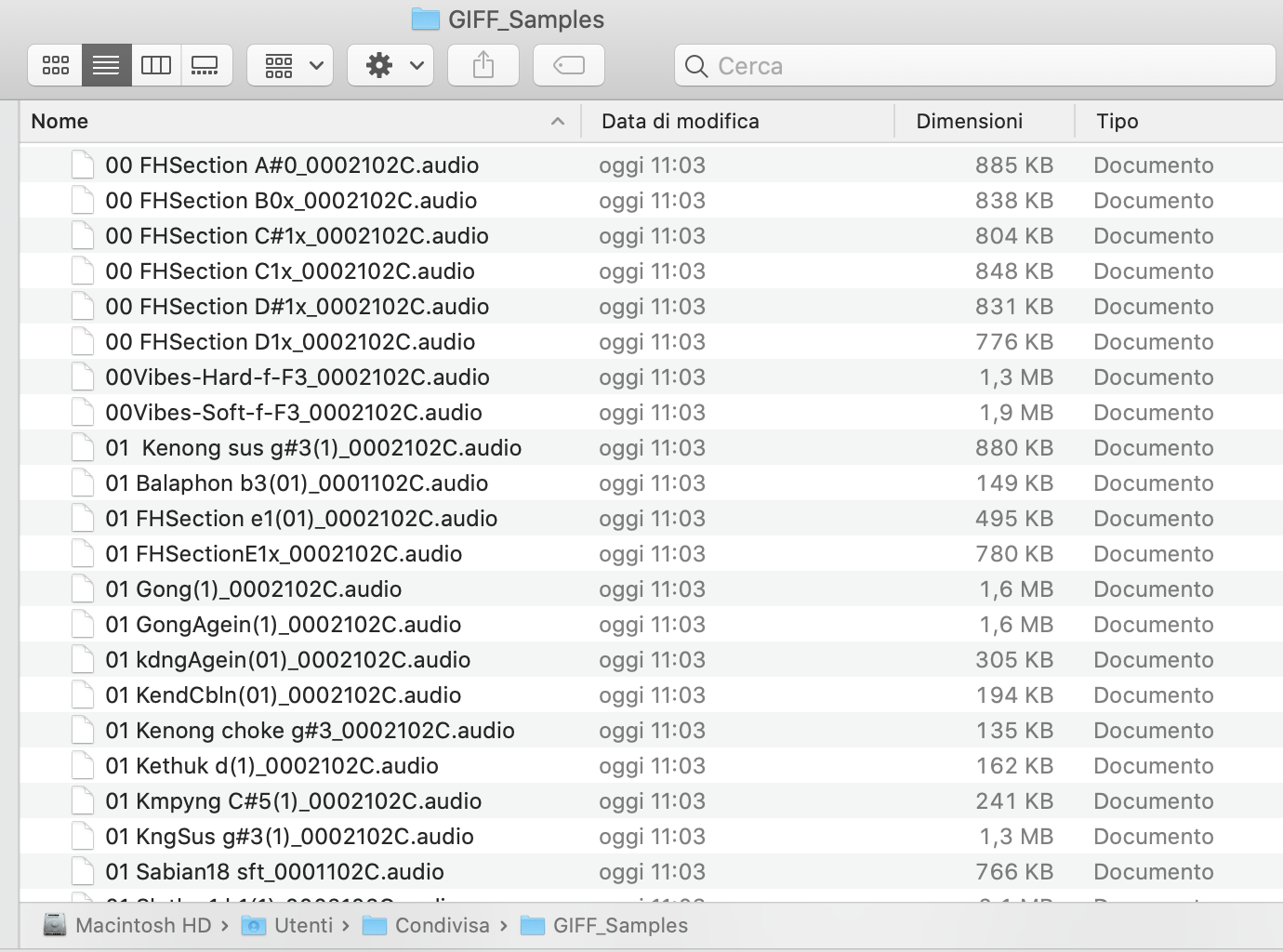
I found some files very similar, with the same extension (.audio).

The difference is the Type: they are not AUDIO File, but Document.


Acciones de comentarios Permalink
Avatar
0

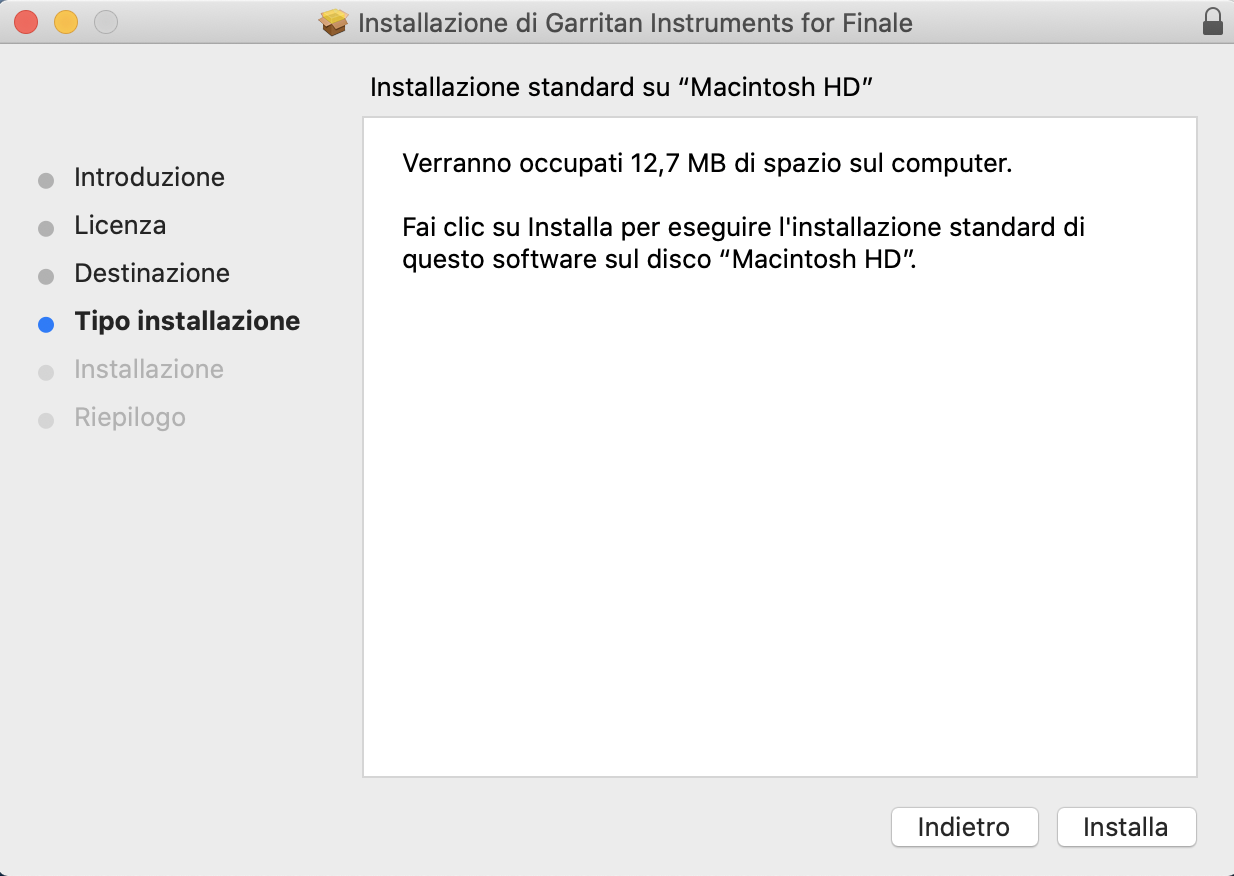
this screenshot certifies that I also installed the Garritans, and says they will take up 12.7MB.


Acciones de comentarios Permalink
Avatar
0

Sinc 25, the second download is an installer that will download the actual libraries. After searching, if it finds them already, it will not download.


Not at my Catalina machine at the moment. I’ll look at it tomorrow and see where the default location is.

Acciones de comentarios Permalink
Avatar
0

Just to make sure...


You have gone to the MIDI/Audio menu and selected Play Through Audio Units, right?


It occurred to me that if you are entirely new to Finale and your program is set up to play automatically through MIDI, you might not realize this. Please forgive me if I have underestimated your experience with the program.

Acciones de comentarios Permalink
Avatar
0

Dear Adrian,

thanks for your message.

Yes I've selected "Play through Audio Units", but it doesn't sounds.

Actually it sounds only if I select "play through MIDI". 

Acciones de comentarios Permalink

Iniciar sesión para dejar un comentario.