Is there any easy way to do this?
First I need a eighth note triplet but on the first beat of the triplet, I need a 16th note triplet.
I am working on Finale 2014.5 on a Macbook Air operating OS 10.11.6
Thanks,
Deb


If I understand you correctly, here's one way to achieve what's called "nested" tuplets:
First, enter your notes without the tuplets:
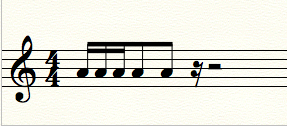
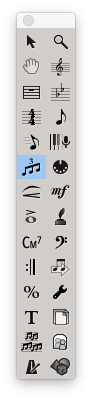
Next, grab the tuplet tool and select the first note
It will ask for some values, and what you'll want to do first is to say "3 eighths in the space of 2 eighths"
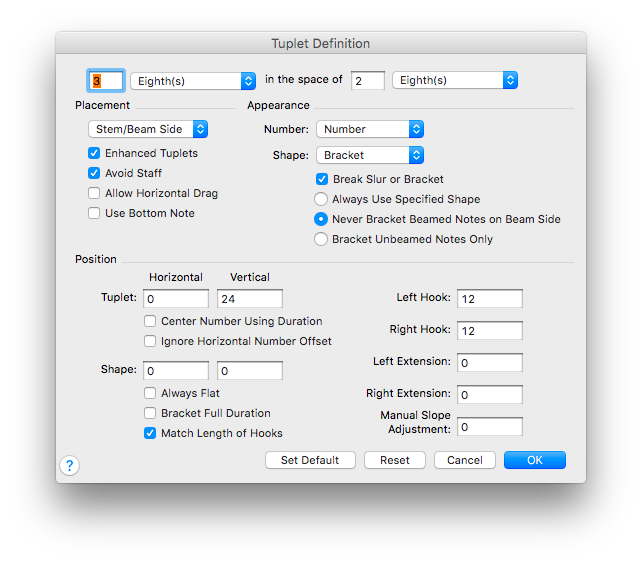
and press OK to get this: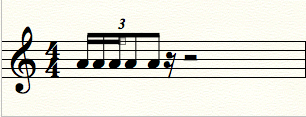
Then to get the other tuplet on the downbeat, select the tuplet tool again and select the first note again, but this time, you'll want to put "3 16ths in the space of 1 eighth" and then Press OK to get this:
You can then break the beam between the first eighth note and the last sixteenth by selecting the eighth note and pressing "/" in simple entry to see it like this:
I hope that helps, and if you need more info, here's the tuplets link in the user manual, just search "nested" and you'll find more information:
https://usermanuals.finalemusic.com/FinaleMac/Content/Finale/Tuplets.htm?Highlight=nested

The Tuplet Tool method certainly works, but if you have a lot of these to do, you might want to learn the Speedy method (I use Speedy Entry rather than Simple almost exclusively).
alt-3 (to say "this is going to be a triplet") then enter an 8th (pitch plus the 4 key). This establishes the 8th note nesting triplet.
Left arrow back to the 8th note you just entered, hit alt-3 again (to say "ANOTHER triplet!") but this time hit 3 to change the 8th to a 16th. This starts the 16th note triplet.
Enter the next two notes hitting the pitch plus 3 to finish off the 16th note triplet.
Enter the last two 8th notes hitting the pitch plus 4 to finish off the 8th note triplet.
Now you have to go to the Tuplet Tool to adjust the numbers. I would force the bracket for BOTH triplets, and drag the nesting one outside the nestED one. I would not break the beam as CJ Garcia suggested, because I think it's more clear to leave them beamed together. This is less mousing than using the Tuplet Tool for the entire procedure.
Please sign in to leave a comment.
2 comments
Date Votes