New post
Avatar
0

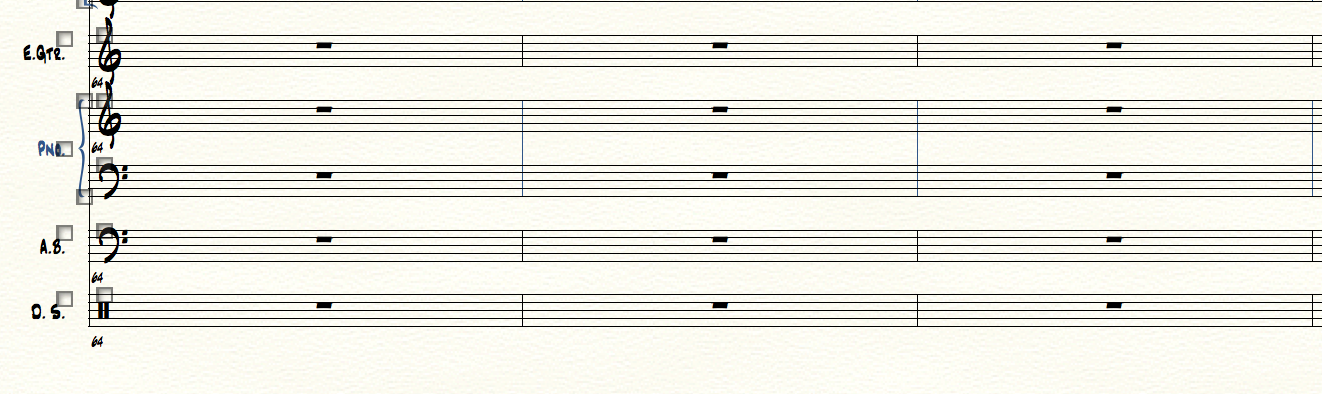
Hello I may have incurred in a new bug that finale 2012 did not have.

While working on my small orchestra composition, i decided i needed a Glockenspiel staff.

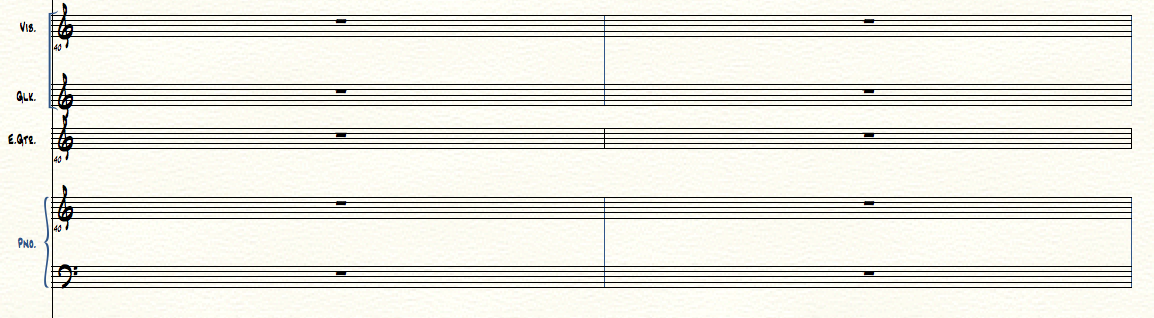
I added it but it is not spaced correctly.

No matter where i position it the spacing looks messed up.

I added it with the score manager.

How do i tell finale to space it like all the other staves?



Thanks so much!

Macbook pro, finale 25, el capitan.

4 comments

Date Votes
Avatar
0

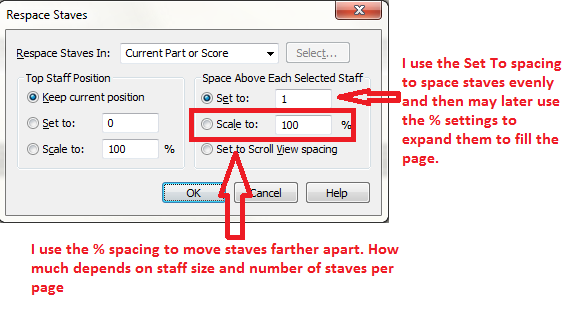
Select all staves and use Staff Tool > Staff menu > Respace Staves.

Comment actions Permalink
Avatar
0

Hi Adrian, thanks so much for answering


so i did as you suggested, this is the result, obviously there is a setting that makes as default the narrower spacing, which is unusable, instead of the regular one (the one finale had for default forever)

this never happened to me.

How do i know the exact measurement of the regular one?

how do i tell finale to space all like the first example instead of what it is doing now?


thanks


Comment actions Permalink
Avatar
0

It is possible I do not understand exactly what you are attempting to do. Here is how I use the various options of the Space Staves option.


If you just wanted to move the Glock staff, you could click it and then drag it while holding down the ALT key (in Windows). Holding down the ALT key lets you move just one staff without those below moving to keep their distance from it the same. In recent versions of Finale the distance between staves shows up at the left so you can space the Glock to match the spacing above it if you wish.

Comment actions Permalink
Avatar
0

Thanks Adrian!

Got it finally!

Why did finale change the spacing when i added a new staff?

why did not use the default ? 


finale never behaved in this way before...

weird, so much time thrown away

Comment actions Permalink

Please sign in to leave a comment.