I'd like to use "Ghost Notes" (replace note head with X) and ideally mute sound for "Ghost" note on play back. Any suggestions


Are you talking about a single note here and there - or a lot of notes, like all the notes in a selected region?
For a single note I would use the Specials Tools Tool, sub-tool Note Shape Tool.
A single note’s playback can be muted via the very technical Speedy Entry dialog box Edit Frame.

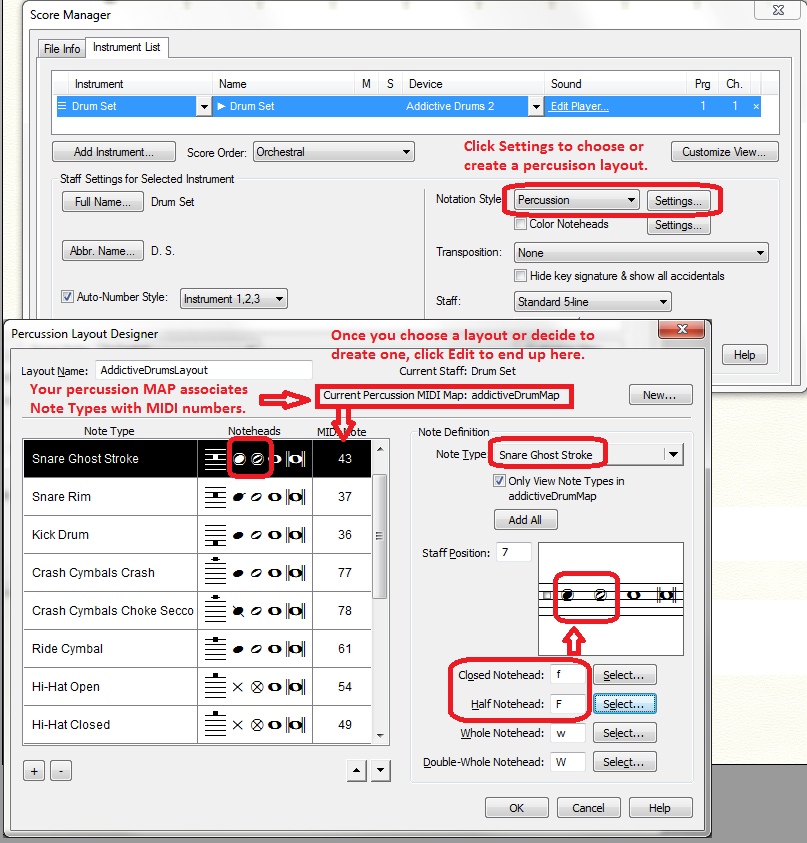
Is this the kind of thing you are looking for? This is all handled with percussion maps and layouts. You need to have a VST drumSynth that will produce the sounds.
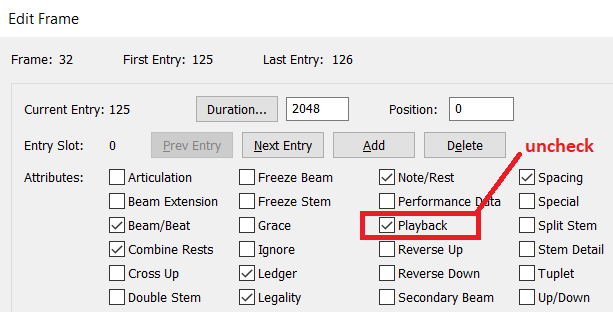
Granted, Peter's solution is easier for isolated notes, which can be individually muted via the Speedy Entry "Edit Frame."

You can mute multiple notes in the measure by clicking the Next button until you reach the position of the next note you wish to mute.
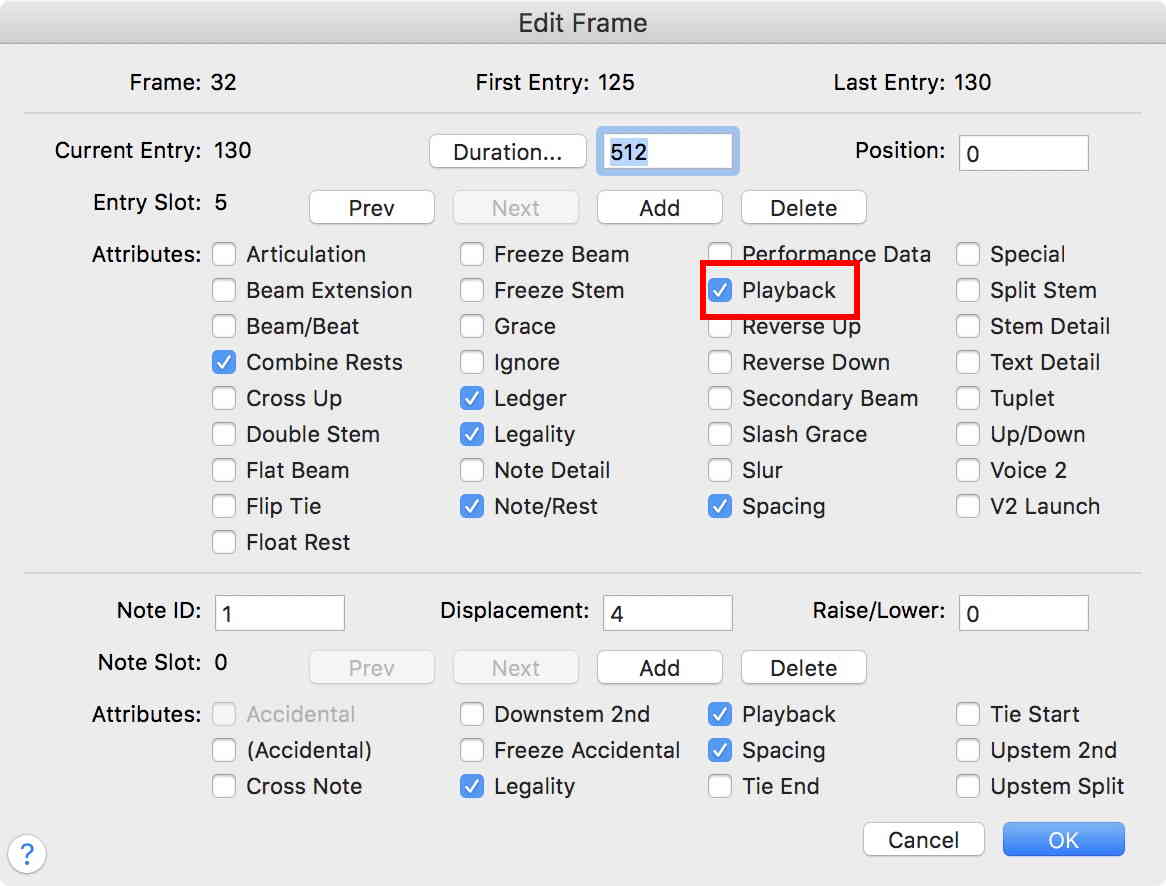
… How does that work in MacOS? …
In Speedy Entry, click outside the staff so no measure is selected.
Then Option-click on the measure/staff with the (ghost) note you need to mute.
In the (very technical) dialog box Edit Frame, navigate to the note you need to mute, and uncheck the Playback box for the note.

Another question in regards to this post.
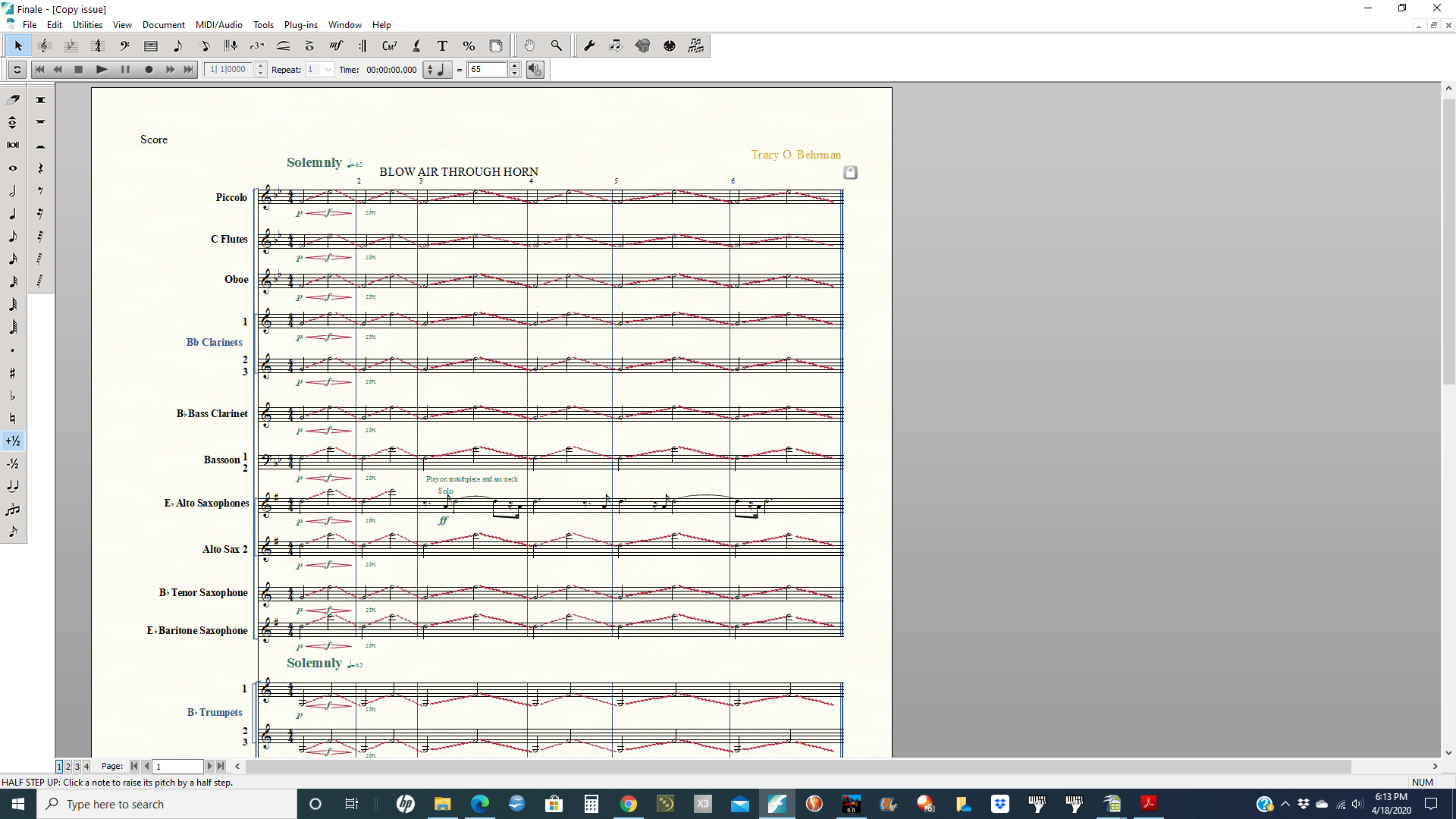
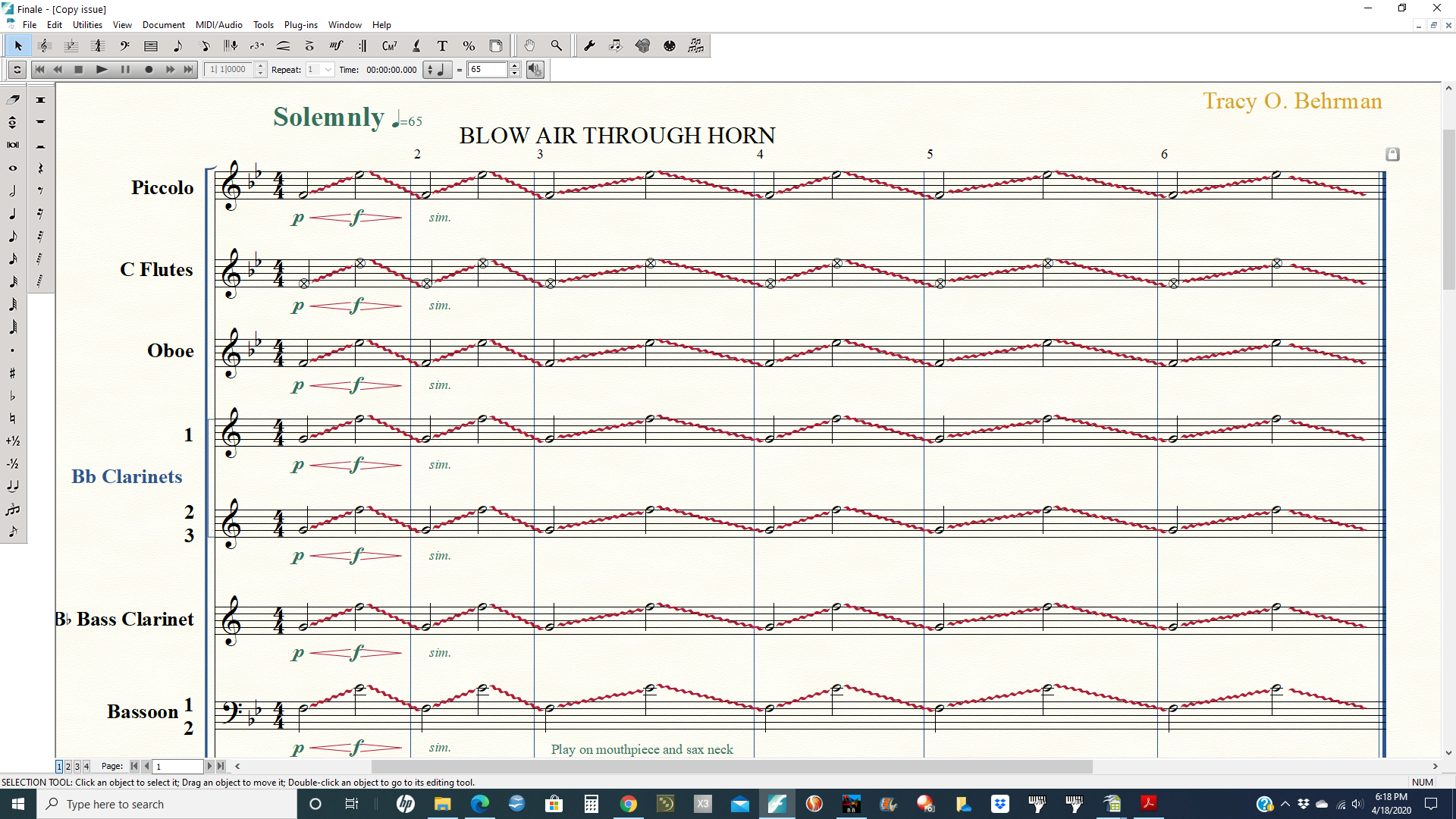
I'm trying to write everyone instrument in my score to indicate "blow air through horn" to create
a wind effect. I muted (ghost notes) the notes and changed note heads and then tried to copy/paste
the part. Unfortunately, the notes are not longer silent and the note heads changed back and transposed.
Is there a quick fix or will I have to use Speedy Entry to mute every note and rewrite each part? Thanks!
Please sign in to leave a comment.
10 comments
Date Votes