Finale 25 crashes each time I try to place lyrics into another layer; I get the message Windows for Finale is not responding. I'm using windows 10 on a desk top. I tried the suggestion resetting preferences but this did not fix the issue.


Hi All,
Thanks for posting!
Is this happening in just a few documents, or does this type of crash occur even when entering/editing lyrics in a newly created default document (File > New > Default Document)?
If the issue appears to be contained to one or a few files, you may want to try creating a new version of the file using MusicXML. This new version of your file will most likely need to have some edits remade (that is the nature of MusicXML imports); however, this normally helps remove corrupt data that can cause document-specific crashes such as this. Here's how to create a new version of your file using MusicXML:
1. Open your document in Finale.
2. Choose File > Export > MusicXML.
3. Save your document as an XML file to your desktop.
4. Choose File > Close.
5. Choose File > Import > MusicXML. Select the file you just saved to the desktop and click Open.
6. Choose File > Save As to save the new document as a Finale file and give it a new filename.
7. Once the new Finale file has been saved, you can delete the XML file from your desktop.
In the newly created file, you may find that you need to make some changes and remake some edits. Two things you normally have to do is regenerate parts, if no parts are created (Document > Manage Parts | in the dialog box that appears, click Generate Parts) and reassign playback sounds (MIDI/Audio > Reassign Playback Sounds).
If this doesn't work, or the issue is program wide (happens in newly created files), I would suggest getting in contact with one of our customer success agents for additional help. You can do so by using the Submit a request link at the top of this page.
Hope this helps!

Hi,
Win 10, Finale 2012c, laptop
I've done all this and am in the midst, now, of going through my symphonic score, editing all the instruments, since none of them re-populated with anything other than "ARIA Player" and no instrument.
But my Sound Map Priority is for Garritan Instruments for Finale, then SmartMusic SoftSynth. There's no ARIA Player in that list.
My Manage VST Plug-ins has ARIA Player first, then Garritan Ambience, then Softsynth. All "AppData\Roaming\MakeMu... dll" with the ARIA Player the only "x86".
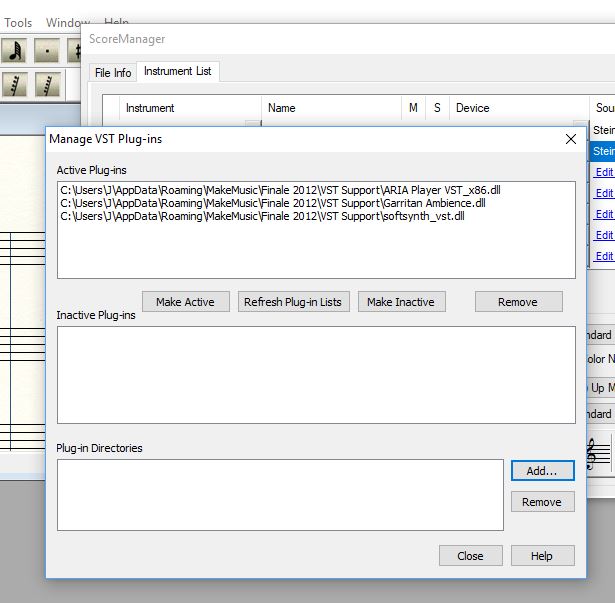
Does that look right?
I'm looking for a way to have all the instruments change to Garritan, without having to individually go through the whole list.
I also encountered the below message while following the steps listed above.
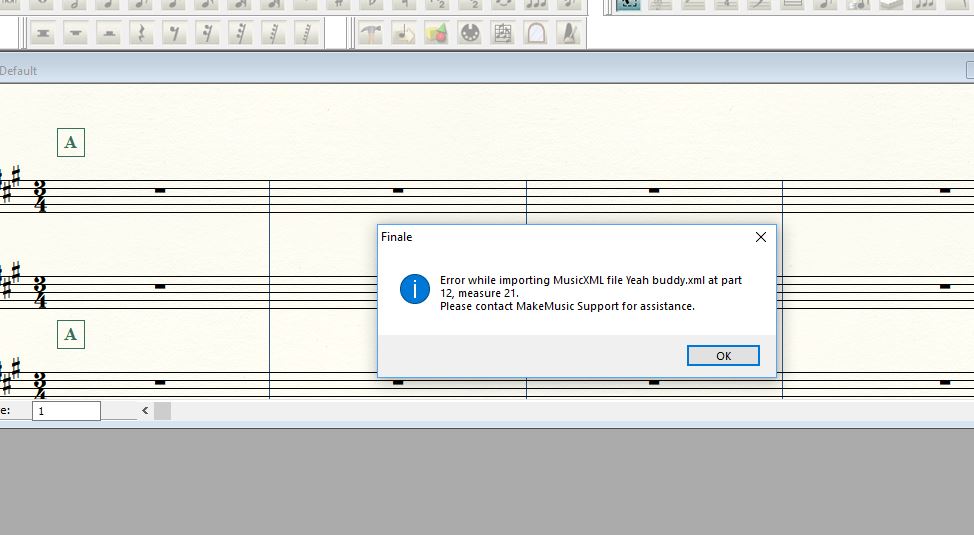
And, after all that, I forgot to check if this is the Community Forum, since I'm using the "old" 2012...
By the way, you may enjoy seeing some of my Finale videos on YouTube. Just search with "klazzkeys" (NO SPACE). It's been a lot of fun!
Thanks,
Jon Thingvall

Please sign in to leave a comment.
4 comments
Date Votes