New post
Avatar
0

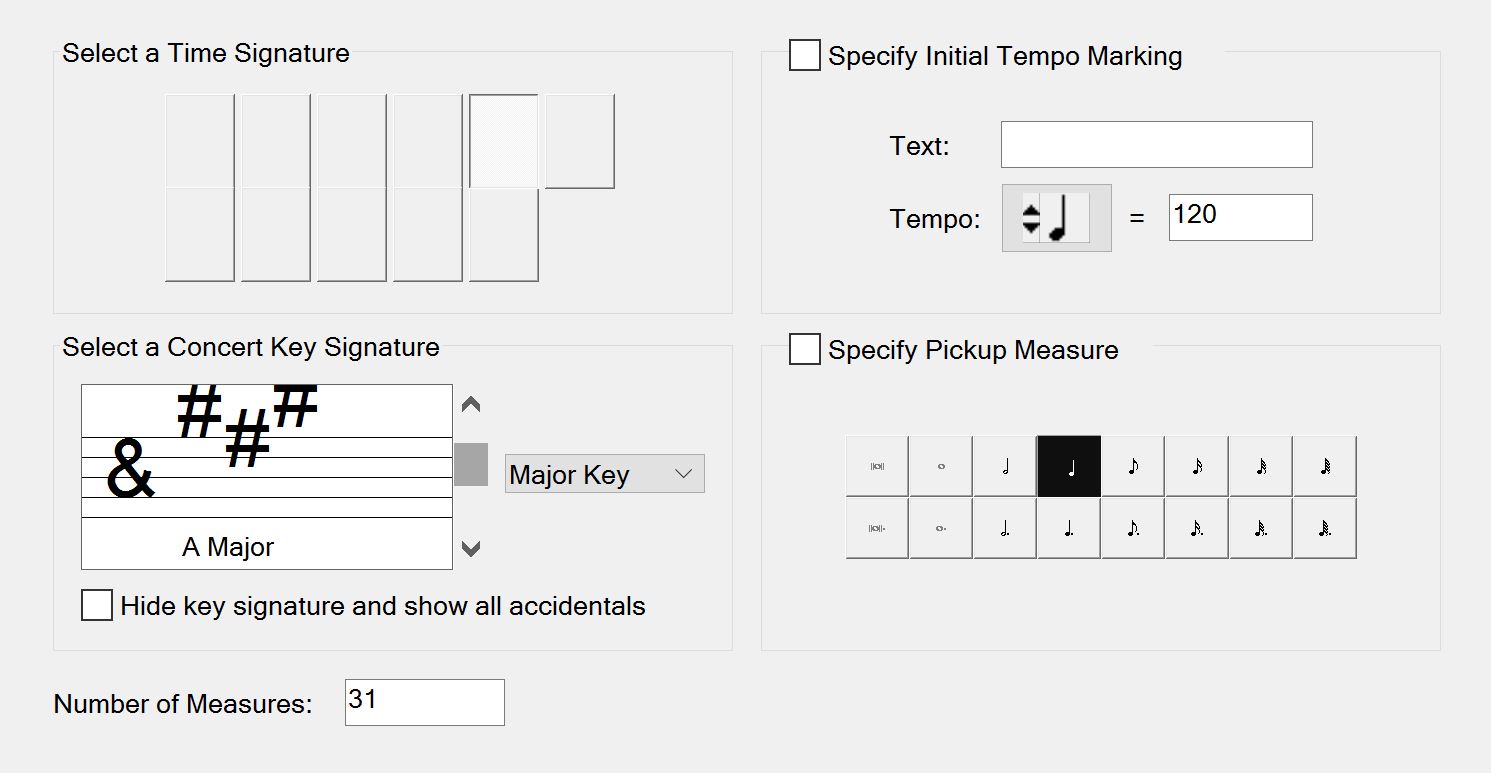
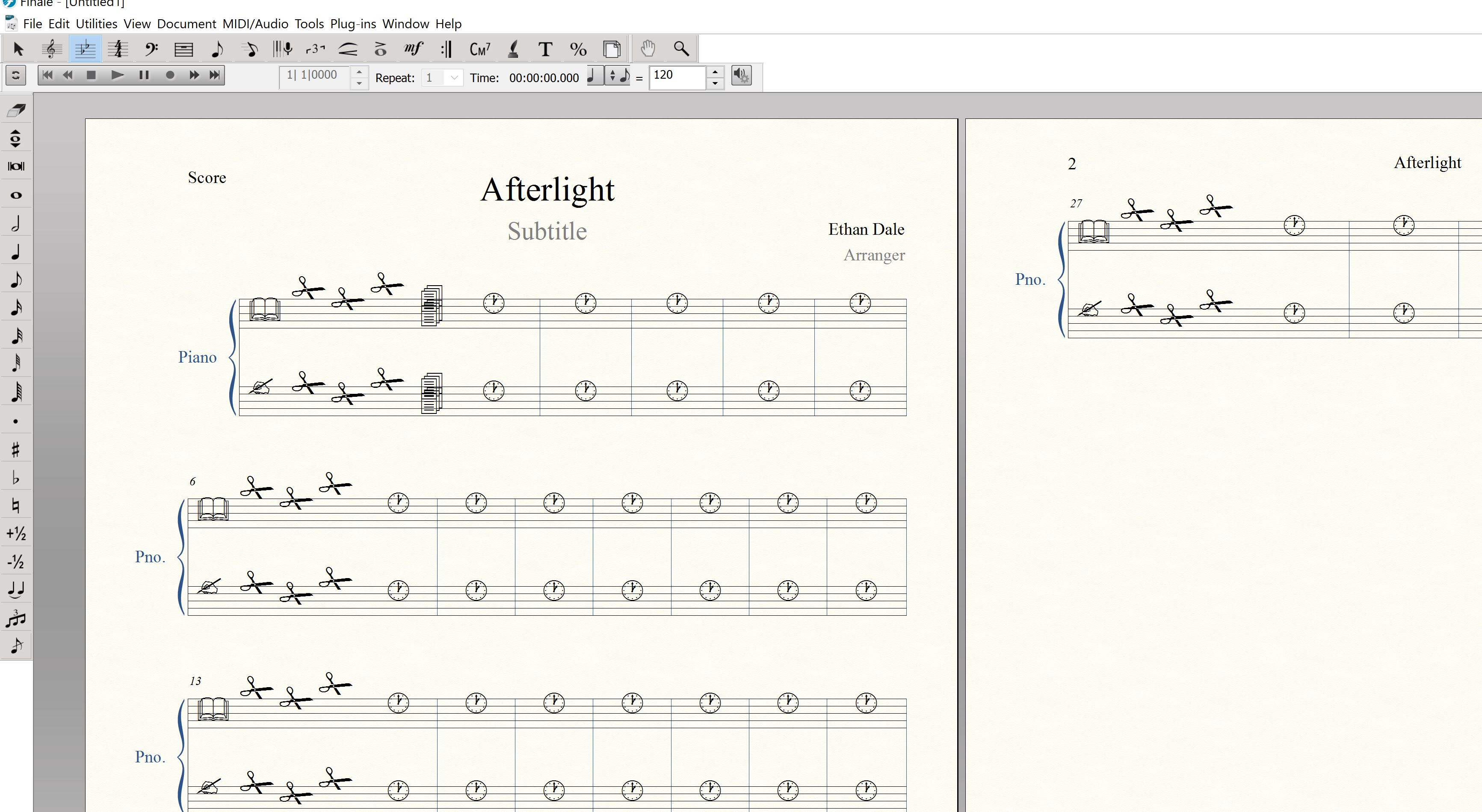
So I decided, after using Sibelius for almost 5 years now, to give Finale a try, but after installing the free trial, this is what I see when making a new document and using the program. Not very impressed so far, but maybe it's a simple fix. I'm running Windows 10 and Finale version 25.2.0.92.
2 comments

Date Votes
Avatar
0

You seem to be missing the Maestro music font, or else another font has somehow been selected by error in Documents > Document Options > Fonts. Most likely something interfered with your download/installation of the Finale trial. You may want to try to download and install it again. Make sure other programs are not running and that you do not let the computer go to sleep while the process is in progress.

Comment actions Permalink
Avatar
0

J Adrian is absolutely on the right track.


You are running into two isues:


In the first screenshot, Finale currently only supports up to 200% DPI scaling and it looks like your system configuration surpasses that maximum. For more information and some workarounds, check out this article: Finale's playback controls, palettes, and setup wizard do not display properly.


For the second issue, it does look like you are missing some default fonts. If redownloading and running the full installer once more (as J Adrian suggested) doesn't work for some reason, try the steps in this knowledge base article: Music fonts display incorrectly.


Hope this helps!

Comment actions Permalink

Please sign in to leave a comment.