Well - title is pretty self explanatory. The manual (see link) tries to explain how to do this, but I would suggest rewriting this section. It is incomprehensible.
I would appreciate a lucid explanation on how to do it.
Thanks


Well - title is pretty self explanatory. The manual (see link) tries to explain how to do this, but I would suggest rewriting this section. It is incomprehensible.
I would appreciate a lucid explanation on how to do it.
Thanks

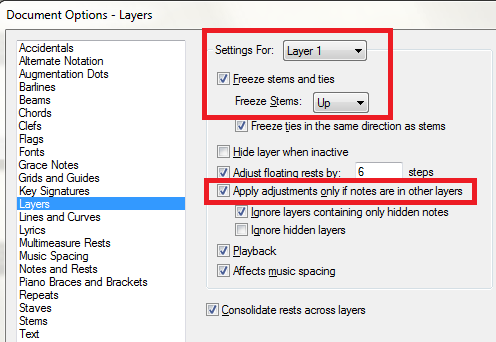
There are two ways. Use a new layer, or use a voice. I hate voices, though some users swear by them, so I will tell you the layer method.
Enter the music for layer 1, including all the material that has to be on stems-up layers, as well as what is at the beginning of the measure.
Go to Layer 2, enter a rest, hide the rest (in Speedy Entry that's the O key) and enter the stem-down music. It will appear that Layer 2 starts after the hidden rest.
You may have to manually flip stems in the first part of the measure.


Please sign in to leave a comment.
4 comments
Date Votes