New post
Avatar
0

Mac Lion 7.5

Software aria angine v1.916


Something wrong went with aria player IO garritann.

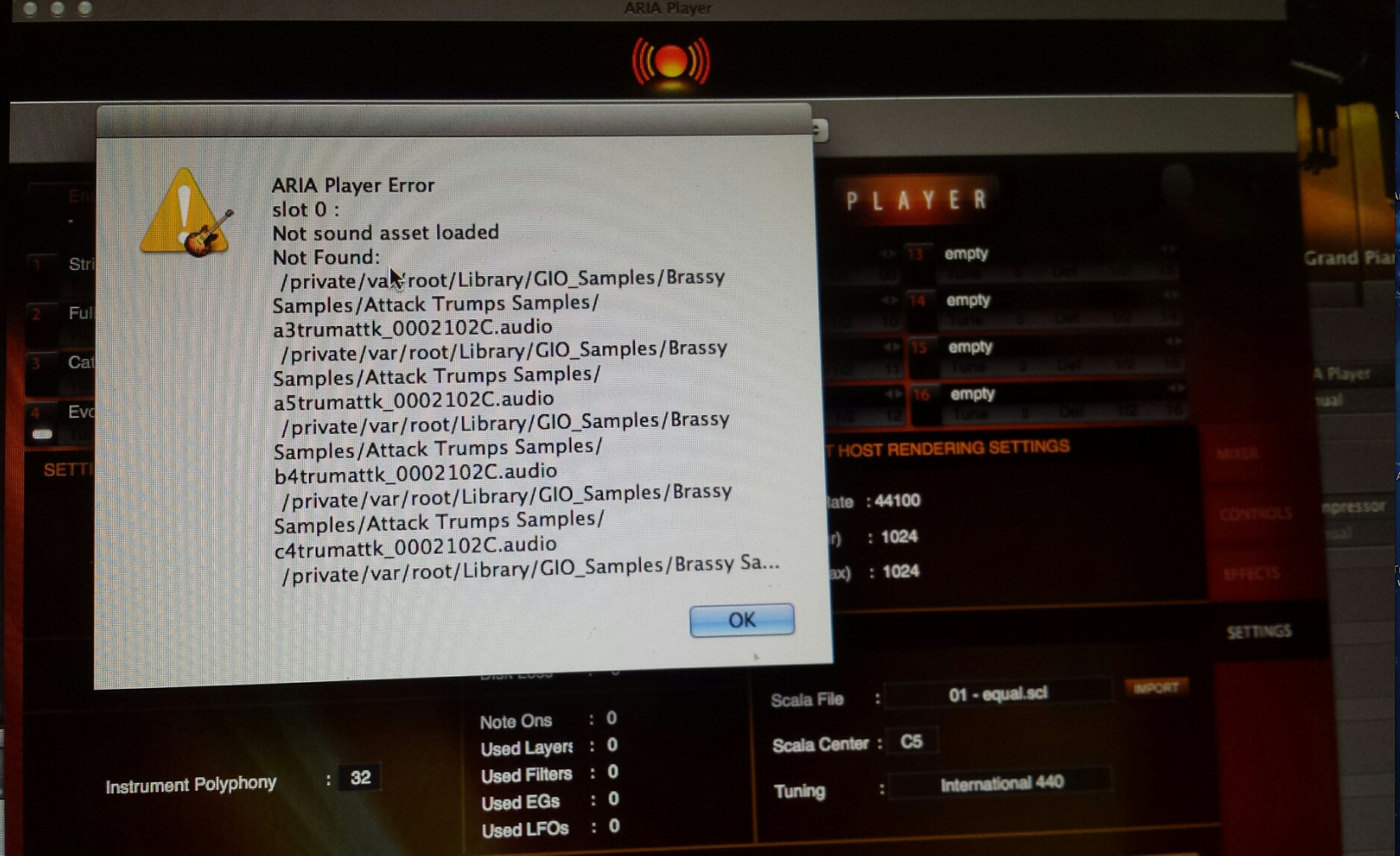
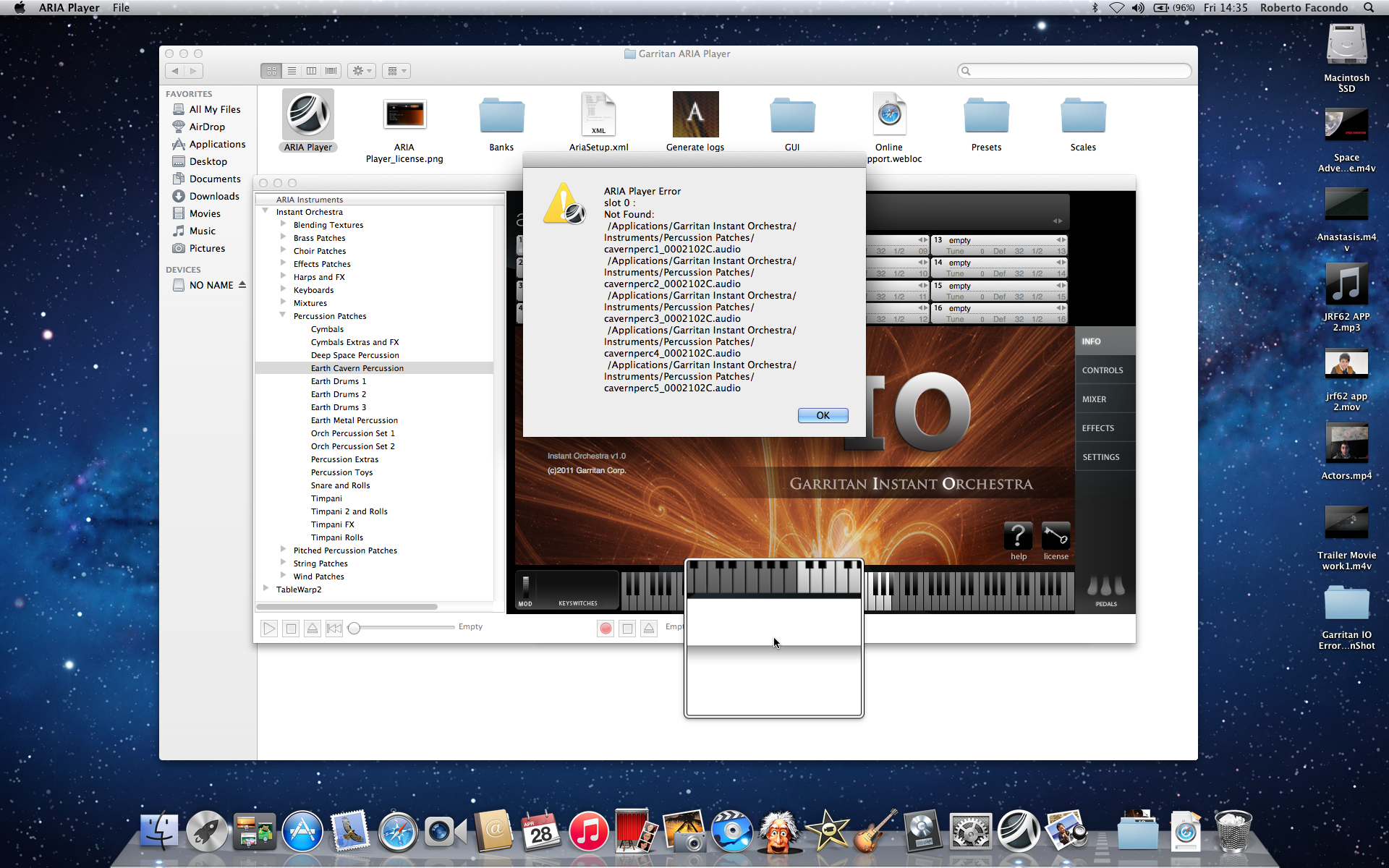
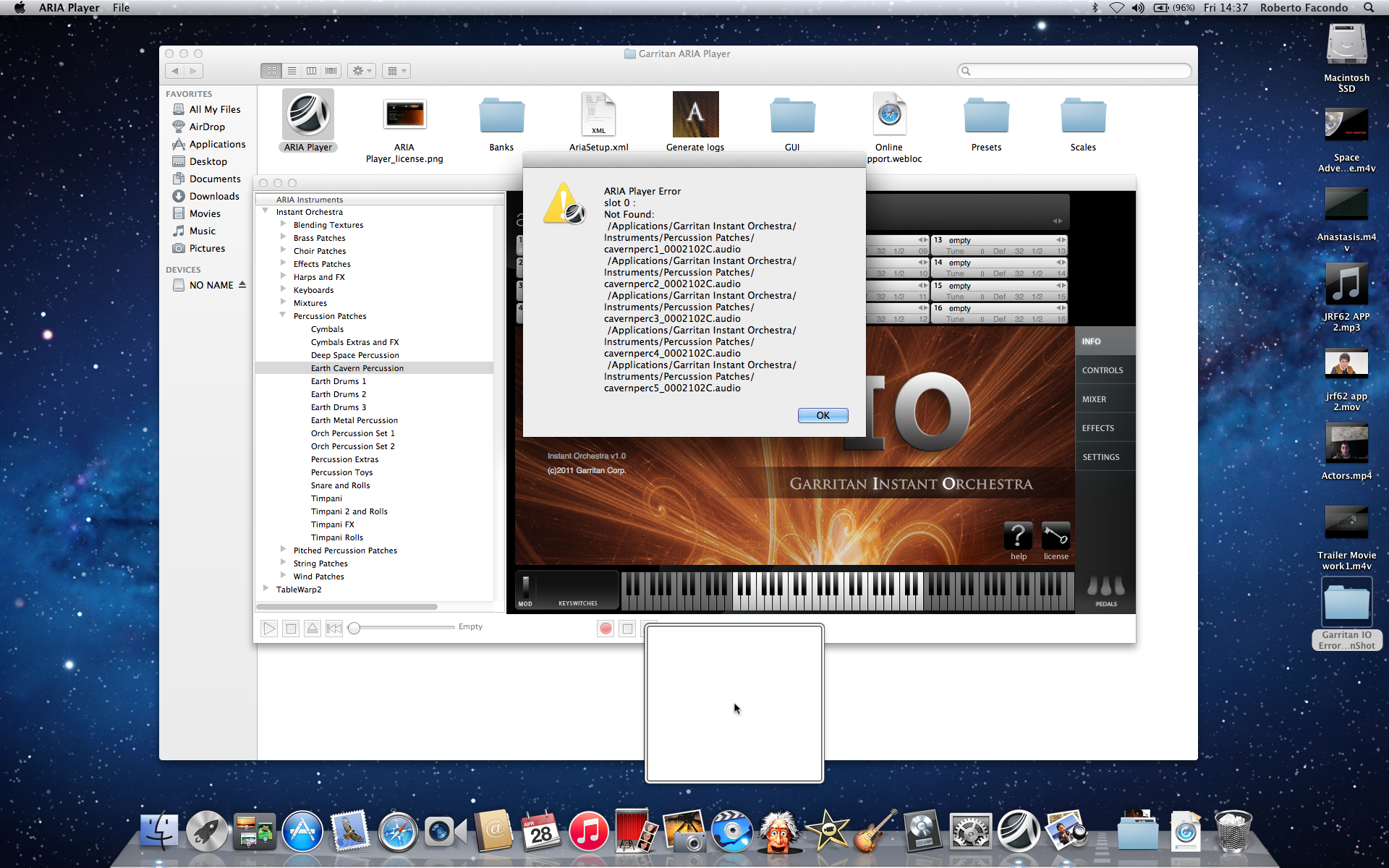
Cannont find the files path and give me errors.

I have tried to install all the software but still doing the same issue.


I need urgently help because i am stock by reproducing music and use other songs made with IO garrison. This is really bad

Reinstalling the software was not useful and you cannot uninstall it in mac completely. ?????


16 comments

Date Votes
Avatar
0

Hi Roberto,


Yeah, it looks like the ARIA Player is looking in the /private/var for its samples for IO which is definitely incorrect. What you'll want to do is reinstall the library again after removing the file that dictates where the ARIA Player should look for those samples so it can be recreated afresh.


1. Close any open applications.

2. Click your desktop background to activate Finder.

3. Use the keyboard shortcut SHIFT+COMMAND+G to open the Go To Folder dialog box.

4. Type in: /Library/Preferences

5. Click Go.

6. Locate the file called "com.Garritan.Instant Orchestra.plist" and move it to your desktop (it can be deleted from your desktop later if this all works out).

7. Run the entire installer for Garritan Instant Orchestra once more (including the samples installation).

8. Restart your computer and test again to see if you get the same error.


Hope this helps! 

Comment actions Permalink
Avatar
0

Hi.

Thank you for replaying to me.

I have done as you said and following the instruction but during the installation it asked me where the sample file you want them to be saved, i didn't choose a particular folder or directory but i proceede as default as orchestral instrument and pressed the button choose.
So i still have some problems. Ambience was not found.

Some Sounds works some not. It tell me example Slot 01 not found or aria player error effect com. garritan.

i also forgot to mention that when i launch my music app appears also this error: AriaEngine Aria Player needs to b reinstalled, it is missing some important components, then a window showing GarageBand - Loading "TEST" Sounds (Equilazer) ....

Click ok to continue.

I really do not know what's going on.

Do i need to put back the file you told me to put on the desktop?

You didn't mentioned to delete the one in the library, but of course i did it, because by moving it on the desktop it made just a copy.

Please if you have different solution let me know step by step. I have tried to reinstall the entire software but unsuccessfully.


I think to reinstall the software afresh it must be removed from the machine completely, but just to trash it in the bin doesn't remove the app fully, some files are still around.

Any other suggestion. please you are welcome.

Regards

Roberto

Comment actions Permalink
Avatar
0

Hi Roberto,


Thanks for letting me know - good catch on deleting the file after it made a copy!


It sounds like the nature of the issue may have changed. First off, I would recommend updating your ARIA Player (that's the error you are getting about missing components). You can download the installer for the latest version of the ARIA Player here.


If after updating the ARIA Player and restarting the computer, you are still running into errors, I would recommend opening a support ticket with one of our Customer Success agents to get some further assistance. You can do so using the Submit a request link at the top of this page.


I hope this information helps!

Comment actions Permalink
Avatar
0

Hi Lawson.

I have already update the aria player when i started having the problem to see if would fix it but it still give me the same all the time i reinstal the software. I think there is some conflit because there are files around that cause me to not be able complete the installation successfully. Unitl the program is not removed completely we are going to struggle to use it fully functionally. I believe if we can remove any files related to the program it will be reinstalled perfectly as when i install it  in the beginning. Please i like to use this program again. Thanks

Comment actions Permalink
Avatar
0

Hi Again

I was thinking if i cannot install the program again as new means it read some information in my computer and so  because of some  file somewhere correct?

Because if it is the first time you install then should work fine! So I think the program must be completely removed from my pc in order to successfully restore it!

Regards

Roberto

Comment actions Permalink
Avatar
0

Hi there!

I have installed the new aria player and all components of it works but many of the sounds and slot 01 ect... are still missing! Any other suggestion?

Please i need to make it work correctly as in the beginning. Please is any way someone knows has to remove all software from any folder may it be?

And start afresh...

Comment actions Permalink
Avatar
0

Hi Roberto,


Thanks for writing back.


It looks like we will have to look deeper into this issue. To do so, I will go ahead and open up a support ticket for you. Please keep an eye out for that email.


Hoping to get this one sorted for you as soon as possible!

Comment actions Permalink
Avatar
0

O.K. Thank you Lawson. I really need to make it work because i have made a lot of song with it and now those sounds are not there anymore. Today i have installed the orchestra sound again from the DVD but look that as i have noticed try to install the package in different folder, i do not really understand. door aria player cannot load that sound and also says slot 1 or 2 or 3 act..

see video clip here

thanks.

Comment actions Permalink
Avatar
0

Hi Lawson Dutton.

I cannot do what you asked because the full organ works ok

I can use a demontration example String patches and portato strings and then tell me what folderto pick up, ok?

As i said some sounds are ok others not.

Regards

Roberto


Comment actions Permalink
Avatar
0

Hello AusonLawson

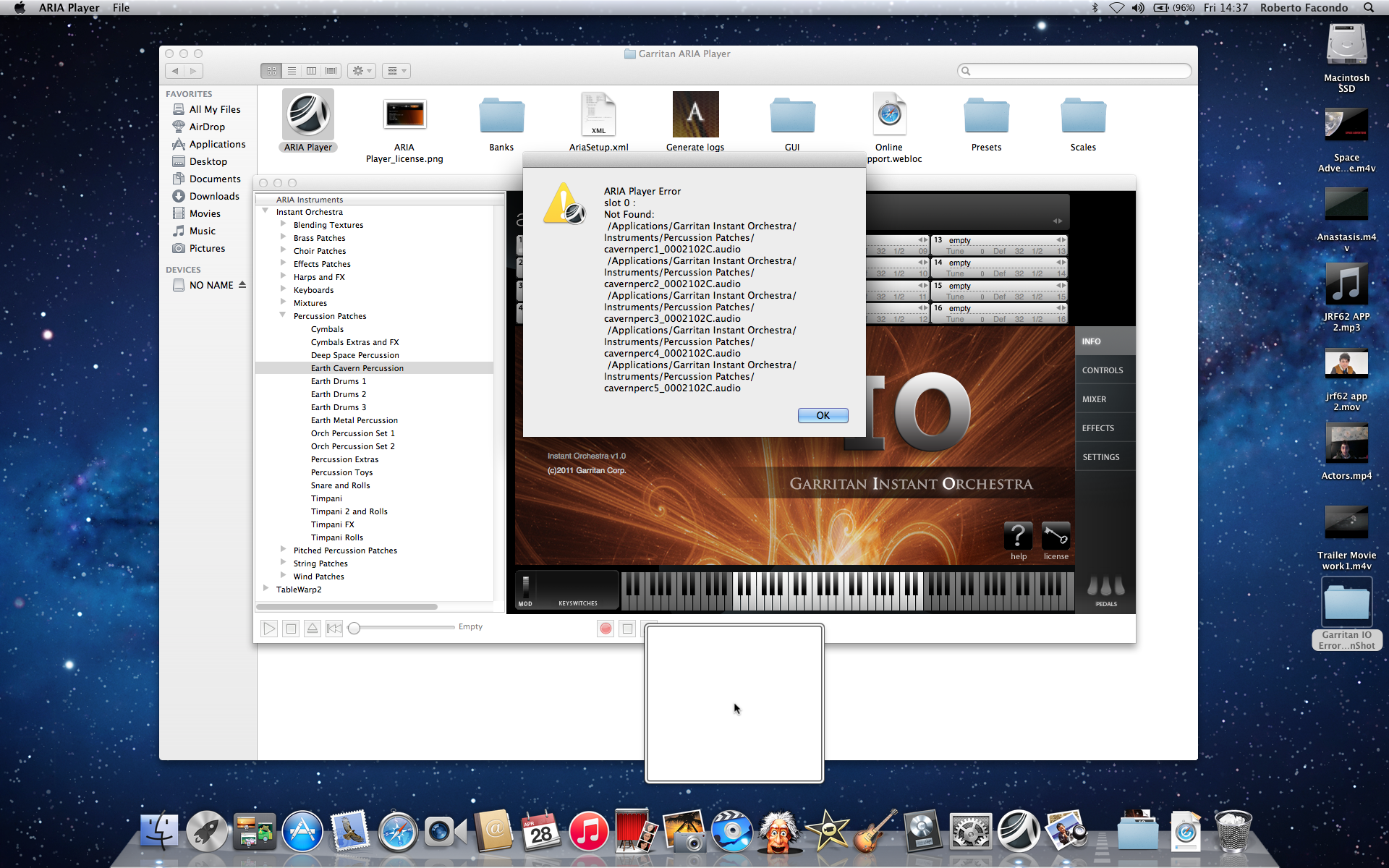
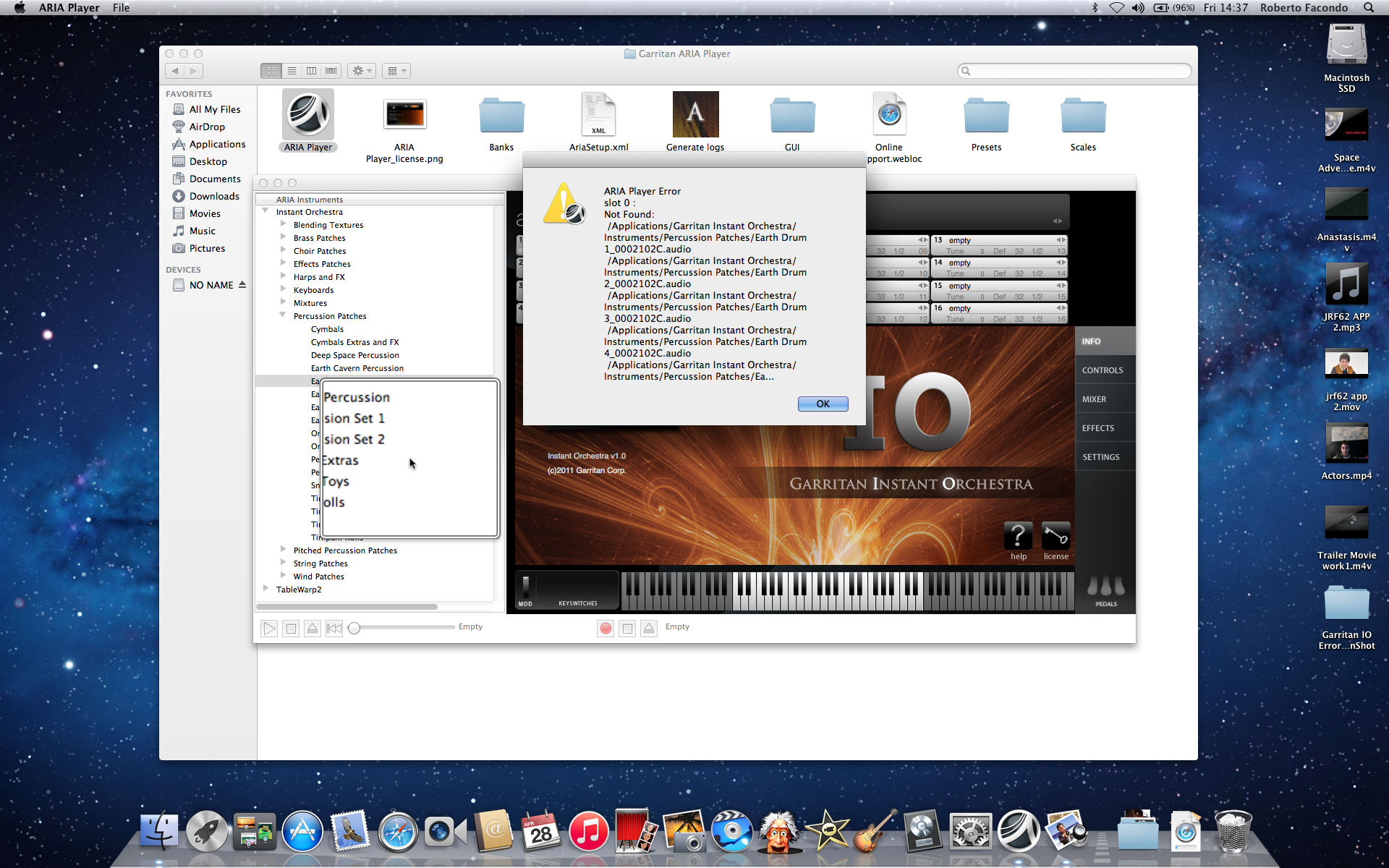
I found out what aria player is doing and it look for the sounds in the wrong folder beCuaw those sounds are not in the instruments folder but in the GIO_samples and inside this folder there are other folders called with specific pachas names and inside this folders are located the audio files. 

By the way why it is looking in the instruments folder when this sounds and i mean all of them are in the GIO_Samples folder?

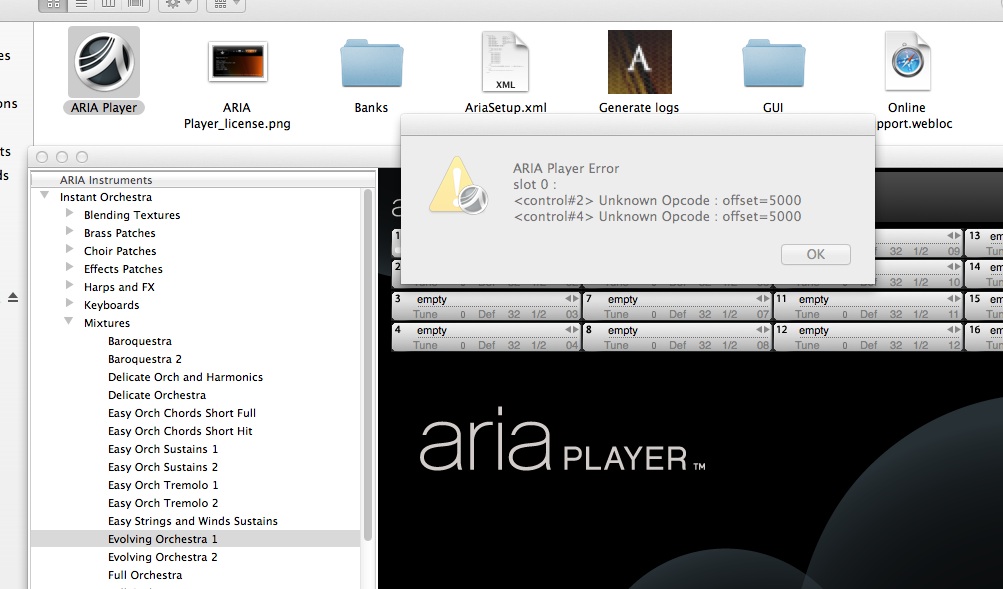
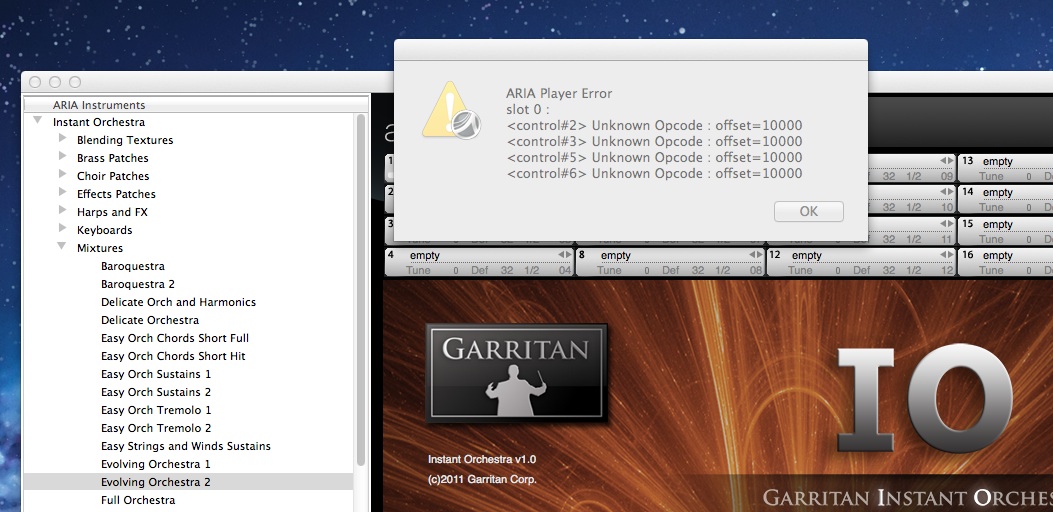
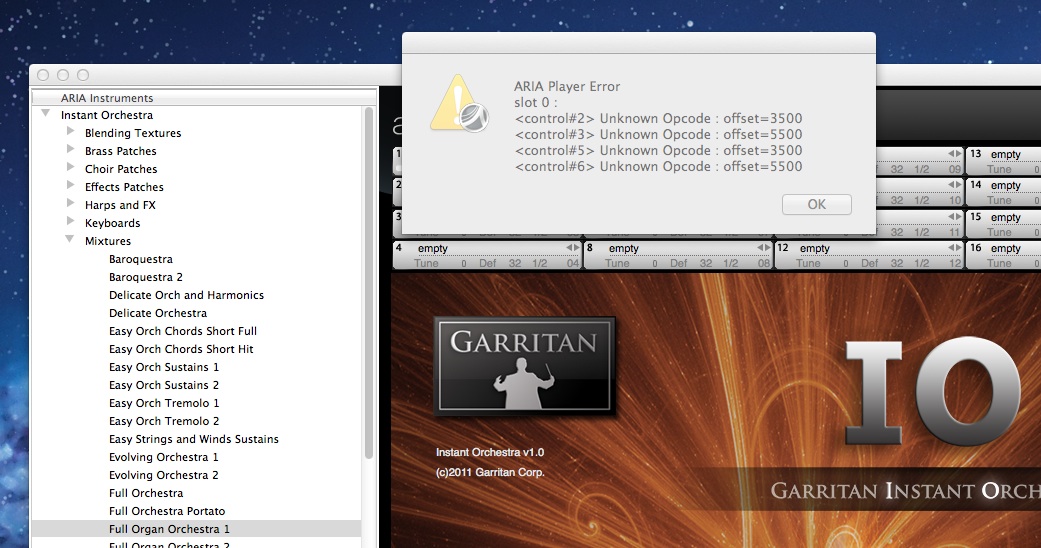
I am sending you different pictures to show you as well other different error from the player. Also remember that i have already installed the new version as you see, but i still have the same problem, but of course now i can play more sounds then before but i have checked though the list and it doesn't pick up about 30 sounds totally.

Kind Regards

Roberto


Comment actions Permalink
Avatar
0


Comment actions Permalink
Avatar
0

Also does this kind of error as well:


Comment actions Permalink
Avatar
0


Comment actions Permalink
Avatar
0

Hi Roberto,


Thanks for that info!


Just a head's up - in order to stay in contact with me, please be sure to send this information through the support ticket that we have set up. I will be responding shortly with some more information through that ticket.


Hoping to get this one solved for you soon!

Comment actions Permalink
Avatar
0

ok thanks


Comment actions Permalink
Avatar
0

Getting the same error on a new install on Windows 10.  Updated the player and the engine.  Can you post what the solution was?

Comment actions Permalink

Please sign in to leave a comment.