New post
Avatar
0

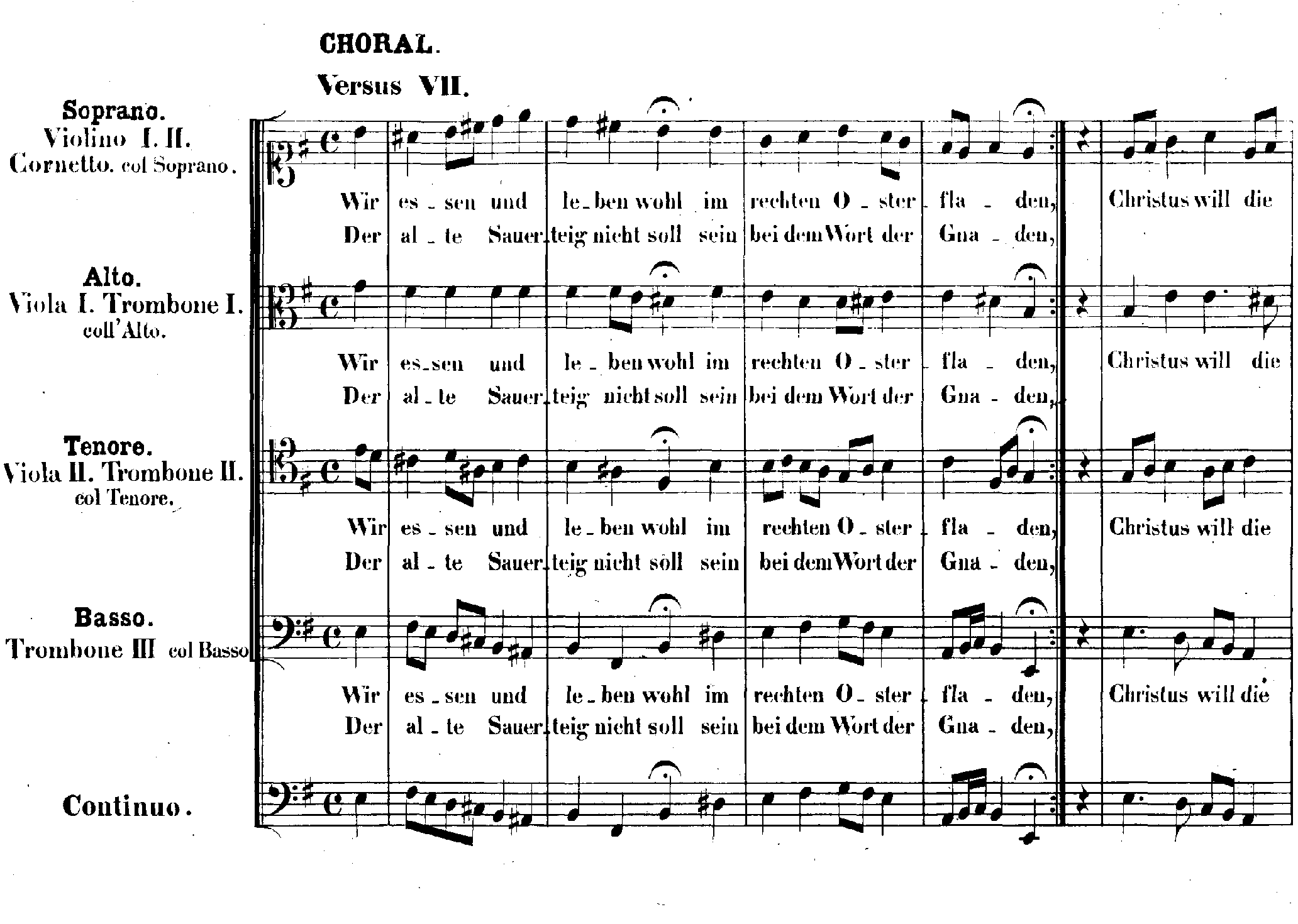
I am editing a Bach chorale. The piece is in common time with a crotchet pickup.  I need a repeat after beat three of bar 4 which goes back to the beginning of the piece including the pickup.  When I try to use the mid-measure repeat plugin it gives me an error "This repeat could not be inserted at the specified location, possibly due to the rhythmical structure of the music.  The chorale I am editing is shown below.  Any advice on how to input the mid measure repeat would be appreciated. I am using 2014.5.6359
9 comments

Date Votes
Avatar
1

My first guess would be that the culprit could be the way the pickup measure is created.

I suggest that you do not use the document’s option Pickup Measure (also, it does not play back correctly, but plays a full, whole measure).

Go to

Document menu > Pickup Measure…

and Clear the Pickup.


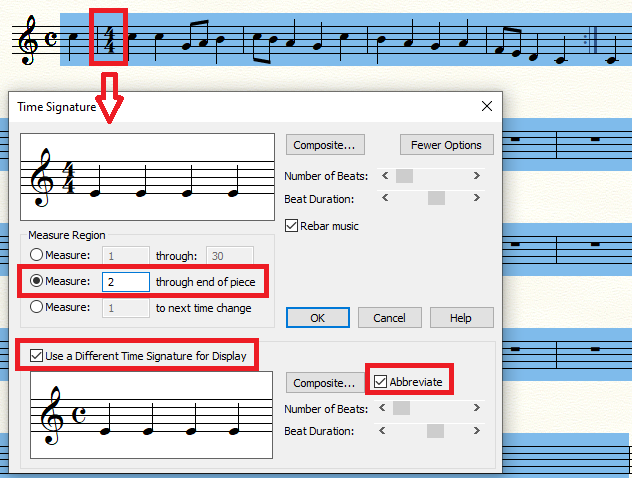
Instead, use the Time Signature Tool.

Set a “real” time signature of 1/4, and use a different time signature - 4/4 - as “display” time signature.

It plays back correctly.


Finally, use the plug-in to create the repeat.

Comment actions Permalink
Avatar
1

And by the same token, you can divide the "repeat" measure into a 3/4 followed by the repeat sign and a 1/4, each displayed as 4/4.

Comment actions Permalink
Avatar
0

Thanks to Peter and Adrian.

I've adopted Peter's suggestion and it works well.  You can also delete the opening repeat sign and the it both looks correct and plays back correctly.

Finale does seem to be able to do everything with a bit of persuasion and know-how!!!!

Comment actions Permalink
Avatar
0

Finale does seem to be able to do everything with a bit of persuasion and know-how!!!!


If you ever manage to find something Finale can not do, please let us know.

Comment actions Permalink
Avatar
0

Well, Peter, sometimes when someone complains that some (IMO) arcane feature cannot be done in Finale with a single keypress (where it otherwise would take two), I am sorely tempted to write that Finale cannot start my coffee brewing before I wake up in the morning either; but so far, that's about the extent of what I find that Finale cannot do given enough knowledge of the program and a little creativity.


:-)

Comment actions Permalink
Avatar
0

Hi guys, I have the same problem as Peter had (mid measure repeat with a pickup). I tried the solution given above, but my Time Signature dialog box doesn't have the option 'Use a Different Time Signature for Display'. How do I get that option? I use PrintMusic 2014a.v855. Does this version have that option, or do I have to upgrade to Finale to get it?

Comment actions Permalink
Avatar
0

As Far As I Can Tell, upgrade to “full Finale” is the way to go.


Also, MakeMusic will no longer develop PrintMusic.

If you ever upgrade your computer with newer software or hardware, each upgrade will mean a risk of in-compatibility with PrintMusic.

Comment actions Permalink
Avatar
0

These solutions helped me too. However, I wonder about the value of the mid-measure repeat plugin, if it doesn't work for pieces with a pickup measure. The examples I can find, from Charpentier to Hisaishi film music, only use a mid-measure repeat because they have a pickup measure; so it would seem this feature is only for works that end up with shifting meters. Also, it would be useful if the User Manual's section on how to use the mid-measure repeat tool said "Note: Cannot be used on pickup measures". I have the full finale.

Comment actions Permalink
Avatar
0

Whereas you wonder about the mid-measure repeat plug in, I blame the pick-up routine, which is far more flawed than the mid-measure repeat plug-in. As stated above, the problem is not the mid-measure repeat but the way Finale implements the pickup measure. (They make it a full bar but silence and hide the initial beats.)

Set the "pickup" measure as a 1/4 measure displaying as 4/4 (or Common time) and your mid-measure repeat should work fine.

Then use a similar move for measures 2 to the end to change the time signature display to the abbreviated 4/4 (common time) to make it disappear.


Note that on a Mac these screens look slightly different, especially the More Options/Fewer Options button.

Comment actions Permalink

Please sign in to leave a comment.