New post
Avatar
0

I have already applied slash marks to a percussion part and would like to employ both slash marks and melodic cues in this part.  I'm able to input notes in Speedy entry that display -- until Finale moves to the next measure  -- upon which they do NOT display. 


Can a person employ both (1) slash marks and (2) melodic cues in a part? 


Software version:  Finale 2003a (I already know it's out of date.)

Operating System:  Windows 10,

9 comments

Date Votes
Avatar
0

Yes, it is possible.

The Slash Notation must be set up so that it allows display of notes in other layers.

Comment actions Permalink
Avatar
0

Yes, I checked the box to allow the display of notes in other layers, and it worked like a charm. 

What I would like to do now is to place chord symbols in a measure that also has slash marks. When I try to do this with the Type into Score option, the symbol appears in the Edit box. When I advance to the next measure or when Finale advances to the next measure, the symbol no longer appears in the score.

In other words, the slash marks display, but the chord symbols do not display.

Comment actions Permalink
Avatar
0

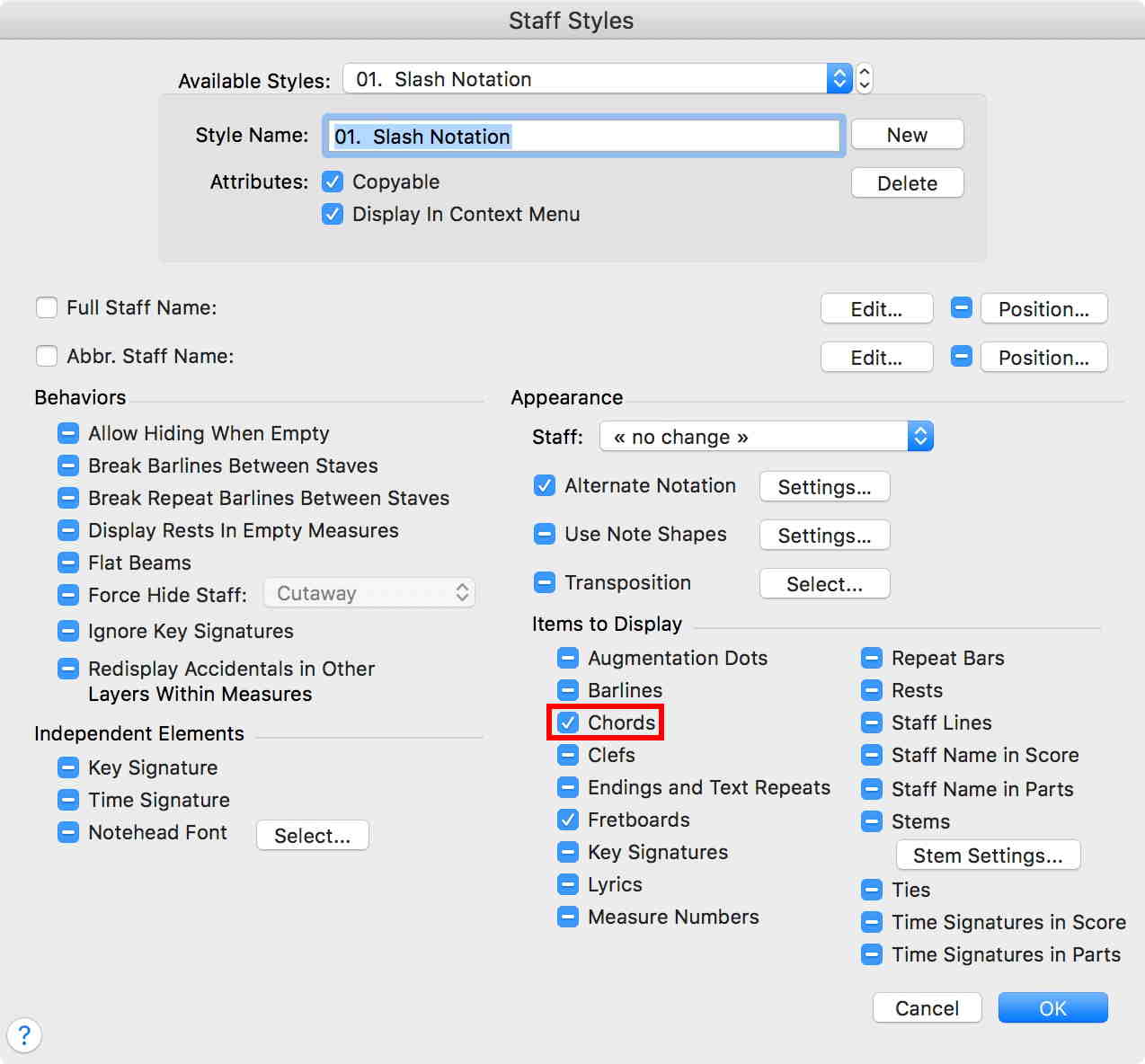
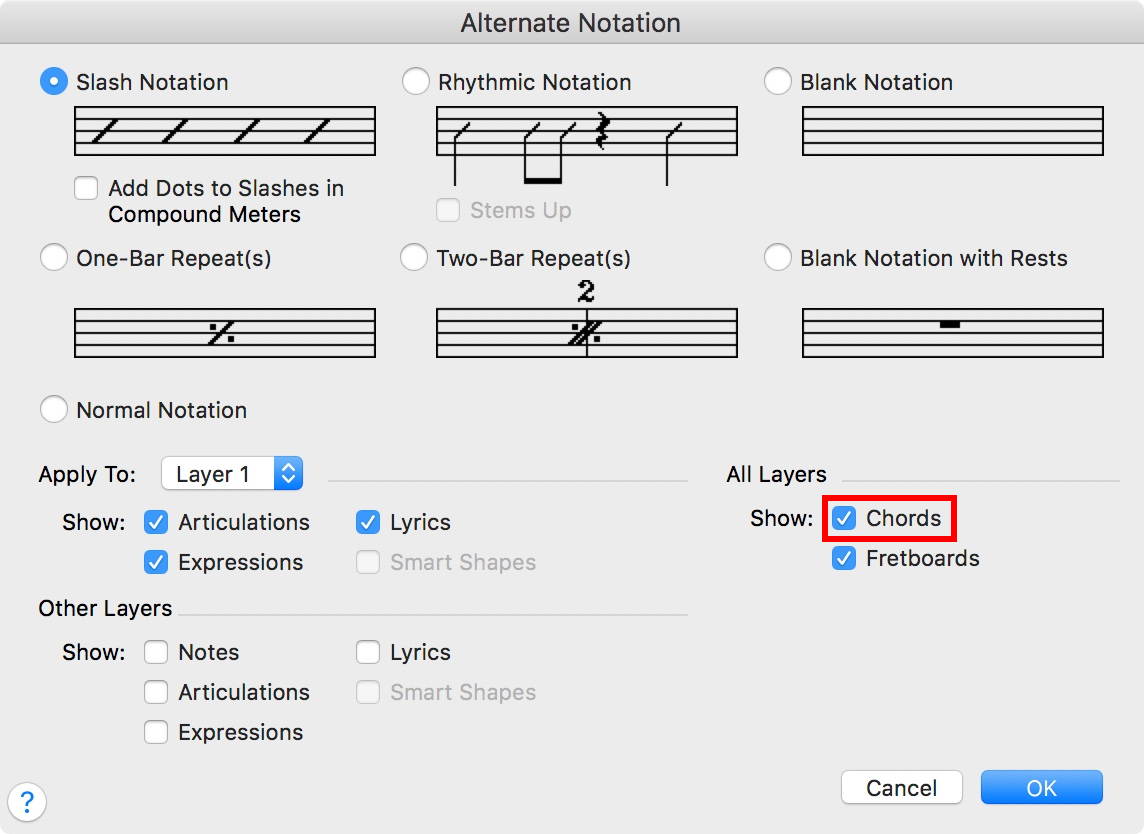
Is the option “Chords” selected, both in the dialog box Alternate Notation, and in the dialog box Staff Styles?

Comment actions Permalink
Avatar
0

I have been selecting a measure, then clicking on Define Staff Styles, Alternate Notation, Rhythmic Notation, OK, OK, then Apply (in the Staff menu), and, after clicking on the measure (in Speedy),  chord symbols display in the Edit Box after I type them. 

There is a blue bar above the measure in question, but the chord symbol in question doesn't display on exiting the measure in question.

Comment actions Permalink
Avatar
0

If you alter a Staff Style, it is best to make it a New staff style with a new name.

Once you define a staff style, you need to Apply it. Defining it does not automatically apply the style to your document.

Comment actions Permalink
Avatar
0

preston keys,


Take a look in the Staff menu.

You can select or de-select the options

Show Staff Styles

Show Staff Style Names

I suggest that you try selecting both options.

Personally I keep both options selected.

Comment actions Permalink
Avatar
0

Is the challenge to get the symbols to display specific to Finale 2003a? Maybe I am a dunderhead because although there is a Show Items, I am not able to locate the Chords option mentioned above under Alternate Notation.  Where, in your own versions, does it display in the dialog box?

Comment actions Permalink
Avatar
0


Comment actions Permalink
Avatar
0

I changed all the rests I was using as "placeholders" for the chord symbols with a note (I imagine it can be any note), and the symbols displayed correctly, both with Alternate Notation and Rhythmic Notation.  First, it was necessary to follow the steps already mentioned, including defining the staff style and applying the staff style. Also, I learned that I could apply a staff style to just one measure, if necessary. 

I want to thank all forum members for their contributions.

Comment actions Permalink

Please sign in to leave a comment.