New post
Avatar
0

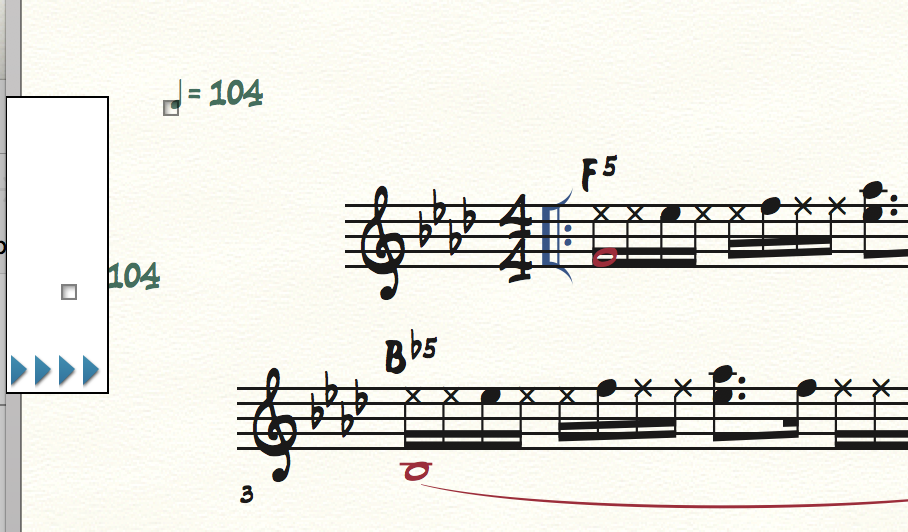
I did a copy & paste of the first measure of this tune and pasted it into measure 3 (see attached screenshot). It brought over the tempo marking and I can't seem to highlight and get rid of it. I think it has something to do with it hiding behind the little arrows you see. Can someone help? 
1 comment

Date Votes
Avatar
0

Have you tried deleting the tempo marking in Scroll View?

That is what I would try.

You can navigate in Scroll View, one measure at a time, until the tempo marking’s handle is at a position where you can select it, and hit Delete.

Comment actions Permalink

Please sign in to leave a comment.