New post
Avatar
0

Hi,

I'm new in using this software and I have a question that I can't find the answer to. 

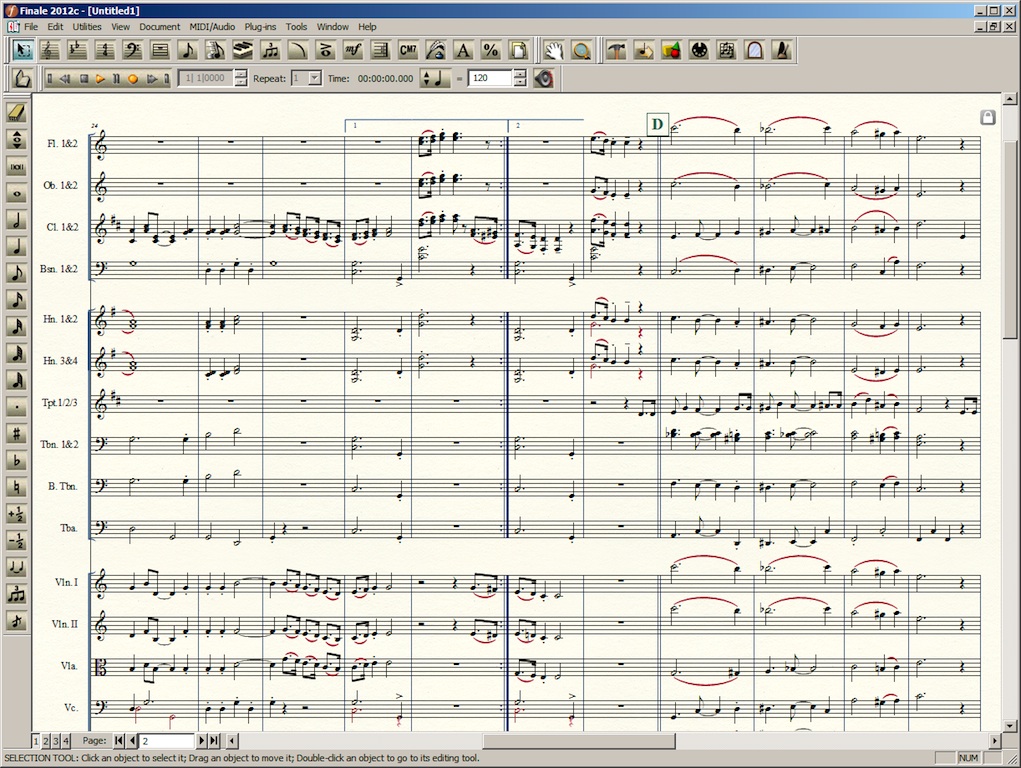
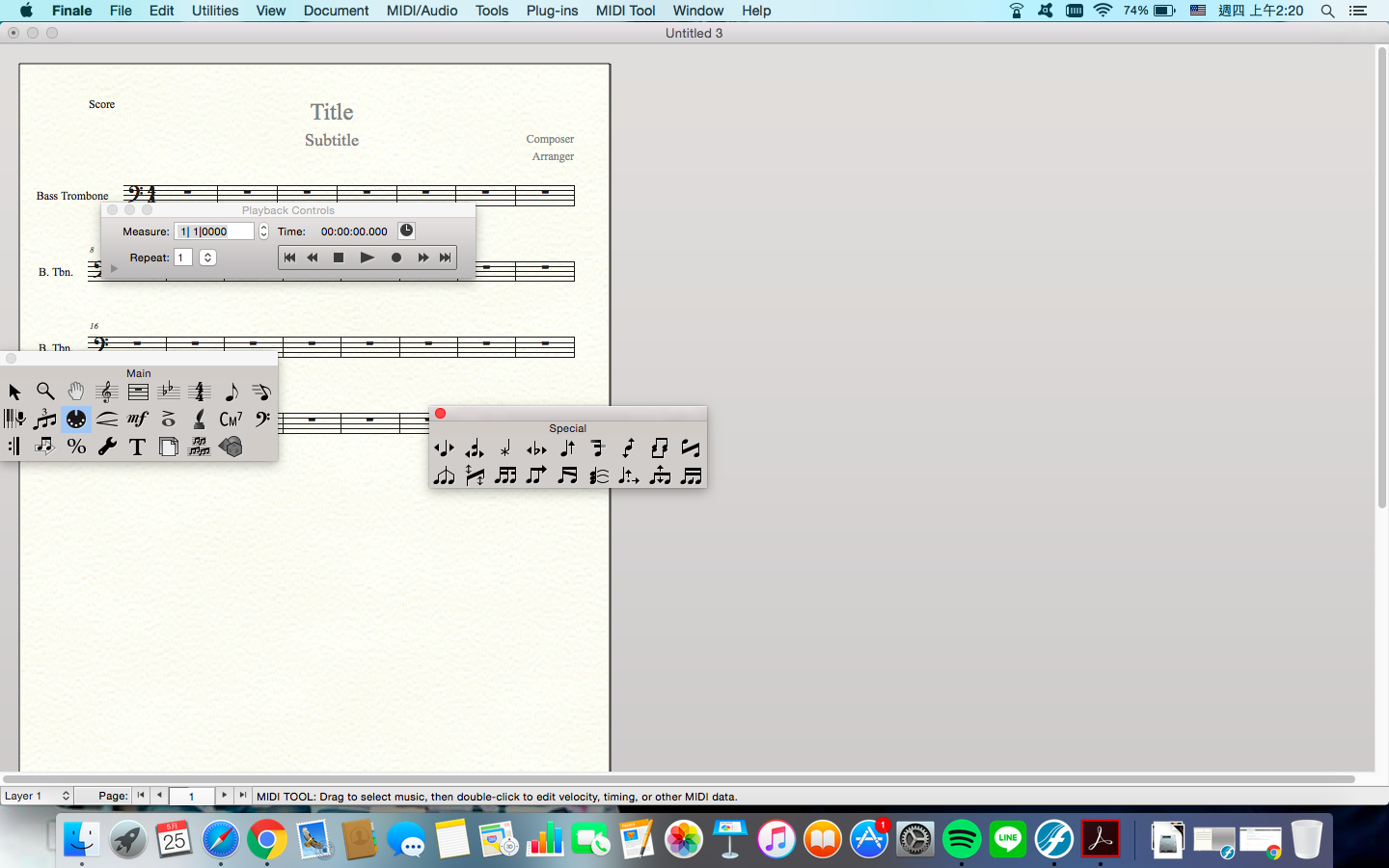
I can open the palettes that I want, but they seem to float everywhere (pic 1), is there a way to get them 'stick' on my window (pic 2)? 

I've tried dragging them on to the tool bar but it didn't work.

I use the version of 25.3.0.276. Thanks in advance!


Michelle 

5 comments

Date Votes
Avatar
0

Michelle,


From the screen shots it looks like you have moved from Windows Finale to Mac Finale, right?

The palettes behave a little differently in Mac Finale.

They do not “dock” - docking is a Windows thingy.


What I would do:


1) Open a document, and go through all the palettes, and customize each palette as desired:

- show/not show,

- layout (low&wide, tall&narrow)

- position on the screen.

TIP: The Smart Shape palette, the Articulation palette, and the Special Tools palette can occupy the same area on the screen - since they never appear simultaneously.


2) File menu > Save Preferences

This step will make Finale remember all palette/window positions.

Comment actions Permalink
Avatar
0

Thanks Peter, that helps. But even if I organized the palettes in the way I want and saved my preferences, I can't seem to minimize them at the same time when I minimize my score. Perhaps it's a mac thing, or do you happen to know if there's a way to resolve it?

Michelle

Comment actions Permalink
Avatar
0

I can't seem to minimize them at the same time when I minimize my score.


Are you talking about minimizing the document window (Window menu > Minimize)?

Minimizing is a feature for document windows, not for program windows (= palettes, dialog boxes &c.)


If you want to hide both the document window and the palettes, then - instead of minimizing the document window, hide the Finale program (Finale menu > Hide Finale).


If I misunderstand you, then I apologize.


Please describe what you want to achieve; what you do when you try to achieve it; what happens; and what doesn't happen that you expected.

Comment actions Permalink
Avatar
0

Yes, I wanted to hide both the program windows AND the document windows. That totally worked, thanks a lot Peter!! ! That saved us from wandering around on the internet for hours.

A vey good day to you!

Michelle

Comment actions Permalink
Avatar
0

"The palettes behave a little differently in Mac Finale"

this understatement borders on passive aggressive LOL

(I share the OP's exasperation - maybe one of our plugin makers can take this up?)

Comment actions Permalink

Please sign in to leave a comment.