New post
Avatar
0

I have a TTBB score where the bass notes were all entered in layer 2 of the bottom bass clef.  I want to delete all the bass notes, or essentially all notes in layer 2.  Sounds pretty simple, but I can't find a way to do it without also deleting the baritone notes which are in layer 1. If I use the selection tool and highlight the bottom clef and press delete it deletes all the notes in both layers.  What's the trick to limiting deletion to a single layer?

8 comments

Date Votes
Avatar
1

View Active Layer Only. Should be in the Document menu.

When only layer 2 is showing, you can select and delete it without affecting layer one. 

Comment actions Permalink
Avatar
0

Perfect! I had not noticed that option. Thank you so much.

Comment actions Permalink
Avatar
0

I'm new to this forum. Is there a way to mark the question answered? I see the little up-and-down arrow with a zero in the middle.

Comment actions Permalink
Avatar
0

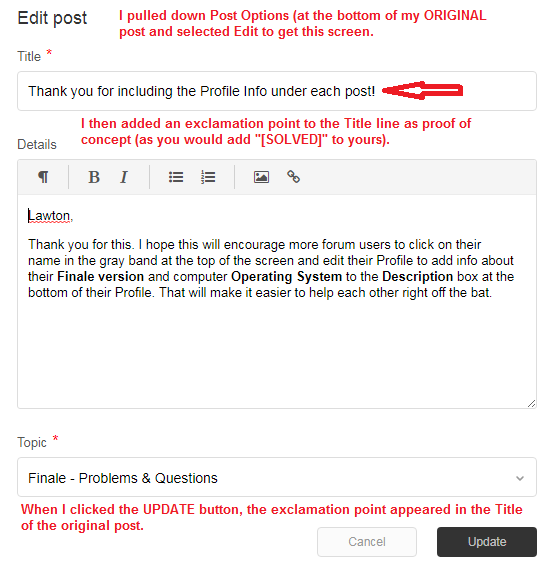
You should be able to open your original post of the thread and edit the subject line IIRC.

Comment actions Permalink
Avatar
0

Adrian, I looked around and can find no way to edit the original subject line.  Maybe I am missing something.  Also, not sure what IIRC means.  :-(

Comment actions Permalink
Avatar
0

IIRC = If I Recall Correctly

Comment actions Permalink
Avatar
0

I tried making the change on an old mssg I had originated to see if it would work as I recalled. Remember that you need to edit the title of the first mssg of the thread.

IGIRC

("I guess I recalled correctly." And that is not a known acronym.)


Comment actions Permalink
Avatar
1

Thanks, all.  I just updated the title to include [Solved].

Comment actions Permalink

Please sign in to leave a comment.