

Finale 25.4 on Mac Sierra - although the version and system shouldn't matter...
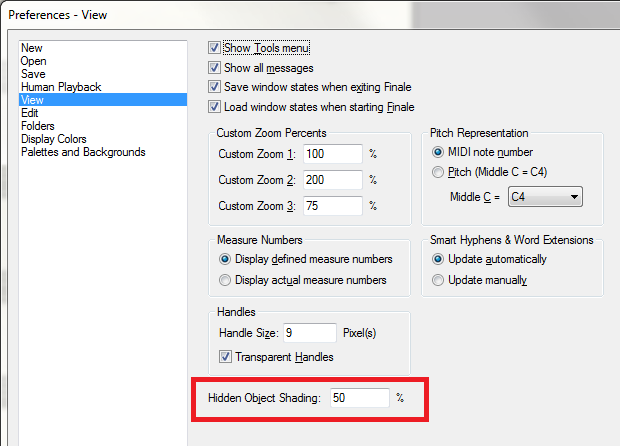
I always use hidden expressions for various reasons such as dealing with volume control between different sound banks (volume data vs expression data vs key velocity vs modulation data). But there are times where I have several hidden expressions attached to one measure or note along with visible expressions such as dynamic markings (even ones that do not effect playback). Many times the visible expression informs the performer what they should do while the hidden expressions do the dirty work for the midi playback. Most of the time it isn't a problem, but when it comes to editing the score for print, there is often way to much stuff on the screen to make it a quick process. Is there a way to "hide" / toggle hidden text or expressions from the screen or even adjust the color or alpha so I can more easily edit the printable components. If my printable expression is green and the multiple hidden expressions are just a more transparent green, it can become congested very quick.

2 comments
Date Votes