New post
Avatar
0

(Finale Make Music Version 2014a.855  on Windows 10)

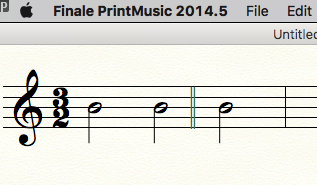
I am working on an arrangement of a piece in 3/2.   Several times, the composer has divided a bar into one of 2 beats and another of 1 beat, with a double bar between them.   I have been advised to use the 'time signature to display' option, which looks fantastic in theory, but when I select time signature icon and double click on the measure in question, the dialog box does not have that option, only the regular time signature options.   Is this user error or a version issue?


5 comments

Date Votes
Avatar
0

You have to click the "more options" button to see the "time signature to display" choice.

Comment actions Permalink
Avatar
0

Hmmm ... can't see a 'more options' button in the time signature dialog box.  But thanks for replying so quickly

Comment actions Permalink
Avatar
0

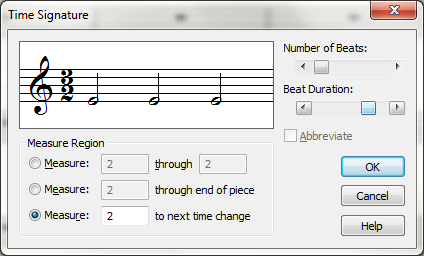
If your time signature screen looks like this, you are working in PrintMusic, not full Finale.


Comment actions Permalink
Avatar
0

...and PrintMusic does not have that option. Sorry.


You can enter a (fake) barline as an expression, but the spacing will require some work.


Comment actions Permalink
Avatar
0

Thanks for all the help folks.  I just realise I created confusion at the beginning of this thread by saying I was using Make Music (what's that?!) instead of saying I was using Print Music.   Anyway, I have upgraded to Finale (long overdue) and so far plain sailing!  Thanks again.

Comment actions Permalink

Please sign in to leave a comment.