


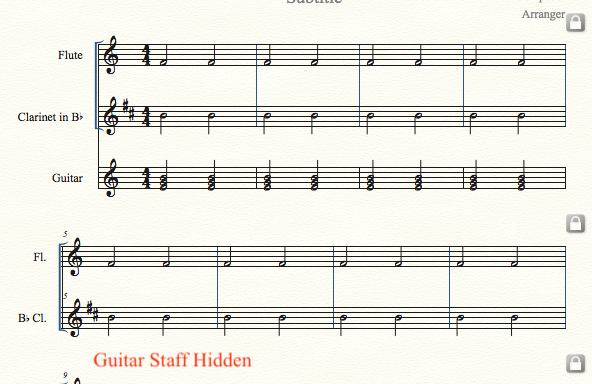
I have "Print Music". Not sure what "Hide Measures" is. I just want to be able to erase measure from an individual staff such that one staff may have unequal measures from the other, e.g., I wish to show the guitar part rhythm only for the initial four measures. The whole song may be much longer. I have attempted all methods described in the help section. Software is supposed to be capable but nothing changes when I execute the said method.
Thanks.
Knowing what program you are using is helpful.
PrintMusic does not have the Staff Styles available to full Finale users, but you can use Staff Menu > Hide Empty Staves for any systems which have no entries in a specific staff or staves.
I am not clear whether that is what you want (to delete all staves except for guitar int he first four measures) or whether you meant to delete all music after the first four measures. I am guessing my first option is close to what you want, and to do that the Hide Empty Staves shoud do what you want.
I want to do the option you state, "meant to delete all music after the first four measures", because the rhythm repeats so I just want four bars for the guitar but full score for everything else. Will "Print Music" do that or do i have to buy the full "Finale"?
What I have been able to do is to hide lines of measures but not a specific number of measures.
Print Music "help" does include the following, which is what i want to do, but it does not work for me:
----------------------------------------
To delete a measure from a single staff
In general, when you remove a measure from the score, PrintMusic removes the measure in question from every staff in the score. Using the following technique, however, you can remove a measure from a single staff (in effect) by sliding the subsequent measures one measure to the left.
 , and click the next measure after the measure you want to delete.
-------------------------------------
Thank You.

Please sign in to leave a comment.
5 comments
Date Votes