New post
Avatar
0

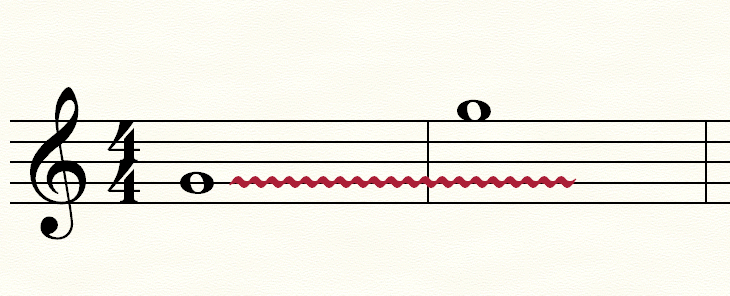
I’m new to Finale (Win 11, v27.3), so thanks for your patience. Suddenly, when I add a glissando from Smart Shapes, it comes in locked in a horizontal position. It worked previously, but now, no matter what I do (including resetting Finale Preferences), glisses are locked Hz. I’ve tried it in empty documents and existing scores and to no avail. What have I done to break this?
3 comments

Date Votes
Avatar
0

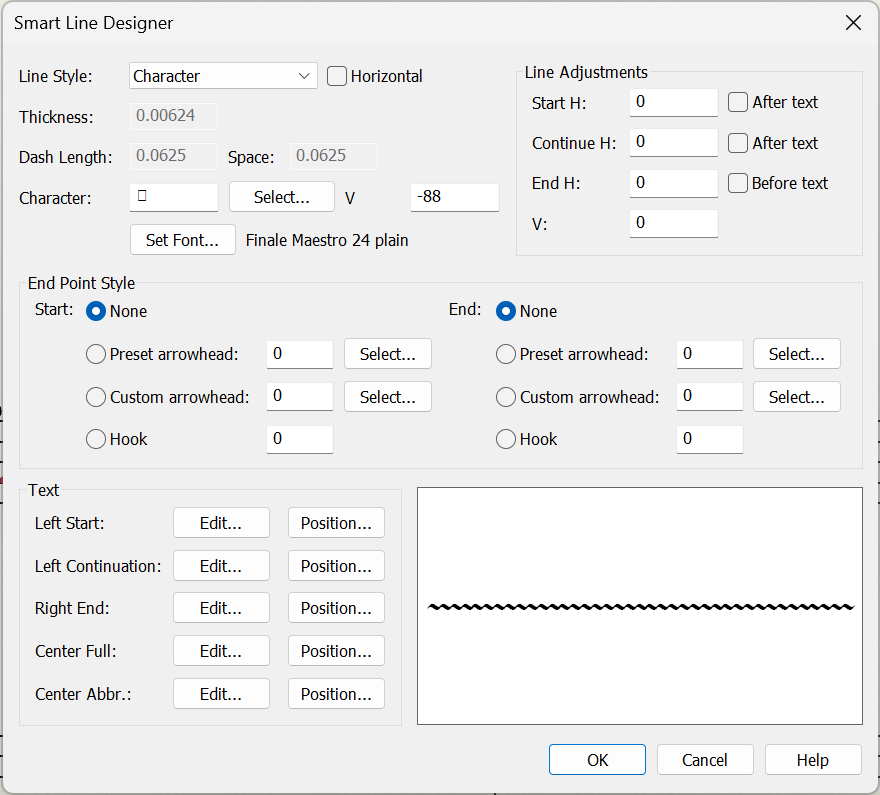
Smart Shape Options >  Smart Lines:Glissando > Select > Smart Line Selection> Edit > see if "Horizontal" (Line Style on the top) is checked - if so, uncheck it and it should work again


Comment actions Permalink
Avatar
0

Thanks, Michael. Checking this, "Horizontal" is not checked:

Comment actions Permalink
Avatar
0

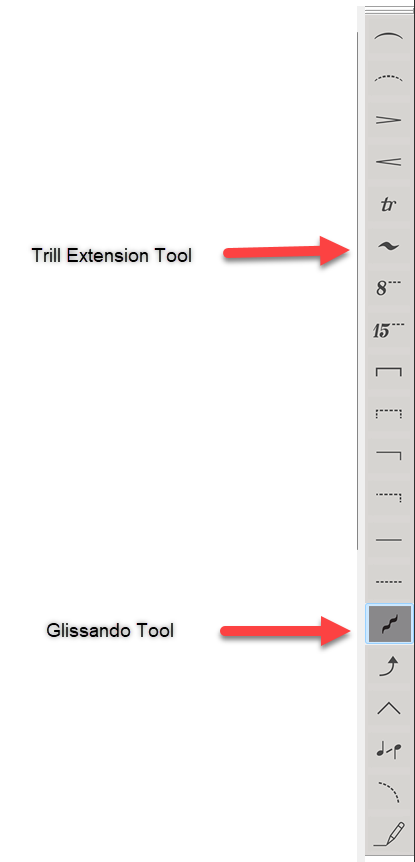
Ok, I hope rookie moves are ok for rookies! I was choosing the trill extension tool, NOT the glissando tool....UGH!

Comment actions Permalink

Please sign in to leave a comment.