

Hello.
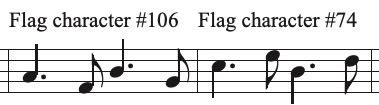
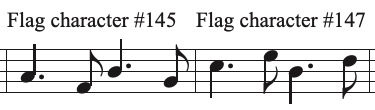
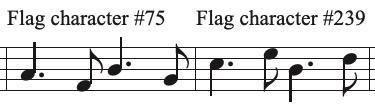
I would love to be able to use a shorter stem length in my music because that frees up space for fingerings, dynamics, bowing, slurs etc. The only problem with shortening the stems in Document Options is that the tail on the downward-pointing unattached eight notes is so long that below a certain stem length (72 EPV is about the minimum one can get away with) this tail interferes with (touches, goes over) the note head making the music look strange/ugly.
Does anybody know of a different music font (but not the jazz fonts) in which the tail on the unattached quavers is shorter (or any other way around this problem that doesn't involve manually lengthening each offending stem until the tail doesn't touch the notehead!)?
MANY THANKS
Finale 26, Windows 10

2 comments
Date Votes